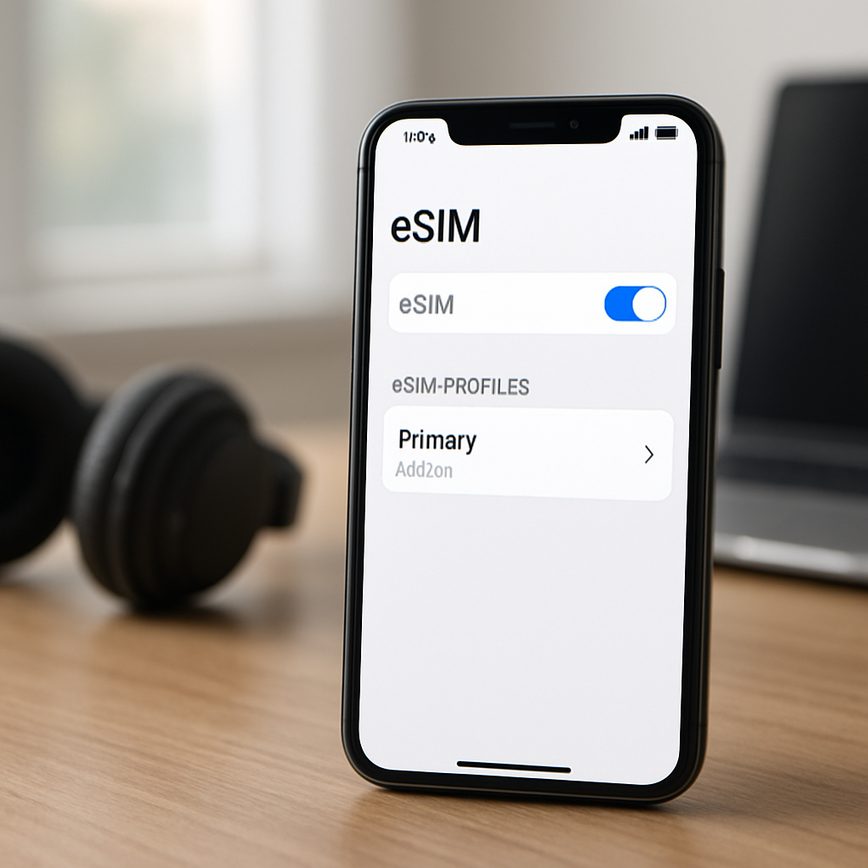
Deleting eSIM profile
27/05/2026
Understanding eSIM Profiles
An eSIM profile is a digital version of a traditional SIM card that is embedded directly into a mobile device. Unlike physical SIM cards, which are removable plastic chips inserted into your phone, an eSIM profile exists electronically and can be activated or changed without needing to swap any hardware. This profile contains all the necessary information to connect your device to a mobile network, including your phone number and carrier details. It is essentially a software-based SIM that brings a new level of flexibility and convenience to mobile technology.
The primary difference between an eSIM profile and traditional SIM cards lies in their physical form and management. Traditional SIM cards require physical handling—you need to insert a card provided by your carrier into your phone, and changing carriers or plans often means swapping out one SIM card for another. In contrast, an eSIM profile is downloaded and installed remotely by carriers over the air. This eliminates the need for physical cards, making it easier to switch carriers or add additional mobile plans directly from the device’s settings without having to visit a store or handle small SIM cards.
eSIM technology offers several advantages over traditional SIMs. First, it simplifies device design and space, as manufacturers do not need to allocate physical slots for SIM cards, allowing more efficient use of space or even smaller devices. Additionally, eSIMs enhance security; since the SIM is embedded and not removable, it is harder to tamper with or lose. Another key advantage is the convenience of managing multiple profiles on one device. Users can store multiple eSIM profiles simultaneously, enabling easy switching between personal, work, or international mobile plans without the hassle of changing SIM cards physically.
Moreover, eSIM profiles support more sustainable practices by reducing the production and disposal of plastic SIM cards. From a mobile technology perspective, eSIMs facilitate faster device activations and broader global connectivity, making them ideal for travelers and users who frequently change networks. As mobile technology continues to evolve, the eSIM profile represents a significant step toward a more flexible, user-friendly, and connected mobile experience.
What Is an eSIM Profile?
An eSIM profile is a digital file that lives on an embedded SIM (eSIM) chip within a device, replacing the traditional physical SIM card. This profile contains all the necessary information to authenticate and connect the device to a mobile network. Unlike physical SIM cards that you insert and remove, an eSIM profile can be downloaded, activated, and managed remotely by the mobile network operator.
At its core, an eSIM profile stores critical data such as the International Mobile Subscriber Identity (IMSI), authentication keys, and network operator details. These elements enable the mobile device to identify itself to the mobile network, gain access, and establish a secure connection. By digitally storing this information, the eSIM profile allows for seamless switching between carriers or plans without having to physically swap SIM cards.
The eSIM profile’s ability to provision and manage mobile network connectivity remotely offers users flexibility and convenience. For example, travelers can download local carrier profiles on their devices rather than purchasing a SIM card in each country. Additionally, this digital approach supports multiple profiles on one device, allowing users to maintain several network connections simultaneously, optimized for personal and business use.
Benefits of Using eSIM Technology
One of the primary benefits of eSIM technology is its unparalleled flexibility. Unlike traditional SIM cards, eSIMs eliminate the need for physical cards, allowing users to switch carriers and plans without swapping hardware. This flexibility streamlines the entire mobile experience and is particularly advantageous for frequent travelers and those who often change service providers.
Another significant eSIM advantage is the capability to store multiple profiles on a single device. Users can easily manage several mobile numbers or carriers, switching between them seamlessly at any time. This feature makes eSIM technology especially useful for people balancing personal and work phone numbers or those who want to maintain different data plans for various regions.
Finally, the digital SIM benefits extend to carrier switching, which becomes simpler and faster. Without the need to visit a store or wait for a physical SIM card to arrive, activation and switching can often be done instantly via software. This ease of use not only saves time but also enhances user convenience, making eSIM technology a game-changer in the mobile connectivity landscape.
How to Delete an eSIM Profile on Your Device
Managing your eSIM profiles effectively is important for maintaining your device’s performance and network settings. Whether you’re switching carriers or troubleshooting connectivity, knowing how to delete an eSIM profile correctly ensures a smooth process. This step-by-step guide will walk you through the process of deleting an eSIM profile on various device types using device settings.
- Access Device Settings
Start by unlocking your device and opening the Settings app. On most devices, eSIM management is located within the “Cellular” or “Mobile Network” section. - Locate the eSIM Profiles Section
Navigate to the area designated for eSIM or SIM management. This might be labeled as “Cellular Plans,” “SIM cards & mobile networks,” or simply “eSIM.” - Select the eSIM Profile to Delete
Within the eSIM management section, you will see a list of installed eSIM profiles. Identify the profile you wish to delete. This may be your current plan or one you no longer need. - Initiate the Remove eSIM Profile Process
Tap on the profile you want to delete. Look for an option such as “Remove Cellular Plan,” “Delete eSIM,” or “Remove eSIM Profile.” On some devices, this might be under additional settings or a context menu accessed by pressing three dots or a gear icon. - Confirm the Deletion
Your device will prompt you to confirm the deletion to prevent accidental removal. Confirm that you want to delete the eSIM profile. This action will erase the profile from your device and remove associated network settings. - Restart Your Device
After deleting the eSIM profile, it’s advisable to restart your device. Restarting helps in applying the changes fully and avoids network conflicts. - Verify Removal
Once your device powers back on, return to the eSIM section in device settings to ensure the profile has been successfully removed. Your device should no longer display the deleted eSIM profile under your cellular plans.
By following these steps, you can safely delete an eSIM profile and maintain control over your device’s cellular settings. Proper eSIM management allows for easier switching between network providers and keeps your device settings organized.
Deleting eSIM Profiles on iOS Devices
Removing an eSIM profile from your iPhone is straightforward and can be done directly through the iOS settings. If you need to iOS eSIM delete an unwanted or old profile, follow these clear steps below to remove eSIM iPhone profiles safely and efficiently.
- Open the Settings app on your iPhone.
- Scroll down and tap on Cellular or Mobile Data, depending on your iOS version.
- Under the Cellular plans section, you will see a list of your eSIM profiles installed on the device. Tap the eSIM profile that you want to delete.
- On the next screen, tap on Remove Cellular Plan or Delete eSIM.
- Confirm the deletion by tapping Remove or Delete again when prompted. This action will remove the eSIM profile from your iPhone completely.
- Once deleted, the eSIM profile is no longer active, and you will not be billed or connected via that specific cellular plan.
- If needed, you can always add a new eSIM or re-add the profile later using the activation QR code or carrier app.
Following these steps allows you to manage your iPhone cellular plans effectively and keeps your device free of redundant eSIM profiles. Deleting an eSIM profile on your iPhone ensures that you only keep active and necessary mobile data plans, helping to maintain clarity and control over your connections.
Removing eSIM Profiles on Android Phones
To remove an eSIM profile on an Android device, you need to navigate through the settings carefully. Start by opening the Settings app on your phone. Scroll down and select Network & internet or it may be labeled as Connections depending on your device model. Within this menu, look for the Mobile network option and tap on it.
Next, find and tap on the Advanced section to expand more options if necessary. You should see an option for Carrier or SIM cards—select this to view your eSIM profiles. Tap on the specific eSIM profile that you want to remove to open its settings.
Inside the eSIM settings, look for the option that says Remove or Delete eSIM profile. Confirm your choice to delete the profile from your device. This process frees up your phone’s eSIM capabilities for future profiles or carrier changes. It is important to note that removing an eSIM profile will disable the cellular connection associated with it.
Remember, the exact menus and wording might vary slightly between different Android brands or versions, but generally, the path involves Settings > Network & internet > Mobile network > eSIM settings. Always ensure you have backed up or noted any important details before you remove an eSIM profile on Android.
Precautions Before Deleting an eSIM Profile
Before deleting an eSIM profile, it is crucial to take several precautions to prevent any unintended service disruptions. One of the primary concerns is the potential loss of network connectivity, which can leave your device without cellular service if no alternative profile is active. To avoid this, ensure you have a backup eSIM profile ready or have physical SIM support as a contingency.
Backing up important data linked to the eSIM profile is another critical step. Although the profile mainly stores network credentials, some carriers might keep related settings or configurations that could be lost upon deletion. Check with your carrier about the possibility of retrieving or restoring your eSIM profile if needed later.
Additionally, confirm that all active services dependent on the eSIM, such as mobile data, calls, and messaging, have alternative arrangements before the deletion. Consider informing contacts if you anticipate a temporary loss of connection. This careful planning will help you manage any interruptions smoothly and maintain continuous service.
Overall, taking these precautions ensures that deleting an eSIM profile is a seamless process without unexpected data loss or connectivity issues. Always prioritize backing up and double-checking your network setup prior to any removal action.
Troubleshooting and FAQs About Deleting eSIM Profiles
Deleting an eSIM profile can occasionally present challenges due to various technical or procedural reasons. Understanding common eSIM issues and how to resolve them can save time and frustration. One frequent problem users encounter is the inability to delete the eSIM profile from their device. This may happen if the device is locked by a carrier or if there is an active cellular plan associated with the eSIM that prevents removal. In such cases, contacting your carrier to deactivate the plan before deleting the profile is usually necessary.
Another common delete problem arises when users attempt to remove an eSIM profile while the device is not connected to the internet. Since many devices verify the eSIM deletion request through a network connection, an unstable or absent connection can block the process. Ensuring a strong internet connection via Wi-Fi or mobile data often resolves this issue. Also, make sure your device’s software is up to date, as outdated firmware might cause compatibility problems that hinder profile deletion.
Some users worry about losing access to services or mobile data after deleting an eSIM profile. It’s important to note that deleting the profile only removes the eSIM configuration from the device and does not cancel your carrier subscription automatically. You may need to contact your carrier separately to manage your account and avoid unexpected charges. Additionally, retain any QR codes or activation information if you plan to reinstall the eSIM later.
Here are answers to some frequently asked questions (FAQs) regarding eSIM deletion:
Q: Can I delete an eSIM profile without internet access?
A: Usually, internet access is required to validate the deletion request. Try to connect to Wi-Fi or mobile data before deleting.
Q: Will deleting an eSIM profile cancel my cellular plan?
A: No, deleting the profile does not cancel your plan. Contact your carrier to manage your subscription separately.
Q: Can I recover an eSIM profile after deletion?
A: Only if you have the activation details or QR code from your carrier, as the profile itself is removed from the device when deleted.
By understanding these common issues and knowing the answers to these FAQs, users can troubleshoot eSIM delete problems effectively and manage their digital mobile profiles with confidence.
Common Errors When Deleting eSIM Profiles
When deleting eSIM profiles, users frequently encounter several errors that can disrupt the process. One common issue is encountering system errors or failed deletion notifications, often caused by software glitches or conflicting apps running in the background. To resolve this, ensure your device’s software is up to date and close unnecessary apps before attempting deletion again.
Another frequent problem arises when the eSIM profile is active or in use during deletion attempts. Devices typically prevent removal of an active eSIM to avoid loss of connectivity. The solution is to first disable or switch off the cellular line linked to the eSIM before proceeding with deletion. Check your device settings to confirm that the eSIM is not currently the default line for calls or data.
Some users face errors due to network restrictions or carrier-imposed limitations on the eSIM profile. This can cause deletion attempts to fail or stall. In such cases, contacting your carrier for assistance is recommended, as they can often remotely clear or reset the eSIM settings on their end.
Lastly, corruption in the eSIM profile itself can generate deletion issues. If the profile data becomes corrupted, normal deletion commands might not work, necessitating a device reset or reinstallation of the device’s operating system to clear the problem. Backing up your data before such actions is crucial.
By understanding these common errors—system glitches, active usage, carrier restrictions, and profile corruption—you can effectively troubleshoot and resolve deletion issues related to eSIM profiles.
Frequently Asked Questions
Here are answers to some common FAQs about deleting and managing your eSIM profile. If you have more questions, our help and support teams are always ready to assist you.
Q: What happens when I delete an eSIM profile?
Deleting an eSIM profile removes the carrier’s settings and service information from your device. You will no longer be able to use that specific cellular plan until you reinstall or reactivate it.
Q: Can I delete an eSIM and reinstall it later?
Yes, you can delete and reinstall an eSIM profile as long as your carrier supports reactivation. Be sure to check with your carrier for any restrictions or necessary activation codes.
Q: Will deleting an eSIM affect my phone number?
Deleting the eSIM profile removes the cellular service associated with it, so your number will no longer be active on that device. To keep the number, you can transfer or reactivate the profile.
Q: How can I get help if I have issues deleting my eSIM?
If you encounter any problems, consult your device’s user manual or contact your carrier’s customer support. You can also reach out to specialized eSIM help centers for expert guidance.
For more eSIM deletion questions, our support team is here to provide fast and reliable help to ensure your eSIM management is smooth and hassle-free.

I’m a tech enthusiast who loves exploring how eSIMs simplify staying connected while traveling. I spend my free time testing new smartphones and sharing tips on getting the most out of mobile data abroad.