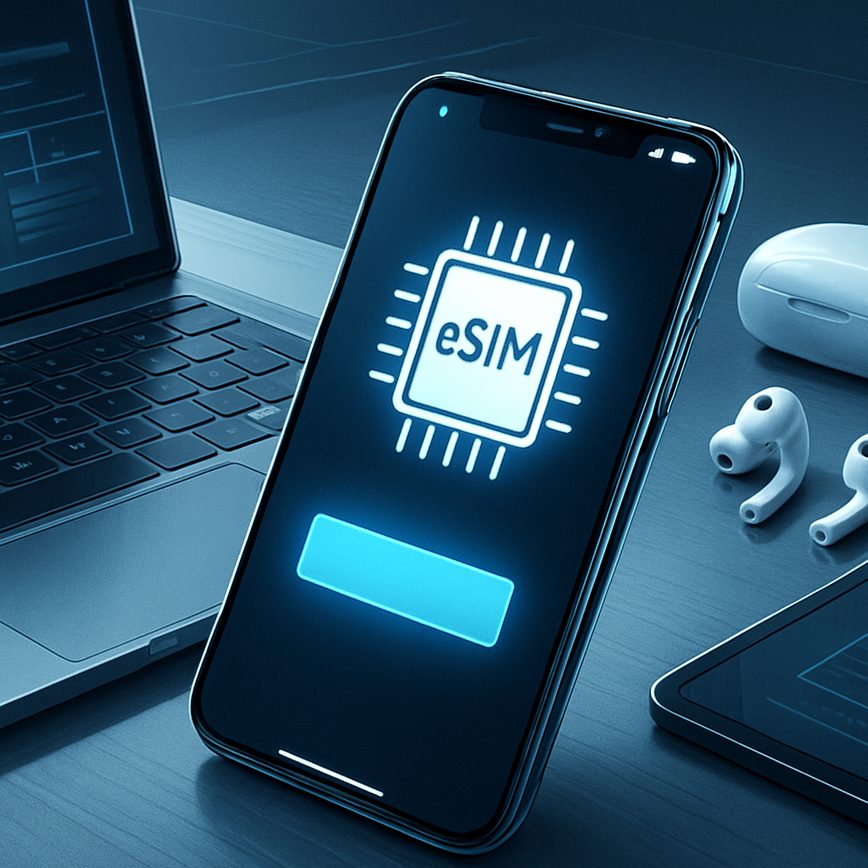
Switching between eSIMs
25/05/2026
Understanding eSIM Technology
eSIM basics revolve around the embedded SIM technology designed to replace the traditional physical SIM cards found in mobile devices. Unlike conventional SIM cards, which are removable and require manual insertion into a device, an embedded SIM (eSIM) is a digital SIM that is built directly into the device’s hardware. This small chip stores multiple cellular profiles, allowing users to switch carriers and plans without needing to swap physical cards.
The key difference between an eSIM and a traditional SIM card lies in its integration and flexibility. While a traditional SIM card is a physical card that must be manually handled, the eSIM is reprogrammable remotely by a carrier or user, which eliminates the need for physical SIM cards and enables seamless connectivity management. eSIM technology offers a more streamlined, space-saving solution for device manufacturers and users, as it frees up physical space inside devices for other components or allows manufacturers to design slimmer devices.
eSIM features include the ability to store multiple profiles, making it easier to activate different cellular plans on a single device. This is particularly advantageous for those who travel frequently or switch between personal and business numbers. The digital SIM capability enables rapid network switching without the hassle of purchasing and physically inserting new SIM cards. Additionally, eSIMs offer enhanced security, as the embedded chip is less susceptible to physical damage or theft compared to traditional SIM cards.
Among the numerous benefits of eSIM technology are convenience and flexibility. Users can manage their cellular plans directly through their device settings or a carrier’s app, avoiding trips to stores or waiting for new SIM cards to arrive by mail. The digital nature of eSIMs also supports environmental sustainability by reducing plastic waste associated with traditional SIM cards. For manufacturers, eSIM integration opens doors for innovations in device design and connectivity options, making technology more adaptive to modern user needs.
In summary, eSIM technology represents a significant evolution from traditional SIM cards by embedding the SIM hardware directly into devices, enabling digital management of cellular profiles. This development enhances user experience through greater convenience, security, and device versatility, all while supporting the growing demand for flexible and reliable mobile connectivity.
What is an eSIM?
An eSIM, or embedded SIM, is a modern alternative to the traditional physical SIM card used in mobile devices. Unlike conventional SIM cards that require insertion into a device’s SIM slot, an eSIM is integrated directly onto the device’s hardware. This virtual SIM allows users to activate a cellular plan without needing a physical card, making it easier to switch carriers or service plans digitally.
The embedded SIM meaning extends beyond just convenience; it offers enhanced flexibility and efficiency for both consumers and mobile network operators. Because it is rewritable, users can store multiple profiles on one device and switch between them seamlessly, which is especially useful for frequent travelers who need to manage different network settings. eSIM technology supports a wide range of devices, from smartphones and tablets to smartwatches and IoT gadgets, improving connectivity options across the board.
In essence, the virtual SIM replaces the bulky, removable SIM card with a compact chip that simplifies mobile device management. Its role in modern mobile devices is crucial as it streamlines the process of connecting to mobile networks, reduces plastic waste tied to physical cards, and enables more innovative device designs. As mobile technology advances, eSIMs are set to become the new standard, providing users with unparalleled flexibility and efficiency in how they manage their mobile communications.
Advantages of Using eSIMs
eSIMs offer several compelling benefits that make them an attractive choice for modern mobile users. One of the primary advantages is flexibility. Unlike traditional SIM cards, eSIMs allow users to switch between multiple mobile networks without needing to physically swap out SIM cards. This flexible SIM capability enables seamless mobile network switching, making it ideal for both frequent travelers and those who want to optimize their mobile plans.
Another significant advantage of eSIMs is space-saving. Since eSIMs are embedded directly into the device’s hardware, they eliminate the need for a physical SIM card slot. This can free up valuable space within smartphones and other connected devices, allowing manufacturers to design slimmer, more compact models or integrate additional components such as larger batteries.
Remote provisioning is also a key benefit of eSIM technology. Users can activate or switch mobile carriers over the air without visiting a store or waiting for a physical SIM card to be shipped. This remote provisioning capability enhances convenience and speeds up the process of connecting to mobile networks, making eSIMs particularly well-suited for the fast-paced digital world.
Overall, the combination of eSIM benefits like flexibility, space-saving design, and remote provisioning supports a more versatile and user-friendly mobile experience, revolutionizing the way we manage mobile connectivity.
How to Switch Between eSIMs
Switching between eSIM profiles can maximize the convenience and flexibility of managing your mobile connectivity. Whether you need to switch between personal and work lines or manage local and international numbers, understanding how to change eSIM profiles is essential. Below is a step-by-step guide on how to switch eSIMs across different devices and operating systems, enabling smooth dual eSIM switching and effective management of multiple eSIMs.
- Check Your Device Compatibility: Before switching eSIMs, ensure your device supports multiple eSIM profiles and dual SIM functionality. iPhones running iOS 12.1 or later, and many Android devices from brands like Samsung and Google support managing eSIMs.
- Access Cellular Settings: On iOS, go to Settings > Cellular or Mobile Data. For Android, open Settings > Network & internet > SIMs or Mobile Network. This is where you manage your eSIM profiles.
- View and Select eSIM Profiles: In your cellular or SIM settings, locate the section listing your installed eSIM profiles. These will show as separate lines or profiles. To switch eSIMs, tap on the profile you want to activate.
- Switch the Active Line: On iOS, select the line and choose “Turn On This Line” to activate the desired eSIM profile. Android phones may require you to toggle the active SIM for mobile data or calls under the SIM management settings. This action effectively switches your active eSIM and associated number.
- Confirm Network Connection: After switching, your device will connect to the selected eSIM’s network. It might take a few moments to update your signal and carrier status.
- Customize eSIM Usage: You can designate which eSIM profile is used for calls, messages, and data by setting defaults in your mobile network settings. This helps you manage eSIMs efficiently, especially during dual eSIM switching scenarios.
- Switch Between Devices: If you use multiple devices, make sure the eSIM profile you wish to use is installed and activated on the target device. Transfer profiles through carrier QR codes or apps if necessary, then repeat the above steps to switch actively.
- Remove or Disable Unused eSIMs: To maintain clarity in your eSIM management, remove or temporarily disable eSIM profiles that you do not need actively. This avoids confusion and ensures smooth switching.
By following these steps, you can easily switch eSIMs, change eSIM profiles, and manage eSIMs across different devices and platforms. Mastering this process gives you greater control over your connectivity and allows seamless dual eSIM switching without hassle.
Switching eSIMs on iOS Devices
Managing multiple eSIM profiles on an iPhone is straightforward thanks to iOS eSIM management features built into Apple eSIM settings. When you have more than one eSIM installed, you can easily switch which one is active to control which cellular plan is currently in use.
To start, open the Settings app on your iPhone and navigate to the Cellular or Mobile Data section. Here, you will see a list of eSIM plans associated with your device. The currently active eSIM will be indicated as the primary line used for voice, data, and messaging. To switch the active eSIM, tap on the line you want to activate.
Within Apple’s eSIM settings, you can toggle the line on or off and select the default line for cellular data and voice calls. This iPhone eSIM switch capability ensures you can easily control which plan connects to the network without physically swapping SIM cards or restarting your device. Additionally, you can label each eSIM line to better identify them, for example, “Work” or “Personal.”
Once you select a new active eSIM profile, your iPhone may take a few moments to connect to the new cellular network. You can verify the switch by checking the cellular status icon or the line displayed in the Cellular settings. This seamless process of switching eSIMs on iOS devices offers great flexibility for managing multiple numbers or data plans all in one device.
Switching eSIMs on Android Devices
Switching between eSIM profiles on Android devices is straightforward but varies slightly depending on the smartphone manufacturer and Android version. To manage eSIM Android settings, start by navigating to your device’s Settings app. Look for “Connections,” “Network & internet,” or directly “Mobile Network” options, as naming can differ across brands.
Once inside the mobile network settings, you will find a section labeled “SIM cards,” “SIM manager,” or “eSIM.” Here, you can view all installed eSIM profiles. To switch the active profile, simply select the desired eSIM and enable it, which will deactivate the currently active profile. This process allows you to easily toggle between different carriers or plans without removing any physical SIM cards.
For Samsung users, Samsung eSIM settings are found under “Connections” > “SIM card manager.” In this menu, users can switch between eSIM profiles by selecting the “Preferred SIM card for mobile data” and “Preferred SIM card for calls and messages.” This device-specific setting enhances control over your mobile connectivity.
It’s important to note that some Android devices may require a restart after switching eSIM profiles for the change to take full effect. Additionally, managing multiple eSIMs is ideal for frequent travelers or those using different plans for business and personal use. By mastering Android eSIM switch features, you ensure seamless connectivity tailored to your needs.
Tips and Troubleshooting for eSIM Switching
Switching between eSIMs can offer flexibility and convenience, but like any technology, it might sometimes present challenges. Being aware of common eSIM problems and how to address them can save you time and frustration. Here are some practical tips and troubleshooting techniques to help you navigate switching issues and network errors effectively.
First, ensure your device supports multiple eSIM profiles and is updated to the latest software version. Software updates often fix bugs related to eSIM management. If you encounter switching issues, restarting your device can sometimes resolve temporary glitches.
Network errors are a frequent source of trouble when switching eSIMs. If your phone fails to connect after switching, verify that the active eSIM profile is properly activated by your carrier. Sometimes, re-downloading the eSIM QR code or reinstalling the eSIM through your carrier’s app can resolve connection problems.
Another tip is to check your device’s network settings after switching eSIMs. Make sure the correct profile is selected for cellular data and voice services. If you experience intermittent network issues, try toggling airplane mode on and off or resetting your network settings to clear any misconfigurations.
When facing persistent eSIM troubleshooting problems, contacting your carrier’s support is advisable. They can verify your eSIM activation status and assist with errors on their end. Additionally, consulting your device manufacturer’s support resources may uncover device-specific fixes.
In summary, addressing eSIM switching issues requires a combination of checking software updates, verifying activation and network settings, and seeking support when necessary. With these tips, you can minimize errors and enjoy the full convenience of managing multiple eSIMs on your device.
Common Issues When Switching eSIMs
Switching between eSIMs can occasionally lead to several common issues that users should be aware of. One frequent problem is connectivity problems, which often arise due to network switching delays or improper signal handover between carriers. This can result in dropped calls or an inability to access mobile data immediately after switching.
Activation errors are another major hurdle. These errors typically occur when the eSIM profile isn’t properly downloaded or activated on the device. Sometimes this is due to incompatibility issues between the eSIM provider and the phone, or problems during the profile’s validation process. Users might see error messages or failure notifications preventing successful activation.
Profile deactivation issues also pose challenges when managing multiple eSIMs. Some devices or carriers might automatically deactivate one profile when another is activated, leading to unexpected disconnections. This deactivation may not always be communicated clearly, causing confusion about which eSIM is currently active. Additionally, certain carriers enforce limitations on the number of times an eSIM can be reactivated, adding another layer of complexity.
Understanding these common issues — connectivity problems, activation errors, and profile deactivation — helps users troubleshoot and manage the transition between eSIMs more effectively. Ensuring compatibility with your device and following proper activation instructions can minimize disruptions and improve the overall eSIM switching experience.
Effective Troubleshooting Steps
When encountering issues while switching between eSIMs, implementing a series of effective troubleshooting steps can significantly help restore functionality and improve your user experience. Firstly, try to reset your eSIM by removing the current eSIM profile and reinstalling it. This process can clear any corrupt data or settings that might be causing connection glitches.
A network refresh is another vital step. Toggle airplane mode on and off or restart your device to force your phone to reconnect to the carrier’s network. This can often resolve temporary network-related issues that interfere with eSIM switching.
If problems persist, contacting your carrier support is crucial. There might be network restrictions, account issues, or provisioning errors that only your carrier can identify and fix. Support teams can also verify if your device is compatible and updated with the latest carrier settings necessary for eSIM functionality.
Additionally, ensure your device software is up to date since manufacturers frequently release updates that enhance eSIM management and fix known bugs. By methodically applying these troubleshooting methods—including resetting eSIM profiles, performing network refreshes, and seeking carrier support—you can effectively resolve most eSIM switching problems and maintain a seamless mobile experience.

I’m a tech enthusiast who loves exploring how eSIMs simplify staying connected while traveling. I spend my free time testing new smartphones and sharing tips on getting the most out of mobile data abroad.