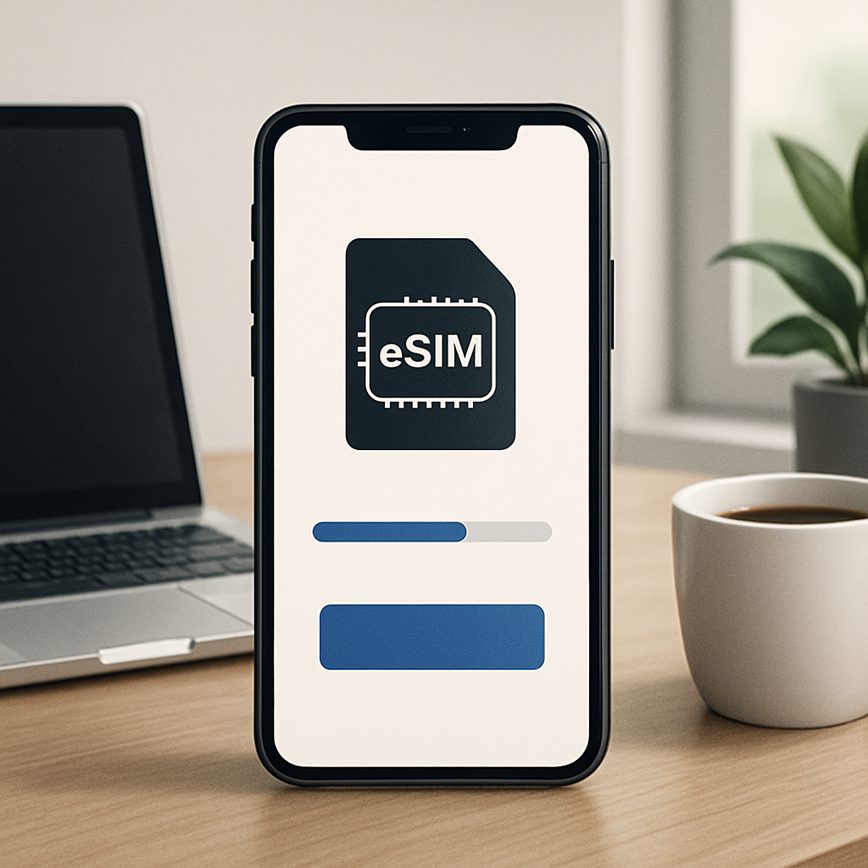
Activating eSIM without Wi-Fi
26/05/2026
Understanding eSIM Activation
eSIM activation refers to the process of enabling a digital SIM (Subscriber Identity Module) on your device, allowing you to access mobile connectivity without the need for a physical SIM card. An eSIM is embedded directly into your device, providing a more flexible and convenient way to manage mobile plans and carriers. This technology is revolutionizing how users connect to mobile networks, offering a sleek alternative to traditional SIM cards that can be easily switched and managed remotely.
At its core, an eSIM contains the same information as a physical SIM but is a programmable chip inside the device. To activate it, users typically need to download a profile from their mobile carrier, which contains all the necessary data for network authentication and mobile connectivity. This process eliminates the need to visit a store or wait for a SIM card delivery, streamlining activation for travelers and everyday users alike.
The standard process of eSIM activation generally requires a few key steps. First, the user must obtain an activation QR code or an activation code from their carrier. This can usually be done via the carrier’s website, app, or customer service. Next, the user scans the QR code or enters the code on their device, triggering the download and installation of the eSIM profile. Once installed, the device connects to the mobile network, enabling immediate mobile data access and calls through the digital SIM.
One common requirement during eSIM activation is access to a Wi-Fi connection, especially when downloading the eSIM profile. This helps ensure a stable and secure transfer of data from the carrier’s server to the device. Wi-Fi is often necessary because the device needs internet connectivity to communicate with the carrier’s activation system. Additionally, some carriers enforce this requirement to avoid extra cellular charges during the initial setup. However, recent advancements are gradually allowing eSIM activation without Wi-Fi by using mobile data or offline activation methods, expanding usability in scenarios where Wi-Fi is unavailable.
Understanding these eSIM basics is crucial for users looking to embrace digital SIM technology. As mobile connectivity evolves, eSIM activation becomes a seamless and efficient way to stay connected, providing greater flexibility and easier management of mobile plans without the dependency on physical SIM cards or traditional activation processes.
What is an eSIM?
An eSIM, standing for embedded SIM, is a modern advancement in mobile SIM technology that differs significantly from traditional physical SIM cards. Unlike physical SIM cards, which require a physical chip to be inserted into a mobile device, an eSIM is a digital SIM integrated directly into the device’s hardware. This embedded SIM technology allows users to activate a cellular plan without the need to swap out physical cards.
The eSIM definition reflects its core characteristic: the SIM is embedded within the device, enabling seamless switching between different carriers and mobile plans digitally. This eliminates the common inconvenience of handling tiny plastic SIM cards, making mobile connectivity more flexible and efficient. With digital SIM technology, switching providers or adding multiple mobile SIM profiles can be managed electronically from the device settings without visiting a store or waiting for a new SIM card delivery.
Embedded SIM technology not only simplifies mobile connectivity but also enhances device design, allowing manufacturers to save space and improve waterproofing by removing the SIM card slot. As mobile devices continue to evolve, eSIMs represent the future of mobile SIM technology by facilitating smoother transitions between networks and catering to the growing demand for digital and connected lifestyles.
Typical Activation Requirements
Activating an eSIM generally involves connecting your device to a network to download the necessary carrier profile, making Wi-Fi for eSIM activation a common requirement. Wi-Fi provides a stable and fast internet connection, which is essential in the activation process as it ensures that the mobile setup is completed smoothly without any interruptions. Since eSIM activation involves downloading data that configures network access settings, reliable connectivity needs are vital to avoid errors or incomplete installations.
Many devices initially require Wi-Fi for eSIM activation because it is often the quickest way to establish an internet connection, especially on new phones or after a factory reset when cellular services are not yet available. Additionally, some carriers mandate a Wi-Fi connection to authenticate and verify the activation request securely. Due to these reasons, Wi-Fi remains a fundamental part of the activation process to guarantee that all necessary data is properly and safely transmitted.
Although there are ongoing developments allowing some devices to activate eSIM without Wi-Fi using cellular data or other means, Wi-Fi for eSIM activation remains the preferred and most reliable method for most users. Understanding these connectivity needs helps consumers better prepare for a hassle-free activation experience when setting up their mobile devices with eSIM technology.
5. Alternative Methods to Activate eSIM Without Wi-Fi
Activating your eSIM offline might seem challenging, but there are reliable methods to activate eSIM without Wi-Fi. Whether you’re in an area with no internet access or prefer using mobile networks, follow these steps to complete your mobile network activation smoothly and get your eSIM working without relying on Wi-Fi.
- Use Cellular Data for Activation: If your device already has a primary SIM card with an active data plan, you can use its cellular data connection to download the eSIM profile. Enable mobile data on the primary SIM, then scan the QR code or enter the details manually. This allows you to activate the eSIM offline without a Wi-Fi connection.
- Visit a Carrier Store for Direct Activation: Many carriers provide in-store activation services. Visit a carrier’s physical location where a staff member can help you activate your eSIM using their local network or devices, completely bypassing the need for Wi-Fi. This is a reliable option if you encounter issues activating your eSIM independently.
- Use a Portable Hotspot or Tethering: If Wi-Fi is unavailable, but another phone or device has an active mobile data connection, you can create a portable hotspot or use USB tethering to share that connection temporarily. Connect your eSIM device to this network to complete the activation process without Wi-Fi.
- Manual Profile Installation: Some carriers provide an activation code or a manual profile that you can enter into your phone settings for eSIM setup. This method does not require internet access for activation, allowing you to activate eSIM offline simply by inputting the carrier’s details directly.
- Use Carrier Apps with Mobile Data: Many carriers have dedicated apps that can activate eSIM profiles. If using cellular data from your main SIM, download your carrier’s app and follow the prompts to activate your eSIM. This method circumvents the need for Wi-Fi eSIM activation, leveraging mobile network activation instead.
By following these alternative ways to activate eSIM without Wi-Fi, you can ensure your device is connected even in low connectivity environments. Whether using cellular data, carrier assistance, or manual input, there are multiple pathways for no Wi-Fi eSIM activation to keep you connected seamlessly.
Using Mobile Data for Activation
Activating your eSIM without Wi-Fi is possible by leveraging mobile data connections from another device or a neighbor’s hotspot. This method allows you to complete the cellular activation process using alternative mobile network eSIM sources, ensuring you stay connected even without traditional Wi-Fi access.
To activate your eSIM cellular service via mobile data, start by using a mobile hotspot from a friend’s phone or another nearby device with an active cellular connection. By connecting your phone to this hotspot, you can temporarily utilize the mobile network eSIM of that device to facilitate activation. This is especially useful when traveling or in areas where Wi-Fi might be unavailable.
Another option is to use a dedicated mobile hotspot device, which provides a stable cellular connection through its mobile data eSIM. Connecting your smartphone to this hotspot enables you to download the necessary activation profiles and complete the cellular activation with ease. Be sure that the hotspot device has sufficient signal strength and data availability to avoid interruptions during the process.
Using mobile data eSIM from another device or a neighbor’s hotspot ensures that you can activate your eSIM cellular service securely and efficiently. This method bypasses the need for Wi-Fi, broadening your options for activating and managing your mobile network eSIM wherever you are.
Carrier Assistance and QR Code Methods
Carriers play a vital role in enabling eSIM activation without requiring a Wi-Fi connection. One of the most common ways carriers support this off-line activation process is by providing an eSIM QR code directly to users. This QR code contains all the necessary data for eSIM provisioning, allowing the device to download the carrier profile securely without needing internet access. Customers can often receive these QR codes through physical mail, in-store visits, or even via SMS or email before they begin the activation process.
Beyond QR codes, carriers also offer alternative methods to facilitate eSIM provisioning off-line. For example, some carriers provide manual activation codes or unique activation URLs that can be entered into the device’s settings to initiate the provisioning process. Additionally, customer support teams can sometimes push carrier profiles remotely, further easing the activation process when Wi-Fi is not available. This carrier support ensures a seamless transition to eSIM technology regardless of the user’s connectivity situation.
In summary, carrier support through the delivery of eSIM QR codes and alternative provisioning methods is essential for successful off-line activation. These solutions eliminate the dependency on Wi-Fi, making it easier for users to activate their eSIMs quickly and conveniently. As eSIM technology becomes more widespread, carriers continue to innovate these support strategies to enhance user experience and reliability during the activation process.
Troubleshooting Common Activation Issues
Activating an eSIM without Wi-Fi can sometimes present challenges that lead to eSIM issues and activation errors. Understanding these common problems and how to resolve them can save time and ensure a smooth activation process. Below are the frequent activation problems users face and practical device troubleshooting tips to overcome them.
One of the primary causes of activation problems is a weak or unstable cellular signal. Since an eSIM requires network communication to complete activation, poor reception can interrupt the process. To resolve this, move to an area with stronger cellular coverage. If you are indoors, near a window or going outside may improve signal strength.
Another frequent issue occurs due to incorrect QR code scanning or data input during activation. The QR code must be scanned clearly, and any manual information like activation codes should be entered accurately. Double-check the details or request a new QR code from your carrier if errors persist.
Device compatibility can also trigger activation errors. Ensure your smartphone supports eSIM technology and is unlocked if switching carriers. Additionally, the device firmware and operating system should be updated to the latest version to avoid software conflicts during the activation process.
When troubleshooting, try restarting your device before attempting eSIM activation again. This simple step can clear temporary glitches affecting device networking functions. Also, toggling airplane mode on and off resets your wireless connections and might resolve unseen connectivity issues.
If activation still fails, removing any previously installed eSIM profiles and starting fresh can help. Navigate to your device’s eSIM settings, delete old profiles, and retry the activation with the new eSIM details provided by your carrier.
Lastly, if none of the above solutions work, contacting your mobile carrier’s support team is essential. They can verify account settings, refresh provisioning on their end, or guide you through advanced troubleshooting steps to address persistent eSIM issues.
By understanding these common activation problems and applying effective device troubleshooting techniques, you can overcome eSIM activation errors without Wi-Fi and enjoy seamless mobile connectivity.
Connectivity Problems During Activation
When attempting to activate your eSIM offline, connectivity errors may pose significant challenges. These problems typically arise because the activation process requires a stable network connection to communicate with the carrier’s servers. If you encounter an “activation failed” message or network issues, the first step is to confirm that your device has access to mobile data since Wi-Fi is unavailable.
Start by toggling airplane mode on and off to reset your device’s network connections. This can resolve minor disruptions causing no internet activation errors. Additionally, ensure that your cellular data is enabled and that you are in an area with sufficient network coverage. Poor signal strength often leads to failed activation attempts.
If the problem persists, restarting your device can clear temporary glitches affecting connectivity. Also, verify that your eSIM QR code or activation code is correctly entered; any input mistakes might trigger network issues. Contacting your carrier can help confirm if there are any outages or if your account is correctly provisioned for eSIM service.
In cases where local network issues prevent activation, using an alternate connection such as another mobile device’s hotspot briefly might help complete the process. Keeping your device’s software updated is another critical step since updates often include fixes for connectivity problems impacting eSIM activation.
Device Compatibility Checks
Before attempting to activate an eSIM without Wi-Fi, it is essential to verify device support to avoid activation errors. Not all phones are equipped with eSIM functionality, so checking compatibility is the first step. Start by consulting the manufacturer’s official specifications or website to confirm that your device is listed among compatible phones with eSIM enabled devices feature.
Many newer smartphones from major brands support eSIM activation, but the capability to activate without Wi-Fi can vary. Some devices require an internet connection through Wi-Fi or mobile data during the setup process, while others allow offline activation via carrier-specific methods or QR codes. Reviewing your device’s user manual or support pages will clarify its capabilities.
Additionally, ensure your device’s software is up to date, as manufacturers often release updates that enhance or enable eSIM functionality. Activation errors frequently occur when the device’s firmware does not support the latest eSIM protocols or carrier-specific activation processes.
In summary, to prevent activation errors and ensure a smooth eSIM activation without Wi-Fi, conduct thorough device support checks by verifying compatibility, updating software, and understanding the specific activation requirements of your eSIM enabled device. This preparation will help you seamlessly switch to an eSIM without connectivity interruptions.

I’m a tech enthusiast who loves exploring how eSIMs simplify staying connected while traveling. I spend my free time testing new smartphones and sharing tips on getting the most out of mobile data abroad.