Understanding phone compatibility with eSIM
20/02/2026
Overview of eSIM Technology
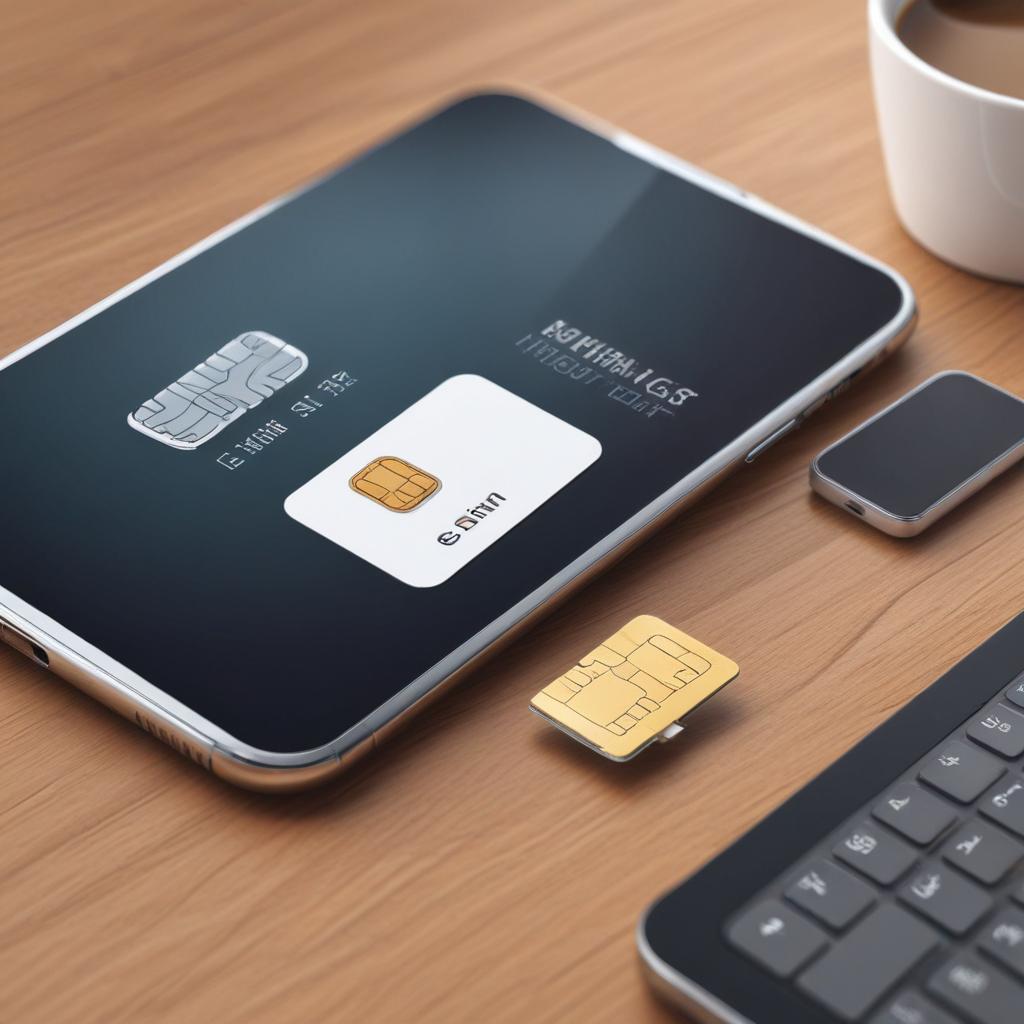
eSIM technology, also known as embedded SIM or digital SIM, represents a significant advancement in mobile connectivity. Unlike traditional physical SIM cards that need to be inserted into a device, an eSIM is integrated directly into the phone’s hardware. This embedded SIM eliminates the need for a physical card slot, allowing users to activate cellular plans digitally without swapping physical cards.
The primary difference between an eSIM and a physical SIM card lies in its design and functionality. A traditional SIM card is a small, removable chip that stores your mobile subscription information and identity, enabling your phone to connect to the carrier network. In contrast, the eSIM is a programmable chip built into the phone’s motherboard, which can be remotely provisioned and managed by the carrier. This means users can download, switch, or manage their carrier profiles directly from their device settings without needing a physical card replacement.
One of the main benefits of eSIM technology is convenience. It simplifies the process of switching carriers or plans by enabling seamless digital activation and profile management. This is especially useful for travelers who can easily subscribe to local carriers without needing to purchase and insert a physical SIM card in each country they visit. eSIMs also support multiple profiles, meaning a single device can have more than one active cellular plan — perfect for balancing personal and work numbers or using different carriers to optimize coverage and costs.
Additionally, eSIMs contribute to a sleeker device design by removing the physical SIM slot, allowing manufacturers to improve water resistance and create more compact phones. From a security perspective, eSIMs offer enhanced protection because they are tamper-resistant within the device, reducing the risk of SIM card theft or cloning.
Overall, this eSIM overview highlights how embedded SIM technology is shifting the mobile industry towards a more flexible, user-friendly, and secure connectivity solution. As eSIM technology continues to evolve and gain adoption across more devices and carriers, it is poised to redefine how users connect to cellular networks worldwide.
How eSIM Works
The eSIM function revolutionizes mobile connectivity by embedding a programmable SIM directly into a device, eliminating the need for a physical SIM card. This embedded SIM can store multiple network profiles, allowing users to switch carriers or plans without swapping out SIM cards. The process begins with eSIM activation, which involves downloading a carrier’s profile over the air (OTA) using a QR code or a carrier app. Once the profile is downloaded, the eSIM is provisioned—meaning it’s configured with the necessary information to access the mobile network securely. This provisioning step ensures that the device is recognized by the carrier’s infrastructure and authorized to use their services.
Understanding eSIM basics is crucial to appreciating its value. Unlike traditional SIM cards, eSIMs are tamper-proof and built to reduce physical limitations in devices, enabling slimmer designs and enhanced water resistance. When activating an eSIM, users typically scan a QR code provided by their carrier or enter activation details manually within device settings. This triggers the activation process, linking the user’s mobile subscription to the eSIM profile installed on their device. Additionally, eSIM activation supports multiple profiles, making it easy to manage personal and business numbers or switch international carriers while traveling.
Overall, the eSIM function simplifies mobile connectivity by streamlining the activation and provisioning workflow. Users gain flexibility and convenience, while carriers benefit from a more efficient way to manage subscriptions. This modern approach to SIM technology marks a significant step forward in the evolution of mobile communication, aligning with the increasing demand for seamless digital experiences.
Advantages of Using eSIM
One of the most significant eSIM benefits is the unparalleled flexibility it offers. Unlike traditional SIM cards, eSIMs allow users to switch carriers easily without the need to physically swap out a card. This makes it incredibly convenient for travelers, frequent switchers, or anyone looking to optimize their mobile plan. With multi-carrier support embedded into a single device, you can seamlessly manage different cellular profiles, choosing the best coverage or rates as needed.
Another advantage of eSIM technology is its space-saving design. Since the eSIM is embedded directly into the phone’s motherboard, it eliminates the bulkiness and slot usually required for a physical SIM card. Manufacturers can use the freed-up space to either reduce the overall size of the device or incorporate other hardware improvements, which ultimately benefits the user with sleeker, more compact phones.
Durability is also improved with an eSIM. Without a slot or removable card, the phone is less prone to damage caused by dust, moisture, or mechanical wear and tear, enhancing its longevity. This embedded solution reduces the risk of losing or damaging the SIM card, providing users with a more reliable and secure mobile experience overall.
Determining Phone Compatibility with eSIM
Understanding whether your phone supports eSIM is essential to take full advantage of this modern technology. Phone compatibility with eSIM varies by manufacturer, model, and software version, so it’s important to verify these details before switching to an eSIM-based plan.
The first step in checking eSIM support is to identify if your device model is among those listed as compatible devices. Major smartphone brands like Apple, Samsung, Google, and Huawei have released various models with built-in eSIM functionality. For instance, most recent iPhone models starting from the iPhone XS support eSIM, while select Google Pixel and Samsung Galaxy devices also offer this feature. Consult the official websites or user manuals to find a definitive list of supported models.
Once you confirm that your phone model supports eSIM, you must also ensure your device is running the necessary software version. eSIM technology typically requires a certain minimum version of the operating system — for example, Apple’s iOS 12.1 or later for iPhones. Likewise, Android devices might need specific system updates to enable eSIM management and activation. Keeping your software up to date not only guarantees eSIM support but also enhances security and overall performance.
Another way to verify phone compatibility is by accessing the cellular settings on your device. On iPhones, navigating to “Settings” > “Cellular” or “Mobile Data” and looking for an option to add a cellular plan or eSIM can confirm support. Android users can check similar sections within their settings menu, depending on the device manufacturer and operating system version.
Additionally, carrier support plays a crucial role in utilizing eSIM effectively. Even if your phone is compatible with eSIM, the mobile network operator must support eSIM provisioning for your region or plan. Checking with your carrier for eSIM support and activation procedures is recommended before proceeding.
In summary, ensuring phone compatibility with eSIM involves a few key steps: verifying the device model against known compatible devices, updating to the required software version, and confirming the availability of eSIM options in your settings. By following these guidelines, you can confidently determine if your phone supports eSIM and enjoy the flexibility and convenience it offers.
Compatible Phone Models
When considering compatible phones for eSIM functionality, it is essential to know the device models that support this technology. Below is an eSIM phone list featuring popular phones along with their manufacturers, helping you identify which models are compatible with eSIM services.
- Apple iPhone 14, iPhone 14 Pro, iPhone 13, iPhone 13 Pro, iPhone 12, and newer models – Apple
- Google Pixel 7, Pixel 7 Pro, Pixel 6, Pixel 6 Pro, Pixel 5 – Google
- Samsung Galaxy S22, S22 Ultra, S21, S21 Ultra, Z Fold 4, Z Flip 4 – Samsung Electronics
- Microsoft Surface Duo 2 – Microsoft
- Huawei P40, P50, Mate 40 – Huawei Technologies
- Motorola Razr 5G (2019 and 2020 versions) – Motorola
- Oppo Find X3 Pro – Oppo
- Xiaomi Mi 11 Ultra – Xiaomi
- OnePlus 10 Pro – OnePlus
This diverse list of device models highlights the growing adoption of eSIM technology across major manufacturers. Whether you are looking for a flagship device or a cutting-edge foldable, checking the compatible phones ensures a smooth eSIM activation experience without the need for a physical SIM card.
System Requirements for eSIM
To enable eSIM functionality on your device, it is essential to ensure that your device runs the appropriate software and firmware versions. Modern operating systems have progressively integrated support for eSIM technology, but this support depends heavily on the OS version as well as the device’s firmware updates.
Primarily, devices must run on operating systems that explicitly support eSIM management. For example, iOS devices require at least iOS 12.1 or later to fully utilize eSIM capabilities, while Android devices need to be on Android 10 or newer, though some manufacturers have backported support to earlier versions. These software requirements ensure that the device can properly communicate with carrier networks and manage multiple profiles seamlessly.
Firmware also plays a critical role in eSIM functionality. Firmware updates can include necessary patches, security improvements, and enhanced compatibility protocols required for the eSIM chip to operate correctly. Without the latest firmware, even if the OS supports eSIM, a device may encounter difficulties in activating or switching between eSIM profiles.
Therefore, users must regularly update their device’s firmware and operating system to meet the evolving software requirements. Checking for updates through the settings menu and applying any available OS and firmware updates is crucial in maintaining reliable eSIM operation. Staying current with these updates not only improves compatibility but also ensures optimal security and performance.
Activating and Using eSIM on Compatible Phones
Activating and using an eSIM on supported phones is a straightforward process that enables you to enjoy the benefits of digital SIM technology without the need for a physical card. Below are detailed, step-by-step instructions to guide you through the eSIM activation and setup, as well as useful tips on using your eSIM effectively.
- Check phone compatibility: Before starting, ensure your phone supports eSIM technology. Most modern smartphones, including certain models from Apple, Google, and Samsung, come equipped with eSIM capability.
- Obtain eSIM details from your carrier: Contact your mobile carrier to receive an eSIM activation QR code or the required manual details such as the SM-DP+ address and activation code.
- Open the settings app on your phone: Navigate to the section for mobile networks or cellular settings where eSIM management options reside.
- Begin the eSIM activation process: Look for an option such as “Add Cellular Plan,” “Add Data Plan,” or “Add eSIM” and select it to initiate the setup.
- Scan the carrier’s QR code or enter details manually: Use your phone’s camera to scan the QR code provided by your carrier or input the manual activation details if necessary.
- Confirm and activate the eSIM plan: Follow the on-screen prompts to confirm your selection. Your phone will then download and activate the eSIM profile, which may take a few moments.
- Set default line and preferences: If your device supports multiple lines, choose your default line for calls, texts, and data usage. You can also customize the name and color of the eSIM profile for easy identification.
- Test connectivity: Make sure you have cellular signal and are able to make calls or use mobile data via the eSIM. Restart the phone if necessary.
Tips for using eSIM effectively:
- Switch between multiple eSIM profiles easily: Many phones allow storing several eSIMs. Toggle between plans smoothly depending on your travel or usage needs.
- Keep your carrier’s activation details safe: Although you typically only need to activate once, retaining this information helps if you need to reset or reinstall your eSIM.
- Manage data usage alerts: Use your phone’s settings to monitor and control data usage on your eSIM to avoid unexpected charges.
- Update your operating system: Regularly update your phone’s OS to ensure the latest eSIM features and security improvements are supported.
- Contact carrier support for troubleshooting: If issues arise during activation or usage, carrier customer service can provide guidance specific to your plan and device.
By following these steps and tips, you can make the most of your eSIM-enabled phone, enjoying flexibility and convenience in managing your mobile connectivity.
Setting Up eSIM Profiles
Setting up eSIM profiles involves a straightforward activation process that allows you to download and install carrier profiles directly onto your phone without needing a physical SIM card. The first step is to ensure your device supports eSIM functionality and is unlocked for use with the carrier you intend to activate.
To begin, your carrier will typically provide you with a QR code or an activation code either via email, app, or a webpage. Using your phone, navigate to the cellular or mobile network settings and select the option to add a new eSIM or cellular plan. When prompted, use your phone’s camera to scan the QR code or manually enter the activation code provided by your carrier. This triggers the download of the eSIM profile, which contains all the necessary information for your device to connect to the network.
Once the eSIM profile is downloaded, the phone will automatically configure the settings required for network connectivity. In some cases, you might be asked to name the eSIM profile for easy identification, especially if you plan to use multiple profiles on the same device. Your carrier may also require you to complete a verification step as part of the activation process.
After the profile setup is complete, ensure the new cellular plan is enabled in your device’s settings. At this point, your phone will be ready to use the newly installed eSIM profile for calls, texts, and data. Remember that carrier setup procedures can vary slightly depending on the provider and phone model, so following any carrier-specific instructions is crucial for a smooth activation experience.
Managing Multiple eSIMs
Managing multiple eSIMs on a single device has become increasingly straightforward thanks to advancements in dual SIM management technology. Most modern smartphones support storing several eSIM profiles simultaneously, allowing users to switch between carriers without physically swapping SIM cards. This is especially useful for those who travel frequently or want to separate personal and business numbers on the same device.
To handle multiple eSIMs, you first add each eSIM profile to your phone through the settings menu, where you can scan QR codes or enter activation codes provided by different carriers. Once the profiles are installed, dual SIM management settings allow you to designate which eSIM is active for voice calls, messages, and mobile data. Typically, users can set a default line and easily switch between eSIMs depending on their needs.
Switching eSIMs is a simple process within the device’s network settings. Users select the desired carrier profile to activate, which enables the device to connect to the selected network instantly. This eSIM switching eliminates the need for physical SIM card changes, streamlining connectivity management. Additionally, many phones support concurrent use of two eSIMs, enabling seamless dual SIM experiences for calls and data usage across networks.
Overall, the capability to manage multiple eSIMs empowers users with flexibility and convenience, making it easier to stay connected regardless of location or carrier preference.

I’m a tech enthusiast who loves exploring how eSIMs simplify staying connected while traveling. I spend my free time testing new smartphones and sharing tips on getting the most out of mobile data abroad.