How to choose a phone with eSIM support
14/12/2025
Understanding eSIM Technology
eSIM technology represents a significant advancement in mobile connectivity by replacing the traditional physical SIM card with a digital version known as a virtual SIM. Unlike standard SIM cards, which are physical chips inserted into a phone, eSIM is built directly into the device’s hardware as a small chip. This integrated SIM can be set up remotely, allowing users to activate cellular plans without the inconvenience of swapping out physical cards.
Understanding the functionality of eSIM is fundamentally connected to its digital nature. Instead of relying on a physical card, the eSIM stores all necessary carrier information digitally. As a result, if you opt to switch carriers or plans, you can effortlessly download a new profile straight to your device, eliminating the need to swap out a physical SIM card. This flexibility greatly simplifies the management of different carriers or plans in comparison to traditional SIM technology.
One significant benefit of eSIM benefits is its ease of use. Users no longer have to worry about losing or damaging SIM cards since the eSIM is built directly into the device. Additionally, it accommodates multiple profiles on one device, enabling users to handle both personal and work numbers on a single phone without the inconvenience of switching out different SIM cards. This capability is especially useful for frequent travelers or anyone requiring a seamless transition between local and international networks.
From a technical standpoint, the eSIM offers improved security due to its higher resistance to physical tampering. This advantage stems from the fact that eSIMs cannot be removed or swapped without appropriate authorization, unlike traditional SIM cards that can be easily pulled from any device. Furthermore, service providers benefit from faster activation processes and better subscription management, resulting in a smoother mobile experience overall.
To sum up, eSIM technology transforms mobile connectivity by integrating the SIM card directly into the device as a virtual SIM. Understanding the distinctions between eSIM and conventional SIM cards highlights its increasing attractiveness to consumers. With benefits like enhanced convenience, security, and the ability to support multiple profiles, eSIM is altering how individuals manage their mobile services and plans.
What is an eSIM?
An eSIM, which stands for embedded SIM, is a digital SIM card built directly into a device’s hardware, eliminating the need for a physical SIM card. Unlike traditional SIM cards that can be swapped in and out of devices, the eSIM is embedded in the phone’s motherboard. This integrated SIM technology offers a more flexible and streamlined approach to handling mobile network connections.
The idea behind eSIM is that it serves as a digital replacement for the conventional plastic SIM card that has been utilized for an extended period. Users can conveniently download carrier profiles straight to the embedded SIM, removing the necessity to physically swap cards when changing carriers or plans. This allows for seamless transitions between mobile providers without the hassle of managing physical SIM cards or visiting stores.
One significant benefit of differences between an eSIM and a physical SIM card is its user-friendliness. An embedded SIM removes the inconvenience of handling tiny cards or losing them. It also enables devices to feature a sleeker design and enhanced water resistance, since a SIM tray slot is unnecessary. Additionally, eSIMs can hold multiple profiles, which is ideal for users who need separate numbers for personal and work use, or for travelers wanting to avoid roaming charges by effortlessly connecting to local networks.
In conclusion, the concept of the virtual SIM card referred to as eSIM represents a significant advancement compared to traditional physical SIM cards, providing enhanced flexibility, security, and convenience for modern smartphones and a range of connected devices.
Advantages of Using eSIM
One of the main benefits of eSIM technology is the remarkable flexibility it offers users. Unlike conventional SIM cards, eSIMs are embedded directly within the device, removing the requirement to physically swap SIM cards when altering carriers or plans. This built-in adaptability significantly eases the handling of mobile connections, especially for frequent travelers and those who like to switch between various carriers.
Starting your experience with an eSIM, switching carriers is now simpler than ever. Instead of waiting for a physical SIM card to arrive or visiting a retail location, you can usually activate your service online in just a few minutes through your device’s settings. This easy activation method eliminates many typical challenges associated with changing carriers, enabling you to save time and avoid the inconvenience of handling physical SIM cards.
Moreover, eSIM technology removes the need for a physical SIM card slot, allowing device makers to design slimmer and more compact gadgets or to add features like bigger batteries. It also reduces the chances of losing or damaging your SIM card since all operations are managed digitally. Using eSIM leads to less mess, enhanced ease of use, and greater adaptability to take advantage of different carrier plans without the inconvenience of physical cards.
To sum up, the benefits of eSIM—including greater flexibility, effortless switching between different carriers, and easy activation—have revolutionized how we connect to mobile networks, making it an excellent choice when selecting a new phone.
Key Factors to Consider When Choosing a Phone with eSIM Support
Selecting a phone that is compatible with eSIM involves thoughtful evaluation of several aspects to ensure the device aligns with your needs. As eSIM adoption grows, the range of compatible devices is expanding, yet their features can differ widely. Understanding crucial factors like device compatibility, carrier support, and technical specifications will help you make an informed decision.
The initial aspect to evaluate is if the device is eSIM compatible. While many modern smartphones come equipped with eSIM features, it’s important to verify that the specific model you are looking at is entirely compatible with the eSIM technology you plan to use. Certain devices offer dual SIM options, enabling the use of a physical SIM in conjunction with an eSIM, whereas others may support two eSIMs. Checking the manufacturer’s specifications or official compatibility listings can assist you in steering clear of purchasing a phone that fails to meet your carrier’s eSIM requirements.
Carrier support is crucial when choosing an eSIM phone. Although the device might support eSIM technology, not all mobile carriers have completely embraced it. Ensure that the carrier you select offers eSIM activation and includes all necessary features, such as LTE or 5G connectivity, in their eSIM plans. Limitations imposed by carriers could influence your ability to change networks or handle multiple lines on your eSIM device.
A key factor is the hardware support linked to eSIM technology. Numerous smartphones offer enhanced features for managing different eSIM profiles, which facilitates the transition between personal and work numbers or SIMs during international travel. Furthermore, certain models integrate eSIM with advanced security features to protect your online identity while improving battery performance for sustained connectivity. Look for devices that not only accommodate eSIM but also provide user-friendly interfaces and robust hardware support to elevate your overall experience.
Ultimately, consider the long-term sustainability of your eSIM phone. With technology evolving quickly, ensuring that your device adheres to the most recent eSIM standards will enhance its capability to adapt to future carrier enhancements and network changes. Reviewing feedback and researching manufacturers’ approaches to eSIM compatibility can provide valuable insights into how well the phone will meet your connectivity needs over time.
To sum up, when choosing a phone with eSIM capabilities, it’s crucial to ensure full eSIM compatibility, verify carrier support, and assess the hardware features that enhance your experience. Understanding these key factors will assist you in selecting the ideal phone that fulfills all your mobile connectivity requirements.
Carrier and Network Compatibility
When choosing a phone compatible with eSIM, it’s crucial to check whether your carrier supports this technology. Not all carriers offer eSIM services, and availability can vary significantly by location. To ensure a smooth experience, start by verifying if your selected carrier permits eSIM activation. Most major carriers share information about their eSIM capabilities and the process for activating an eSIM profile on your device on their websites or via customer support.
Network compatibility is essential because your phone must operate with the networks provided by your carrier, regardless of eSIM support. Various phones operate on different bands and frequencies, making it important to ensure that the device you choose matches the network bands utilized by your carrier. This alignment will enhance coverage, improve data speeds, and minimize dropped calls. Opting for a phone that isn’t fully compatible with your carrier’s networks may lead to limited service or even a complete inability to connect.
To confirm that your device can connect to the network, check the technical specifications of your phone against the network bands listed by your carrier. Typically, carrier websites outline the networks they support, including LTE, 5G, and other relevant technologies. Additionally, some carriers offer tools or apps to help you verify if your device is compatible with their eSIM service. By following these initial steps, you can select a phone that not only accommodates eSIM technology but also ensures reliable network performance with your chosen provider.
Supported Devices and Operating Systems
Identifying the appropriate eSIM-compatible device requires knowing which models and operating systems provide optimal connectivity. While eSIM capability is now common across both iOS and Android devices, the level of support can differ greatly among various handsets. The list below showcases well-known smartphones that come with eSIM functionality and outlines their corresponding operating systems:
- Apple iPhone 13, 13 Pro, and 13 Pro Max – These iPhones support iOS eSIM functionality, allowing you to activate cellular plans without a physical SIM. They run on iOS 15 and later, offering seamless integration with Apple’s ecosystem.
- Apple iPhone 12 series – Also compatible with iOS eSIM, the iPhone 12 models support dual SIM use with one physical SIM and one eSIM, running iOS 14 and beyond.
- Google Pixel 6 and Pixel 6 Pro – These Android phones support Android eSIM out of the box, compatible with Android 12 and newer versions. Google’s implementation provides easy switching between eSIM profiles.
- Samsung Galaxy S21 and S22 series – Supporting Android eSIM on One UI 3.1 and above, these devices offer dual SIM functionality using a physical SIM combined with an eSIM.
- Microsoft Surface Duo 2 – This Android-based foldable phone also supports Android eSIM for flexible carrier choices.
Understanding the differences in eSIM functionality between iOS and Android is crucial. Typically, iOS devices offer a simpler setup, while the eSIM features on Android depend on support from both the device manufacturer and the carrier. Before you buy, make sure your carrier supports eSIM on your phone’s operating system.
Additional Features to Look For
Choosing a phone that is compatible with eSIM involves considering additional features that can enhance your overall experience. One important factor to keep in mind is the dual SIM capability. Many phones equipped with eSIM also offer dual SIM support, enabling you to use a physical SIM card in conjunction with the eSIM. This is especially advantageous for individuals who want to manage both personal and work numbers on a single device or for travelers who need to easily switch between various carriers.
An important aspect to take into account is the battery’s longevity. Gadgets that come with sophisticated features like eSIM often require robust battery performance to support their various functions throughout the day. Look for devices that provide high-capacity batteries and efficient power management to reduce the frequency of charging, which can disrupt your mobile usage.
Additionally, it’s important to take into account the full specifications of the phone, such as processor speed, RAM, storage capacity, and display resolution. These elements greatly influence your device’s performance and overall user experience. A phone with powerful hardware will handle multiple tasks effortlessly, allowing you to maximize the advantages of eSIM, including easier carrier switches, better connectivity, and increased device security.
In summary, while eSIM features play a significant role, integrating them with advanced dual SIM functionalities, enhanced battery life, and top-notch phone specifications will elevate your overall smartphone experience. Taking these factors into account will help you select a device that is not only future-ready but also perfectly suited to your daily needs.
How to Activate and Manage eSIM on Your Phone
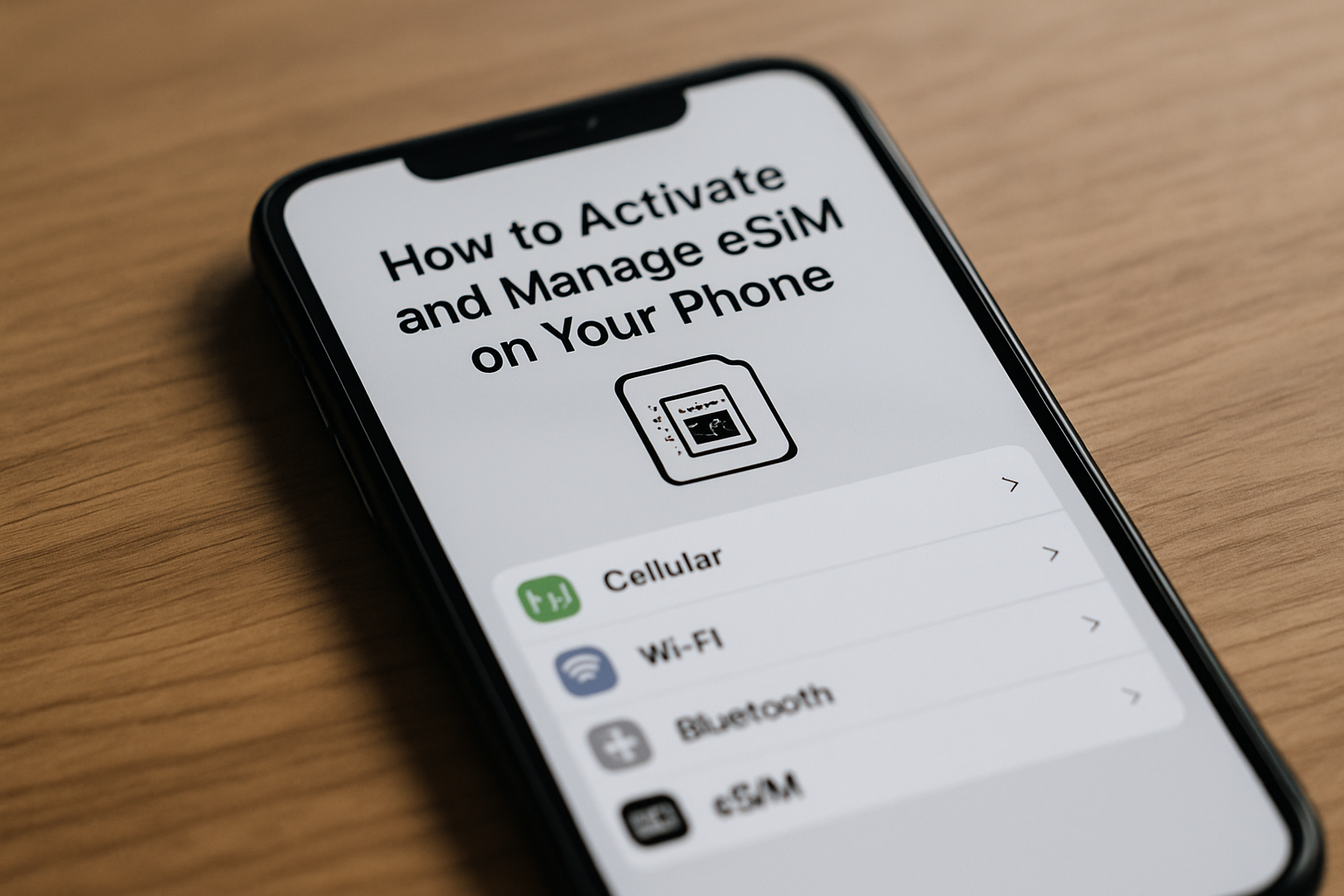
Activating and managing eSIM on your mobile device has become simpler, as the majority of modern smartphones support this feature. Whether you have an iPhone, an Android phone, or another type of device, this eSIM activation guide will walk you through the setup process and provide tips for efficiently handling eSIM to ensure a seamless experience.
Follow the instructions provided below to activate eSIM and manage it on popular mobile platforms.
- Prepare Your eSIM Details: Before beginning the setup eSIM process, ensure you have your carrier’s eSIM QR code, activation code, or details ready. This will typically be provided via email, carrier app, or a physical card.
- Activate eSIM on iPhone:
- Go to Settings > Cellular (or Mobile Data in some regions).
- Tap Add Cellular Plan.
- Use the camera to scan the QR code from your carrier or manually enter the details provided.
- Follow the on-screen instructions to finalize eSIM activation.
- Assign labels (like Primary or Secondary) to different lines if you have multiple eSIMs.
- Activate eSIM on Android (Samsung, Google Pixel, etc.):
- Open Settings and navigate to Network & Internet or Connections.
- Select SIM cards or Mobile Network.
- Choose Add Mobile Plan or Add eSIM.
- Scan the QR code or enter your activation code manually.
- Complete the prompts to activate the eSIM.
- Manage eSIM Profiles: Once the eSIM is active, you can easily manage it by switching between profiles, setting default lines for calls and data, and deleting unused eSIMs. On iPhone, do this under Settings > Cellular, and on Android, under the SIM or mobile network settings.
- Switching Between eSIMs: Most phones allow seamless toggling between active eSIM profiles. This is particularly useful if you have separate numbers for work and personal use. Use the settings menu to select which line is used for data, voice calls, and messages.
- Remove or Delete eSIM: If you no longer need an eSIM profile, navigate to your device’s cellular settings, select the eSIM you want to remove, and choose the option to delete or remove it. This action frees up space for additional eSIM profiles if needed.
- Troubleshooting eSIM Activation: If activation fails, ensure your device is connected to Wi-Fi or data and that your carrier supports eSIM. Restart your phone and retry scanning or inputting the carrier details. Contact your carrier for further assistance if problems persist.
This comprehensive eSIM activation guide will enable a smooth setup and efficient management of your mobile plans. By understanding these steps, you can take full advantage of eSIM technology, offering you enhanced flexibility and convenience in your mobile communications.
Activation Process for iOS and Android Devices
Activating an eSIM on iOS and Android devices is straightforward, although the procedures may vary slightly between the two systems. For iPhone users, the usual method involves scanning a QR code from your carrier. Start by going to Settings > Cellular > Add Cellular Plan. Use your iPhone’s camera to scan the QR code that contains your eSIM details. Once scanned, your iPhone will prompt you to confirm and set up the plan. Moreover, some carriers offer apps to make the activation process easier; simply download your carrier’s app from the App Store, sign in, and follow the instructions to complete your iOS eSIM activation.
The process for setting up an Android eSIM is generally similar, though it may vary based on the device manufacturer and the Android version in use. Usually, you will navigate to Settings > Network & Internet > Mobile Network > Advanced > Carrier > Add Carrier. At this stage, you can either scan the QR code provided by your carrier or enter the activation details manually. Furthermore, some Android devices offer the option to activate via carrier apps available on the Google Play Store, simplifying the eSIM setup. After scanning the QR code or using the app, your device will begin downloading and activating the carrier profile.
Regardless of the platform, these activation steps ensure your eSIM is configured properly, enabling you to use cellular services without needing a physical SIM card. Make sure to follow any additional guidance from your carrier, as some may require you to create or verify an online account before activating your service.
Managing Multiple eSIM Profiles
Numerous modern smartphones support several eSIM profiles, allowing users to keep different phone numbers or plans on a single device. This feature offers greater convenience for personal, business, or travel needs, removing the hassle of swapping physical SIM cards. Understanding how to manage eSIMs is essential for maximizing the benefits of this technology.
Devices capable of supporting various eSIM profiles typically allow you to store multiple profiles simultaneously. Nevertheless, the highest number of profiles you can hold varies depending on the device and its manufacturer. Once profiles are stored, users can conveniently switch between eSIMs right from their phone settings, selecting which profile to activate for calls, messaging, and data use.
Switching eSIM profiles is simple on most devices. Just a few taps enable you to choose an active eSIM, making it easy to switch between carriers or phone numbers without restarting the device. This functionality is especially useful for travelers who want to switch between local and home networks, as well as for professionals managing separate work and personal lines.
Effective eSIM management apps on your device help keep your profile system orderly by distinctly labeling each profile and displaying their statuses. Some smartphones provide options to rename profiles, establish default priorities, or modify data usage settings for each profile, enhancing user control. It is essential to check the eSIM features of your chosen phone to ensure it meets your needs for managing multiple eSIM profiles and facilitating smooth transitions.

I’m a tech enthusiast who loves exploring how eSIMs simplify staying connected while traveling. I spend my free time testing new smartphones and sharing tips on getting the most out of mobile data abroad.