Installing eSIM remotely
30/05/2026
Understanding Remote eSIM Installation
Remote eSIM installation is a modern method of activating cellular service on compatible devices without the need for a physical SIM card. Instead of inserting a traditional plastic SIM, users download a digital SIM profile over the air, enabling instant connectivity. This revolutionary process allows for a seamless and efficient activation experience, often completed within minutes from virtually anywhere, eliminating the need to visit a store or wait for a physical card to arrive by mail.
At the heart of remote eSIM installation is eSIM technology, which stands for embedded SIM. Unlike traditional SIM cards that are removable, an eSIM is a small chip embedded directly into a device’s motherboard. This tiny piece of hardware stores multiple cellular profiles and can switch between them digitally. The flexibility of eSIM technology means users can activate or change carriers without physically swapping SIM cards, simplifying device management and enhancing user convenience.
The digital SIM setup process typically involves scanning a QR code provided by a carrier or entering activation details through a device menu. Once the information is entered, the eSIM downloads the carrier’s profile securely and configures the device for service. This remote setup removes traditional barriers, such as carrier store visits or the risk of losing a physical SIM card, making it a highly streamlined solution for mobile connectivity.
One of the key advantages of remote eSIM installation over traditional SIM cards is its convenience. Since the setup can be completed anywhere with an internet connection, it offers tremendous flexibility—ideal for travelers who can easily switch carriers without changing physical cards. Additionally, eSIM technology supports multiple profiles on one device, allowing users to maintain separate work and personal numbers on the same phone or tablet.
Moreover, eSIM technology contributes to the durability and sleek design of modern devices. Without the need for a SIM tray, manufacturers can save space, enhance water resistance, and reduce mechanical failure points. From an environmental perspective, remote eSIM installation reduces plastic waste associated with traditional SIM cards.
In summary, remote eSIM installation leverages advanced eSIM technology to provide a faster, more flexible, and eco-friendly approach to mobile connectivity. Its digital SIM setup process not only simplifies cellular activation but also unlocks new possibilities for users and device makers alike, marking a significant advancement over traditional SIM card usage.
What is an eSIM?
An eSIM, short for embedded SIM, represents a significant evolution in SIM technology. Unlike traditional physical SIM cards that require manual insertion and removal from a device, an eSIM is a digital SIM embedded directly into the device’s hardware. This embedded SIM is soldered onto the device’s motherboard, making it a permanent part of the device itself.
The role of an embedded SIM in modern devices is to provide greater flexibility and convenience when it comes to mobile connectivity. With an eSIM, users can activate a cellular plan digitally without needing to visit a store or insert a physical card. This digital SIM technology supports multiple profiles, allowing users to switch carriers or plans effortlessly without swapping SIM cards. This is especially useful for frequent travelers or those who need different carriers for work and personal use.
One key difference between an eSIM and a traditional physical SIM is the installation process. Physical SIM cards must be physically inserted into the device, making them prone to damage or loss. In contrast, an eSIM is remotely programmable and can be activated or updated over the air by carriers. This reduces reliance on physical components and enhances device design by saving space and improving water resistance.
Overall, the eSIM definition underscores its role as a transformative digital SIM technology that provides seamless connectivity, simplifies carrier management, and aligns with the demands of modern mobile devices, offering a more integrated and streamlined alternative to conventional SIM cards.
Benefits of Remote eSIM Activation
Remote activation of eSIMs brings a multitude of benefits that enhance the user experience significantly. One of the most prominent eSIM benefits is the tremendous convenience it offers. Users no longer need to visit a store or wait for a physical SIM card to arrive, as the activation can be completed instantly from anywhere. This saves valuable time and streamlines the entire process, allowing users to get connected almost immediately.
Additionally, remote activation provides unmatched flexibility. Since eSIM profiles can be downloaded and managed digitally, users can switch carriers or plans effortlessly without the hassle of swapping physical cards. This flexibility is especially useful for travelers who require local mobile data plans without the inconvenience of purchasing new SIM cards in different countries. The remote nature of activation allows devices to be prepared and ready to use before even arriving at the destination.
Beyond convenience and flexibility, remote eSIM activation enhances device management as users can maintain multiple eSIM profiles on a single device. This multi-profile capability means business users can separate work and personal lines, while tech-savvy individuals can optimize their data plans for various activities. Overall, the process promotes a seamless, efficient way to stay connected, making remote eSIM activation a game-changer in mobile technology.
Step-by-Step Guide to Installing eSIM Remotely
Installing your eSIM remotely is a convenient way to activate your mobile service without needing a physical SIM card. Follow this detailed eSIM installation guide to complete the remote eSIM setup and activation process smoothly on your supported device.
- Ensure your device supports eSIM technology. Before starting, confirm that your smartphone or tablet is eSIM compatible. Most recent models from major brands support this feature.
- Obtain your eSIM QR code or activation details. Your mobile carrier will provide a QR code via email, app, or website. This QR code contains the information necessary for digital activation of your eSIM profile.
- Connect to a stable Wi-Fi network. To avoid interruptions during the activation process, ensure your device is connected to a reliable internet connection.
- Access your device’s cellular settings. On your smartphone, go to the Settings app, then find the “Cellular” or “Mobile Data” section to begin the remote eSIM setup.
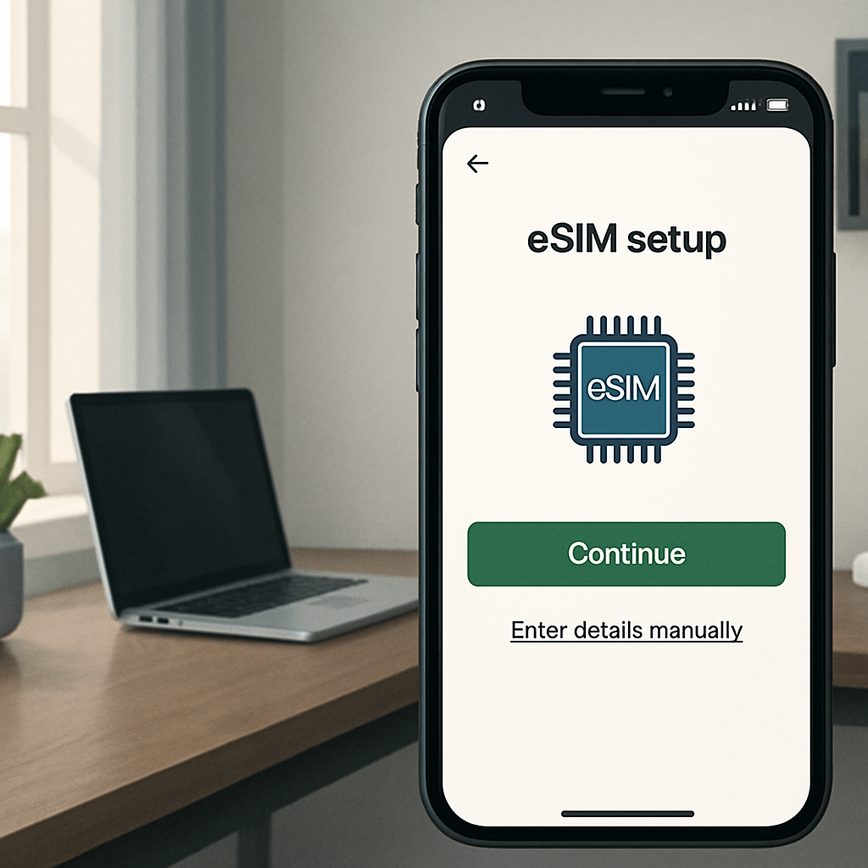
- Add a new cellular plan using the QR code. Select “Add Cellular Plan” and use your device’s camera to scan the QR code provided by your carrier. Alternatively, enter activation details manually if offered.
- Follow on-screen prompts to complete the activation process. Your device will download the eSIM profile and configure the settings necessary to connect to your carrier’s network digitally. This process may take a few minutes.
- Verify your eSIM activation is successful. Once installed, check that your device displays the correct carrier name and signal strength. You can also test by making a call or using mobile data.
- Manage your eSIM plans if needed. Many devices allow you to switch between physical SIMs and eSIM profiles or store multiple eSIMs. Use the cellular settings to control these options.
- Restart your device to finalize setup. A quick reboot ensures the remote eSIM setup is fully applied and ready for use.
By following this eSIM installation guide, you will complete the digital activation of your mobile service remotely without the need for physical SIM cards or carrier store visits. The remote eSIM setup streamlined process enables flexibility and ease for users transitioning to next-generation mobile connectivity.
Preparing Your Device for eSIM Installation
Before starting the eSIM installation process, it is crucial to prepare your device properly to ensure a smooth experience. First, verify that your device supports eSIM technology by checking the specifications provided by the manufacturer or visiting the official website. Only eSIM compatible devices can activate and use eSIM profiles effectively.
Next, update your device’s software to the latest version. Regular software updates often include important fixes and enhancements that improve network compatibility and device performance. To do this, navigate to the settings menu, find the software update section, and follow the prompts to download and install available updates. A fully updated device reduces the risk of installation errors during the eSIM provisioning.
Finally, prepare your network settings by ensuring your device’s cellular network options are configured correctly. This may involve enabling cellular data, deactivating any active physical SIM cards if necessary, and verifying network mode settings are compatible with your cellular provider. Being network-ready will facilitate seamless activation of the eSIM profile without connectivity interruptions.
By taking these steps—device preparation, software update, and network readiness—you significantly enhance the chances of a successful eSIM installation and enjoy uninterrupted mobile connectivity.
Activating eSIM via QR Code or Carrier App
Activating an eSIM remotely is a streamlined process that allows users to gain mobile connectivity without the need for a physical SIM card. One of the most common activation methods involves scanning a QR code provided by the carrier. When you purchase an eSIM, your carrier typically sends a unique QR code either via email or through their website. To activate your eSIM profile, simply open your device’s camera or settings and scan the QR code. This action instantly downloads the eSIM profile to your device and initiates the activation process, enabling your cellular service without delay.
In addition to QR code activation, many carriers offer dedicated mobile apps designed specifically to manage eSIM profiles. Using a carrier app, you can browse available plans, add new eSIM profiles, and activate service with just a few taps. These apps often provide enhanced features such as plan management, usage tracking, and customer support all within one platform. This method is especially convenient for users who prefer a guided, digital-first experience.
Both activation methods—scanning a QR code and using a carrier app—are widely embraced for their simplicity and efficiency. They ensure a smooth transition from physical SIM cards to digital eSIM profiles, reflecting the future of mobile connectivity. By leveraging these activation methods, users can enjoy the benefits of flexible, instant cellular service with minimal hassle.
Troubleshooting Common eSIM Installation Issues
Installing an eSIM remotely can sometimes present challenges such as activation errors or connectivity problems. These issues often arise due to incorrect profile downloads, network incompatibilities, or device settings. One common problem is activation errors, which can occur if the QR code is not scanned properly or the carrier’s activation server is temporarily unavailable. To resolve this, ensure your device is connected to a stable Wi-Fi network and retry the activation process after restarting your device.
Connectivity problems may also hinder eSIM functionality, often caused by outdated device software or incorrect network settings. Keep your device’s operating system updated to benefit from the latest compatibility enhancements. If the eSIM does not connect to the network after installation, toggling airplane mode on and off or manually selecting the carrier network can help restore connection.
For persistent issues, consulting carrier support can provide valuable assistance and troubleshooting tips specific to your service provider’s eSIM infrastructure. Additionally, backing up your device before installation can prevent data loss in case reinstallation is needed. By following these eSIM troubleshooting strategies, users can overcome activation errors and connectivity problems effectively to enjoy seamless mobile experiences.

I’m a tech enthusiast who loves exploring how eSIMs simplify staying connected while traveling. I spend my free time testing new smartphones and sharing tips on getting the most out of mobile data abroad.