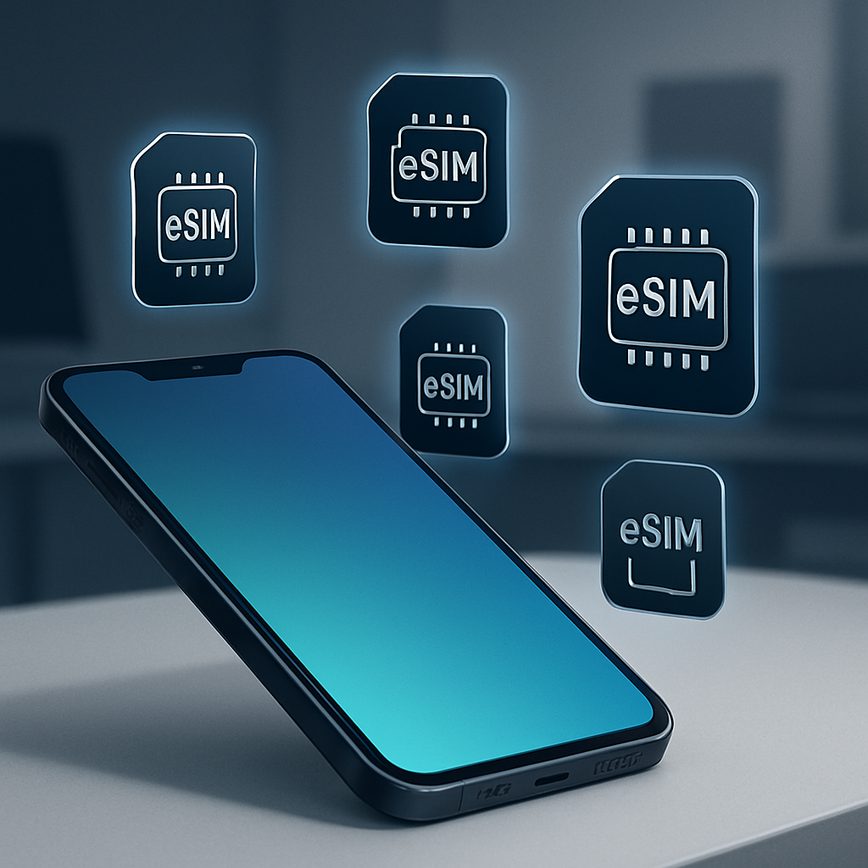
Multiple eSIMs on one device
27/05/2026
Understanding Multiple eSIMs on One Device
The concept of multiple eSIMs on a single device is revolutionizing how we manage mobile connectivity. eSIM technology, or embedded SIM, replaces traditional physical SIM cards with a digital equivalent embedded directly into devices. This embedded SIM allows users to store multiple mobile network profiles on the same device, enabling easy switching between carriers or plans without needing to physically swap SIM cards.
Unlike conventional SIM cards that require manual insertion and removal, eSIM technology operates through software, making it far more flexible. Devices equipped with multiple eSIMs can store several operator profiles simultaneously, supporting dual SIM functionality or even more in some devices. This means you can maintain separate phone numbers for work and personal use or have different plans for data and voice on one smartphone, all managed digitally.
One significant advantage of multiple eSIMs is the convenience of seamless network management. Users no longer need to depend on physical SIM cards, which can be lost or damaged. Additionally, eSIMs streamline the process of switching carriers or plans, as users can download new profiles directly from a network provider’s app or portal, often without visiting a store or waiting for a SIM card delivery.
From a technical perspective, the embedded SIM is securely integrated within the device’s hardware and complies with industry standards set by the GSMA. This ensures compatibility and secure authentication across various carriers worldwide. The ability to support multiple eSIM profiles enhances the device’s versatility, allowing international travelers to switch between regional carriers while avoiding hefty roaming charges.
Overall, multiple eSIMs on one device provide a future-forward approach to connectivity. This innovation not only simplifies mobile communication but also offers enhanced flexibility, security, and convenience compared to traditional physical SIM cards. As more devices adopt this embedded SIM technology, users will enjoy greater control over their mobile plans and networks with unprecedented ease.
What is an eSIM?
An eSIM, short for embedded SIM, is a modern advancement in SIM card technology integrated directly into a device. Unlike traditional SIM cards, which are physical chips that must be inserted and swapped manually, an eSIM is a small chip embedded within the device’s motherboard. This embedded SIM stores your subscriber information and allows you to activate mobile plans without the need for a physical card. The eSIM definition encompasses this shift toward a software-based SIM solution that enhances flexibility and convenience for users.
The main components of an eSIM include a secure chip that stores network profiles and authentication keys, and software that manages the activation and switching between carriers. This eliminates the physical limitations and carrier dependencies associated with traditional SIM cards. With an eSIM, you can remotely download multiple mobile plans directly onto your device, making it easier to switch networks or operate multiple numbers from a single handset.
In contrast to traditional SIM cards, which require physical swapping when changing carriers or plans, eSIM technology streamlines this process digitally. This embedded SIM technology not only reduces the need for physical hardware but also supports new capabilities such as multiple eSIM profiles on one device, enhancing user convenience and enabling seamless connectivity worldwide.
How Multiple eSIMs Work on a Single Device
Multiple eSIM functionality allows a single device to store and manage several eSIM profiles simultaneously, enabling users to switch between different cellular plans without needing physical SIM cards. This is particularly useful for those who travel frequently, manage work and personal numbers separately, or want to optimize network coverage and costs.
Technically, each eSIM profile contains a unique set of credentials and network information, securely stored within the device’s embedded SIM chip. When a user adds a new profile, the device downloads the profile data from the carrier’s server through the internet, storing it locally. Devices equipped with dual SIM eSIM support can operate both a physical SIM and an eSIM, or even two eSIM profiles simultaneously, depending on manufacturer specifications.
Switching between multiple profiles, or multi-profile eSIM management, is made simple via the device’s settings menu. Users can select which profile to activate, enabling them to toggle between plans for calls, text messages, and data usage. This switching process does not require rebooting the device; it is typically seamless and instantaneous, allowing for flexible connectivity tailored to the user’s needs.
Overall, the combination of multiple eSIM functionality and the convenience of dual SIM eSIM technology enhances user experience by offering flexibility and efficient control over multiple cellular networks on one device.
Benefits and Use Cases of Multiple eSIMs
Having multiple eSIMs on one device offers several key advantages that enhance user convenience and flexibility. One of the primary eSIM benefits is the ability to manage several mobile plans without needing physical SIM cards. This digital approach eliminates the hassle of swapping physical SIMs, making it seamless to switch between carriers or plans depending on your needs.
For travelers, multiple eSIMs provide significant value as they allow users to activate local travel SIMs in different countries without changing their main number. This helps avoid expensive roaming charges while maintaining connectivity on a native local plan. The convenience of toggling between home and travel SIMs ensures uninterrupted service and cost savings, making the technology ideal for frequent travelers.
In business, multiple eSIMs deliver distinct advantages by enabling professionals to separate work and personal mobile lines on a single device. This dual SIM use case ensures better organization and privacy without the need for carrying multiple phones. Additionally, businesses can benefit from flexible mobile plans tailored to various operational needs, optimizing cost efficiency and communication management.
Another important benefit is the improved redundancy and network access. Users can maintain multiple carriers on their device, ensuring connectivity even if one network faces outages or has weak coverage. This is particularly beneficial for individuals living in areas with fluctuating network quality or those engaged in critical communications requiring reliable service.
Overall, multiple eSIMs empower users with greater control over mobile connectivity, offering diverse use cases such as travel SIMs for globetrotters, dual SIM setups for business and personal life balance, and enhanced network reliability. These benefits make managing mobile services more efficient and adaptive to the modern lifestyle.
Travel and International Use
Multiple eSIMs on one device offer significant advantages for travelers looking to stay connected without the burden of high international roaming fees. By enabling users to install several travel SIMs simultaneously, eSIM technology provides the flexibility to switch networks easily as you cross borders. This means that instead of relying on expensive roaming agreements with your home carrier, you can activate a local eSIM travel plan in the destination country for more affordable rates and better coverage.
Travelers benefit from seamless transitions between networks without the need to physically swap SIM cards, which can be cumbersome and risk losing or damaging the SIM. With multiple eSIMs, you can store different profiles and toggle between them through simple device settings. This capability supports international roaming management by letting you select the most cost-effective and reliable network available wherever you are.
The convenience of multiple eSIMs also enhances travel flexibility, allowing you to maintain a dedicated work number on one eSIM, while using local travel SIMs for data and calls in foreign countries. This eliminates the risk of confusion or loss of communication. Ultimately, the capability to manage several eSIMs on a single device is a game-changer for international travelers, providing smart, economical, and hassle-free connectivity worldwide.
Business and Personal Number Separation
Managing your professional and personal communications on a single device has never been easier thanks to multiple eSIM capabilities. By utilizing a dual number device, users can keep a dedicated business SIM and a personal SIM active simultaneously, ensuring clear separation between work and personal life. This setup allows incoming calls and messages to be routed to the appropriate number without the need to carry two phones.
With a business SIM and personal SIM installed on your device via eSIM technology, you can enjoy the convenience of managing multiple phone numbers from one interface. This eliminates confusion and streamlines communication by allowing you to switch between numbers effortlessly for calls, texts, and data usage. Whether you’re responding to client inquiries or chatting with friends, your device distinguishes between the two identities, keeping your workflows organized.
Furthermore, dual number devices with multiple eSIM support offer flexibility when traveling or relocating. You can maintain your business number for professional matters while using a local personal SIM for calls and data, optimizing costs and connectivity. This separation enhances work-life balance and simplifies managing your telecommunications without compromising accessibility or convenience.
Cost Efficiency and Flexibility
Multiple eSIMs on a single device offer significant cost savings and unparalleled network flexibility. By enabling users to switch easily between different carriers and plans without the need to physically change SIM cards, eSIM technology eliminates many of the traditional hassles associated with mobile connectivity. This means you can select carriers based on the most competitive rates or optimal coverage for your needs, all managed digitally.
The eSIM cost savings stem from the ability to compare and switch plans seamlessly, allowing users to take advantage of promotional offers or localized pricing without penalty. Travelers, for example, can avoid costly roaming fees by activating a local carrier’s plan with just a few taps, all on one device. This flexibility also empowers users to optimize usage by selecting carriers that offer better data or voice plans, ultimately reducing monthly expenses.
Moreover, multiple eSIMs support a more flexible lifestyle where connectivity needs can change rapidly. Instead of being locked into a single network or a physical SIM card, users enjoy the freedom to tailor their connectivity strategy. Businesses can benefit from this by managing multiple numbers or plans on a single device, cutting down on hardware costs and streamline communications.
In summary, the network flexibility provided by multiple eSIMs not only makes selecting carriers easier but also drives cost efficiency, ensuring users pay only for what they really need without the restrictions of traditional SIM card swapping.
Setting Up and Managing Multiple eSIMs on Your Device
Managing multiple eSIMs on a single device has become increasingly important for users who want to separate work and personal numbers or access different mobile networks. The process may vary slightly depending on your device, but the general steps for eSIM setup, activation, and management remain consistent across popular brands. Below, we guide you through setting up and managing multiple eSIM profiles, along with helpful tips on device compatibility and troubleshooting.
- Check Device Compatibility: Before starting, ensure your device supports multiple eSIM profiles. Most modern smartphones like the latest iPhone, Google Pixel, and Samsung Galaxy models support dual or even more eSIMs. Consult your device manual or manufacturer’s website for details about eSIM support and limitations.
- Obtain eSIM QR Codes or Activation Information: Obtain the eSIM activation details from your carrier. This usually comes as a QR code or a set of activation codes which you will use during the setup process.
- Initial eSIM Setup: Go to your phone’s settings and locate the cellular or mobile network section. Select ‘Add Cellular Plan’ or ‘Add eSIM’ and scan the QR code or enter details manually as provided by your carrier.
- Activate Multiple eSIMs: Repeat the setup process for additional eSIM profiles. Most devices allow you to store multiple eSIMs, but only one or two can be active simultaneously depending on the model. After adding profiles, select which eSIM to activate for calls, texts, and data usage.
- Manage eSIM Profiles: Within your device settings, you can label each eSIM for easy identification, switch between profiles, and set default numbers for different functions like data or messaging. Use the management tools to disable or delete eSIMs when not needed without physically removing a SIM card.
- Tips for Activation: Ensure your device is connected to Wi-Fi or has a strong cellular signal during setup. Some carriers may require additional steps like carrier app downloads or account verification.
- Troubleshooting Common Issues: If you face problems activating an eSIM, restart your device and ensure your software is up to date. Re-scan QR codes carefully and confirm carrier support for eSIM. Contact your carrier support if issues persist, especially with network connectivity or profile activation errors.
- Keep Software Updated: Regular updates to your device’s operating system can improve eSIM functionality and compatibility, so keep your device current to avoid potential issues managing multiple eSIM profiles.
By following these steps, you can easily set up and manage multiple eSIMs on your device, maximizing flexibility and connectivity. Understanding device compatibility and knowing how to troubleshoot activation issues ensures smooth usage of multiple cellular profiles without the hassle of physical SIM cards.
Compatible Devices and Requirements
Several eSIM compatible devices now support multiple eSIMs, enabling users to manage several plans on a single device. However, there are specific device requirements and prerequisites that must be met to utilize this functionality.
- Apple iPhone 13 and later models – These supported smartphones can store multiple eSIM profiles, but only two can be active simultaneously. The device must be running iOS 15 or newer.
- Google Pixel 3 and newer – Supported Pixel devices feature multi-eSIM capabilities with a software update to Android 12 or higher.
- Samsung Galaxy S20 and later series – Samsung’s high-end smartphones support multiple eSIMs, requiring at least One UI 3.1 based on Android 11.
- Microsoft Surface Duo 2 – This device supports multiple eSIM profiles, contingent on running Windows 11 with the latest firmware updates.
- Other compatible devices include select models from brands like Motorola, Oppo, and Xiaomi, which support multiple eSIMs under Android 12+.
In terms of hardware, devices must have eSIM chips certified to handle more than one profile. On the software side, operating systems need to include settings for eSIM management and switching. Carrier support is also critical, as multiple active eSIM profiles depend on network compatibility and proper configuration.
Step-by-Step Setup Process
To activate eSIM on your device, start by ensuring your device supports multiple eSIM profiles. First, access your device’s settings menu, typically found under “Cellular” or “Mobile Data.” Select the option to add an eSIM profile. You will need to scan a QR code provided by your carrier or enter activation details manually.
Once the eSIM profile is added, the device will prompt you to activate the eSIM. Follow the on-screen instructions to complete activation. Repeat this process to add multiple eSIM profiles if your device allows it, inputting unique QR codes or activation information for each profile you want to add.
After you have added multiple eSIM profiles, managing them is straightforward. Go back to the cellular settings where the profiles are listed. To switch eSIMs, simply select the profile you want to use as your active line. The device will automatically disable the other profiles temporarily and connect through the selected one.
This seamless switching enables you to balance work and personal lines or choose plans depending on your location, without physically swapping SIM cards. Remember to check your carrier’s policies around eSIM switching to avoid any service interruptions.
–>Troubleshooting and Tips
Managing multiple eSIM profiles on a single device can occasionally lead to connectivity challenges and other issues. One common problem users face is the inability to switch between eSIMs smoothly. To resolve this, ensure your device’s software is up to date, as manufacturers often release fixes that enhance eSIM functionality. Additionally, restarting your phone can help reset network settings and clear temporary glitches.
Another frequent issue is failure to activate or download an eSIM profile. Double-check the QR code or activation details provided by your carrier and ensure you have a stable internet connection during the setup process. If problems persist, removing and re-adding the eSIM profile often resolves the error.
For smooth management of multiple eSIMs, it’s best to label each profile clearly within your device settings. This makes switching between networks faster and reduces confusion. Avoid storing too many profiles if your device has limitations to prevent performance issues. Also, be mindful of which profile is set as the default for calls, messages, and data to avoid unexpected charges or service disruptions.
By following these tips and staying proactive with eSIM troubleshooting, users can enjoy seamless connectivity and fully leverage the benefits of multiple eSIMs on one device.

I’m a tech enthusiast who loves exploring how eSIMs simplify staying connected while traveling. I spend my free time testing new smartphones and sharing tips on getting the most out of mobile data abroad.