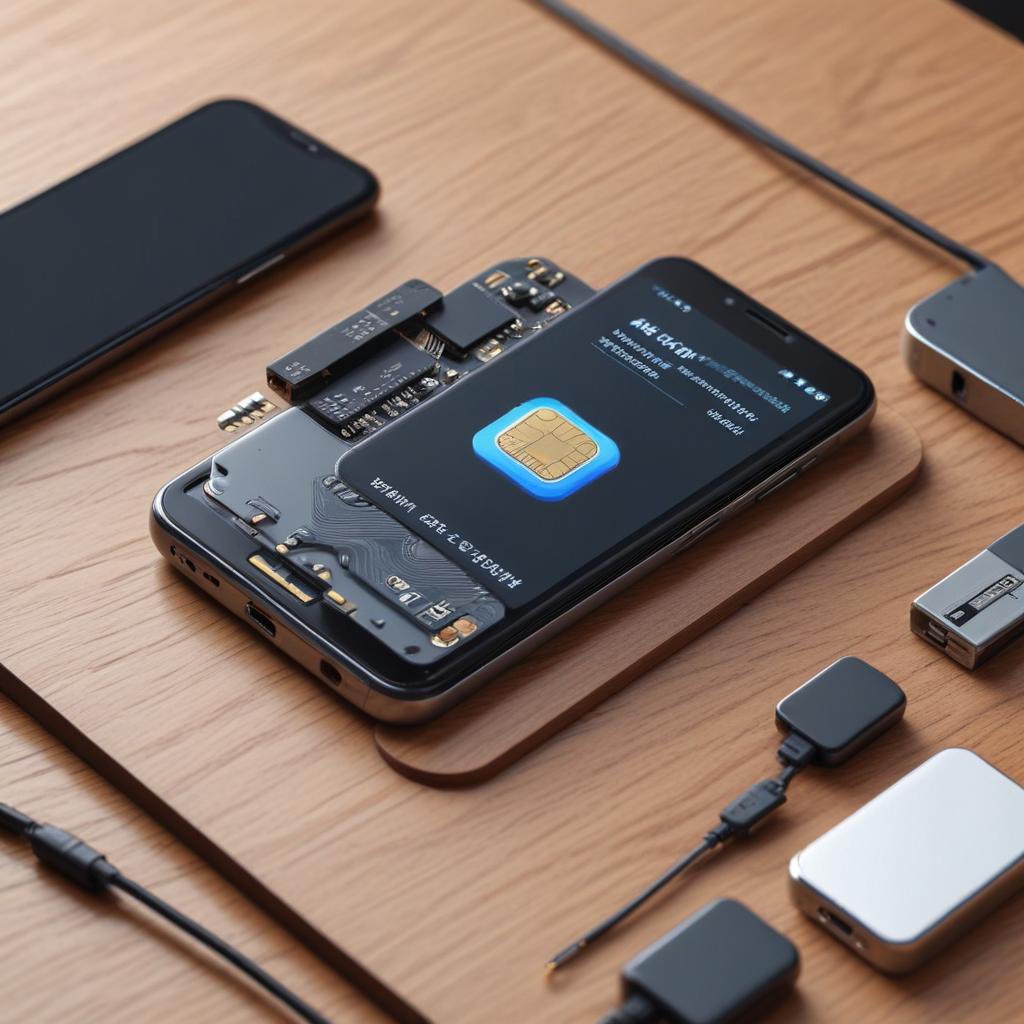
Tips for keeping eSIM phones connected
20/01/2026
Understanding eSIM Technology
eSIM technology, short for embedded SIM, represents a significant evolution in mobile connectivity, replacing the traditional physical SIM cards with a programmable digital SIM embedded directly into a device’s hardware. Unlike conventional SIM cards that are small physical chips inserted into smartphones, an eSIM is a tiny chip soldered onto the device’s motherboard. This embedded design enables users to activate cellular plans without needing to swap out physical cards, offering seamless connectivity management.
The eSIM basics revolve around its digital nature. Instead of having to buy or physically insert a new SIM card for different carriers or plans, users can download profiles from multiple carriers via software, which the phone can switch between according to the user’s needs. This flexibility is one of the core advantages of eSIM technology, making it especially convenient for frequent travelers or those who use several service providers for business and personal use.
In contrast to physical SIM cards, which are limited by their size and the need for physical handling, eSIM technology eliminates the risk of losing or damaging cards. Additionally, because eSIMs are embedded directly in the device, manufacturers can design more compact and waterproof smartphones, as there’s no need for a SIM card slot. This also contributes to more robust device security since the digital SIM cannot be easily removed or tampered with by unauthorized users.
Furthermore, the digital SIM simplifies the process of switching carriers. Users can activate a new service plan instantly through their phone’s settings without having to visit a store or wait for a physical SIM card delivery. This instant activation reduces downtime and enhances user convenience, which is an essential factor in today’s fast-paced mobile world.
Modern smartphones equipped with eSIM technology can also support multiple profiles, allowing users to maintain separate business and personal numbers on the same device without juggling multiple SIM cards. This capability highlights the growing importance of digital SIMs in managing connectivity more efficiently, making the eSIM basics an integral part of the future of mobile communication.
Overall, eSIM technology bridges the gap between hardware and software in mobile connectivity, bringing users greater freedom, security, and convenience. As the digital SIM becomes the standard in the smartphone industry, its advantages continue to drive the shift towards more integrated and user-friendly mobile experiences.
How eSIMs Work
The eSIM function centers on an embedded SIM chip that is built directly into a device, eliminating the need for a physical SIM card. This embedded SIM enables seamless eSIM operation by allowing users to activate cellular plans remotely through software, facilitating greater flexibility and convenience. Activation involves downloading a digital profile from the carrier onto the embedded SIM, which contains all the necessary carrier details and authentication keys.
One of the key features of the embedded SIM is its ability to store multiple profiles. These profiles correspond to different carriers or plans, making it easy to switch between networks without physically swapping SIM cards. This capability streamlines the process for international travelers or users who want to manage several numbers or data plans on a single device.
Network switching with eSIM is typically done via a simple selection in the device’s settings, where users can choose which profile to activate. This eliminates the mechanical steps traditionally required with physical SIMs. Additionally, carriers can push updates or manage profiles over the air, enhancing the overall user experience and network management. Thanks to this advanced embedded SIM technology, managing cellular connectivity becomes much more efficient and user-friendly.
Benefits of Using eSIM Phones
eSIM phones offer numerous eSIM benefits that make them a compelling choice in modern mobile technology. One of the primary advantages of eSIM technology is its flexibility. Unlike traditional SIM cards, eSIMs can be programmed remotely, allowing users to switch between carriers or plans without physically changing the SIM card. This adaptability is especially useful for frequent travelers and those who like to experiment with different service providers.
Another significant advantage of eSIM phones is the convenience they bring. With eSIMs, activating a new plan or managing multiple lines becomes effortless, often just a matter of scanning a QR code or downloading a profile. This eliminates the need to visit a store or wait for a physical SIM delivery, streamlining the setup process and saving valuable time.
Moreover, eSIM phones contribute to space-saving in devices. Since eSIMs are embedded directly into the phone’s hardware, they free up physical space previously occupied by SIM card trays. This design advantage allows manufacturers to create slimmer devices or allocate more room for larger batteries and other components, ultimately enhancing the phone’s overall performance and design.
Overall, the combination of flexibility, convenience, and space-saving features highlights the key advantages of eSIM technology, making eSIM phones an appealing option for tech-savvy consumers looking to stay connected with ease.
Tips for Keeping Your eSIM Phone Connected
Maintaining a reliable eSIM connection is essential for uninterrupted communication and seamless mobile data usage. Here are some actionable eSIM connection tips and best practices that will help you maintain eSIM connection and troubleshoot common issues effectively.
First, ensure your phone’s software and carrier settings are always up to date. Manufacturers and carriers frequently release updates that optimize eSIM performance and fix bugs impacting connectivity. Regularly checking for system updates can prevent unexpected disruptions.
Second, when setting up or switching eSIM profiles, confirm that you are connected to a stable Wi-Fi network. A reliable internet connection ensures that the eSIM profiles download and activate correctly without interruption, preventing setup errors that might affect your connection.
Third, manage your eSIM profiles proactively by deleting unused or inactive profiles from your device. Having too many profiles can sometimes confuse the device’s network management, leading to sporadic connection drops. Streamlining your profiles helps maintain a clean and efficient eSIM environment.
Another important eSIM connection tip is to double-check your cellular settings after international travel or when switching carriers. Some phones may default to the wrong network or fail to select the appropriate profile automatically. Manually selecting the active eSIM profile in your settings can often solve connectivity problems.
If you encounter persistent connection issues, try toggling airplane mode on and off. This simple step forces your phone to reconnect to the network and can resolve temporary glitches related to eSIM usage. Additionally, restarting your device is a classic yet effective method to refresh network settings and improve connectivity performance.
In cases where troubleshooting at home does not resolve eSIM connection problems, contacting your carrier’s customer support is advisable. Carriers can provide insights into network outages, profile activations, and account settings that might be impacting your connection. Their assistance is vital for advanced troubleshooting beyond basic eSIM tips.
Finally, consider the physical factors that can influence your eSIM connection, such as network coverage and interference. Using your device in areas with strong cellular signal and avoiding obstructions or electronic interference can dramatically enhance connectivity stability.
By following these eSIM troubleshooting and maintenance best practices, you can enjoy a reliable, uninterrupted connection on your eSIM-enabled phone, keeping you connected wherever you go.
Regular Software Updates
Keeping your device software and carrier settings up to date is essential for maintaining a stable and seamless connection on eSIM phones. Regular software updates not only introduce new features but also include important security patches and performance enhancements that help prevent connectivity issues.
One of the key components to track is the eSIM firmware, which controls how your phone interacts with your mobile carrier’s network. Firmware updates ensure that your device remains compatible with the latest network technologies and protocols, reducing the likelihood of dropped signals or slow data speeds.
Additionally, operating system (OS) updates often contain fixes for bugs that might affect how your eSIM phone manages network connections. Ignoring these updates can lead to software conflicts and unpredictable behavior in your device’s communication functions. It’s also important to install carrier-specific updates, which are tailored to optimize connectivity with your mobile service provider’s infrastructure.
By consistently applying software updates, you improve your phone’s ability to quickly reconnect to networks after signal interruptions and enhance overall reliability. Most devices allow automatic updates to ensure you don’t miss critical releases. Therefore, make sure you enable these automatic updates or routinely check for the latest software versions to keep your eSIM phone performing at its best.
Managing Network Settings
To maintain a stable connection on your eSIM phone, it is crucial to regularly verify and optimize your network settings. Begin by checking your mobile data settings to ensure that the correct eSIM profile is activated. Sometimes, multiple profiles can be present, so confirming the active one helps prevent connection conflicts.
Next, inspect your network mode settings to match your current location and carrier capabilities. Selecting the optimal mode—such as 4G LTE or 5G—can significantly enhance connection stability and data speed. If you experience frequent drops, consider toggling airplane mode on and off to reset your network connection.
eSIM activation processes may occasionally require network settings adjustments. After activating a new eSIM, review the APN (Access Point Name) configurations. Correct APN settings ensure that mobile data services function seamlessly, allowing your phone to communicate properly with your carrier’s network.
Finally, keep your phone’s software updated. Network settings updates often come bundled with system updates, improving your eSIM’s ability to maintain a reliable connection. By routinely managing your network settings and mobile data setup, you can enjoy smoother connectivity and fewer disruptions.
Avoiding Common Connectivity Problems
Many eSIM users face connectivity problems such as profile corruption and signal loss, which can disrupt communication and mobile data usage. Profile corruption often occurs when the eSIM profile is not properly downloaded or activated, leading to issues in recognizing the network. To troubleshoot eSIM issues like this, it’s advisable to delete the corrupted eSIM profile and reinstall it through the carrier’s app or QR code. This process typically resolves profile-related errors.
Signal loss is another frequent problem experienced by eSIM phone users. This can result from poor network coverage, interference, or software glitches. First, ensure the phone’s software and carrier settings are up to date, as updates often include important fixes for connectivity problems. Restarting the device can also refresh network connections and improve signal strength. If the signal continues to drop, switching between different network modes (e.g., 4G to 3G) can help stabilize the connection.
For persistent issues, contacting the carrier’s support team is recommended to verify if there are any network outages or restrictions affecting the eSIM. Additionally, users should confirm that the eSIM is compatible with their device and network. By understanding common eSIM issues and adopting effective troubleshooting steps, users can maintain a reliable connection and enjoy the full benefits of their eSIM-enabled phone.
Best Practices for eSIM Usage and Maintenance
Managing your eSIM effectively is essential to ensure seamless connectivity and long-term usability of your device. To maintain optimal performance, it’s important to follow some key eSIM maintenance and usage tips that can help protect your mobile identity and avoid connectivity issues.
First and foremost, always back up your eSIM profiles securely. Most smartphones now offer options to export or back up your eSIM settings to a cloud service or your computer. This safeguard is crucial in case you switch devices, perform a factory reset, or experience software glitches. Keeping a backed-up version of your eSIM profile saves you time and avoids the hassle of reactivating service through your carrier.
When managing multiple eSIM profiles, label them clearly within your device interface if this feature is available. Proper labeling helps you quickly switch between profiles without confusion, especially when traveling or juggling work and personal lines. This organizational practice enhances your user experience and prevents accidental disconnections.
Security is another critical aspect of eSIM care. Treat your eSIM credentials with the same level of caution as your physical SIM card. Avoid sharing QR codes or activation details publicly, and only download eSIM profiles from trusted carrier sources. Using secure Wi-Fi networks when activating or managing eSIM profiles further reduces the risk of data interception.
Regularly update your device’s software and carrier settings. Manufacturers and carriers frequently release updates to improve eSIM compatibility and fix bugs. Keeping your phone and its software up to date ensures the best performance and security for your eSIM technology.
Additionally, if you no longer use a particular eSIM profile, delete it from your device to prevent clutter and potential confusion. Removing unused profiles frees up storage space and keeps your mobile data management streamlined.
By implementing these eSIM maintenance and usage tips, you safeguard your connectivity and extend the lifespan of your digital SIM technology. Proper management, backups, and secure handling are key to enjoying the convenience and flexibility that eSIM offers without the common pitfalls.
Profile Management and Backup
Managing multiple eSIM profiles on your phone efficiently ensures seamless connectivity across different networks and regions. Additionally, backing up your eSIM data safeguards against accidental loss or device changes. Follow these steps to manage your eSIM profiles and create reliable backups.
- Access your phone’s settings and navigate to the section dedicated to mobile or cellular plans, where your eSIM profiles are listed.
- Review the active and stored eSIM profiles; you can usually toggle between profiles or set a default for cellular data and calls.
- To add a new eSIM profile, scan the QR code provided by your carrier or enter the activation code manually, following the on-screen prompts.
- Remove any outdated or unused eSIM profiles to free up space and reduce clutter within your device’s profile management.
- For backup, check if your device manufacturer or carrier offers an official eSIM backup service; some apps allow you to export your eSIM profile securely to cloud storage.
- Alternatively, take note of your carrier’s QR codes or activation details and store them safely offline in case you need to restore the eSIM profile later.
- Regularly update your backup after adding or modifying eSIM profiles to ensure it reflects your current setup.
- When switching devices, use your backup information to restore your eSIM profiles quickly without losing connectivity.
Security Considerations for eSIM Phones
Ensuring robust eSIM security is essential for maintaining overall phone security. With the increasing adoption of eSIM technology, users must take proactive steps to protect their devices and personal data. One of the fundamental security measures is using strong, unique passwords or passcodes for your phone and any related accounts. This simple step significantly reduces the risk of unauthorized access to your eSIM and the device itself.
Another critical aspect of phone security is enabling device encryption. Most modern smartphones offer built-in encryption features that safeguard your data by converting it into a secure format only accessible with the right credentials. Enabling encryption ensures that even if your device is lost or stolen, sensitive information on the eSIM and other parts of your phone remain protected against misuse.
Monitoring network access is also vital for keeping your eSIM phones secure. Regularly check for any unfamiliar network connections or activities that could indicate unauthorized usage. Some devices provide tools to review connected services and data usage, helping you stay vigilant against potential threats. By combining strong passwords, device encryption, and vigilant monitoring, you can effectively protect your eSIM and enhance your overall phone security.

I’m a tech enthusiast who loves exploring how eSIMs simplify staying connected while traveling. I spend my free time testing new smartphones and sharing tips on getting the most out of mobile data abroad.