
How to share eSIM across devices
02/07/2026
As mobile technology continues to advance, eSIMs have emerged as a game-changing solution for connectivity, particularly for frequent travelers and tech-savvy users. Unlike traditional SIM cards, eSIMs are embedded directly into devices, allowing for more flexible management of mobile plans across multiple devices. Sharing an eSIM across devices can enhance convenience, especially when switching between smartphones or tablets. This guide will explore how to share eSIMs across devices, the advantages of doing so, and the processes involved for both iPhone and Android users.
Understanding eSIM Technology
An embedded SIM (eSIM) is a digital SIM that is built directly into a device, eliminating the need for a physical SIM card. This technology allows users to activate a cellular plan from their carrier without needing to insert a physical card. eSIMs support multiple profiles, which means users can have several mobile plans stored on a single device, but only one can be active at a time. This feature is particularly useful for travelers who may need different plans for different countries or for users who want to switch between personal and business numbers effortlessly.
The ability to share eSIMs across devices is not only a convenience but also a way to save on costs. For example, if a user has a primary smartphone and a secondary device, such as a tablet or smartwatch, they can share the same eSIM profile without needing to buy an additional plan. This capability makes eSIMs a more appealing option for those who frequently switch devices.
How to Share eSIM Between Devices
Sharing an eSIM between devices typically involves transferring the eSIM profile from one device to another. The process can vary based on the operating system and carrier, but generally, it includes the following steps:
1. Backup the eSIM Profile: Before transferring, ensure that the eSIM profile is backed up. This can often be done through the device settings or via the carrier’s app. It’s essential to check with your carrier for specific instructions, as some may have restrictions on transferring profiles.
2. Access the New Device: On the new device, navigate to the settings menu. For iPhone users, this is typically found under “Cellular” or “Mobile Data.” Android users should look for “Network & Internet” settings. From there, select the option to add a mobile plan and follow the prompts to scan a QR code or enter details manually.
Transferring eSIM on iPhone
For iPhone users, transferring an eSIM is relatively straightforward. If you are moving your eSIM from one iPhone to another, follow these steps:
1. Prepare the Old iPhone: Ensure that both devices are updated to the latest iOS version. Go to Settings > Cellular and select the eSIM you want to transfer. Tap on “Remove Cellular Plan” if you plan to transfer it to a new device.
2. Set Up the New iPhone: Begin the setup process on your new iPhone. When prompted to set up cellular service, select “Transfer from Another Device.” Keep both iPhones close together during this process to facilitate the transfer.
3. Follow On-Screen Instructions: Complete the setup by following on-screen instructions. This may involve confirming the transfer on your old device. After the process is complete, your eSIM should be active on the new iPhone.
Transferring eSIM on Android Devices
Android users also have a straightforward process for transferring eSIMs. Here’s how to do it:
1. Check Compatibility: Ensure that both devices are compatible with eSIM technology and that they are running the latest version of Android. Most modern Android devices support eSIM, but it is wise to check with the manufacturer.
2. Remove eSIM from Old Device: Go to Settings > Network & Internet > Mobile Network on your old device. Select the eSIM you want to remove and tap “Remove.” This action will deactivate the eSIM on the old device.
3. Activate eSIM on New Device: On the new Android device, go to Settings > Network & Internet > Mobile Network. Select “Add Mobile Plan” and follow the prompts to either scan a QR code provided by your carrier or enter the activation details manually. Once completed, your eSIM should be operational.
Limitations and Considerations
While sharing an eSIM offers significant advantages, there are limitations to consider. Notably, most carriers allow only one active eSIM profile at a time on a single device. Therefore, if you wish to use the same eSIM profile on multiple devices, you will need to deactivate it on one device before activating it on another. This limitation can be particularly cumbersome for users who frequently switch between devices.
Additionally, some carriers may impose restrictions on transferring eSIM profiles. It is essential to check with your service provider to understand any policies or fees associated with eSIM transfers. In some cases, the carrier may require you to contact customer support to facilitate the transfer, especially if the eSIM is linked to a family plan or business account.
Benefits of Sharing eSIM Across Devices
Sharing an eSIM across multiple devices offers numerous benefits, particularly for those who are always on the go. One of the primary advantages is cost savings. Instead of maintaining separate plans for different devices, users can consolidate their mobile services into a single plan, reducing overall expenses. This is especially useful for frequent travelers who may need to switch between different devices depending on their activities.
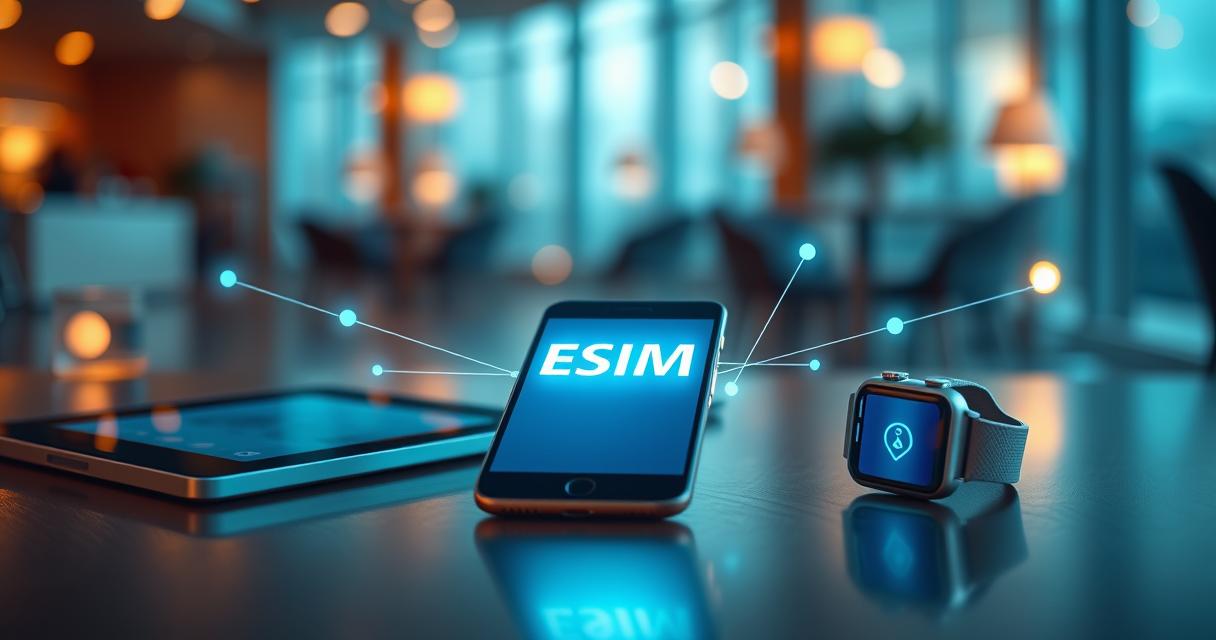
Flexibility is another significant benefit. Users can easily switch between devices depending on their needs without the hassle of swapping physical SIM cards. For instance, if you are using a tablet for navigation while traveling, you can share your eSIM from your smartphone without needing to purchase a separate data plan. This adaptability enhances the overall user experience, allowing for seamless transitions between personal and work devices.
Future of eSIM Technology
The future of eSIM technology looks promising, with continuous advancements in mobile connectivity. As more devices adopt eSIM capabilities, the ease of sharing and managing mobile plans is expected to improve. Innovations such as dual eSIM support are already emerging, allowing users to maintain multiple active profiles on a single device, further simplifying mobile management.
Moreover, the growing trend of digital nomadism highlights the importance of flexible mobile connectivity solutions. As remote work and travel become more prevalent, eSIM technology will likely play a central role in enabling users to stay connected without the constraints of traditional SIM cards. The ongoing collaboration between device manufacturers and carriers will further enhance the user experience, making eSIMs an essential component of mobile technology in the years to come.

I’m a tech enthusiast who loves exploring how eSIMs simplify staying connected while traveling. I spend my free time testing new smartphones and sharing tips on getting the most out of mobile data abroad.