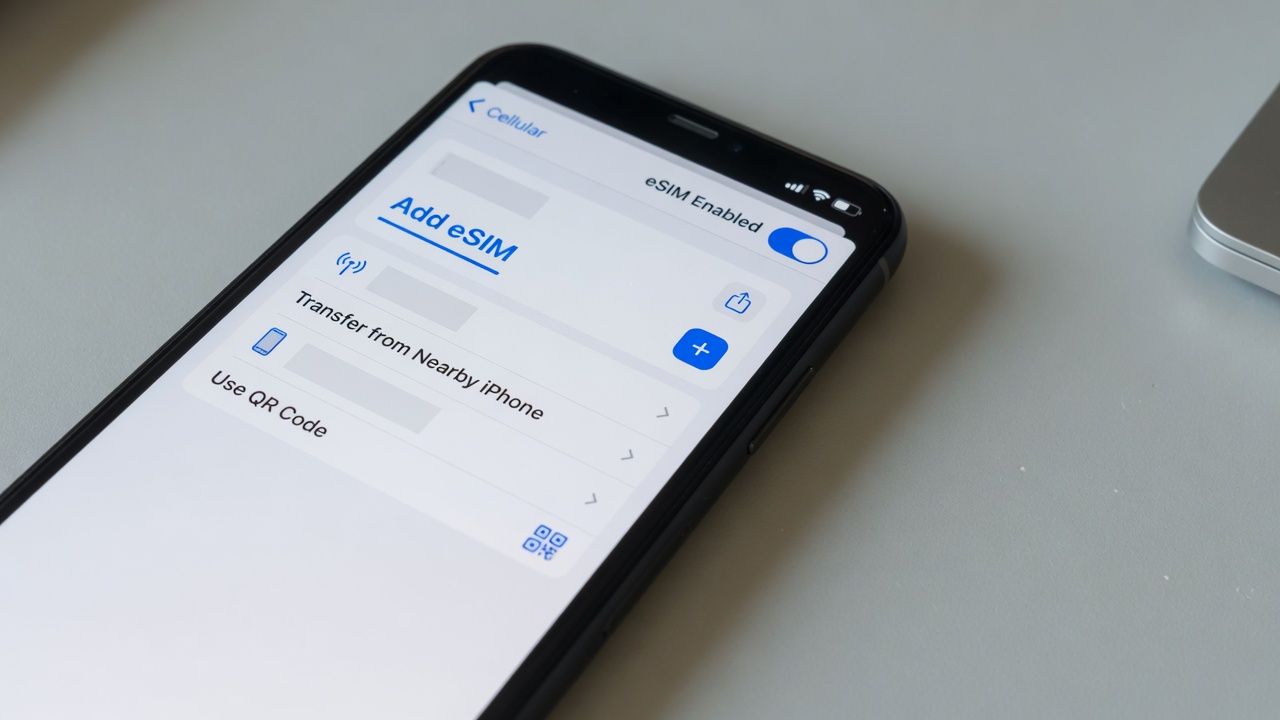
How to remove eSIM profile
16/06/2026
Understanding eSIM and Its Profiles
eSIM technology represents a major evolution in mobile connectivity, replacing the traditional physical SIM card with a digital alternative. At its core, an eSIM (embedded SIM) is a small chip embedded directly into your device, enabling it to connect to a mobile network without the need for a physical card. This innovation offers greater flexibility, convenience, and the potential to manage multiple mobile carriers from a single device.
Central to eSIM technology is the concept of an eSIM profile. An eSIM profile is a digital SIM card that contains the carrier’s information and credentials necessary to access their cellular network. These profiles can be downloaded, activated, and stored on the eSIM chip remotely. This capability removes the physical limitations of traditional SIM cards and allows users to switch carriers or plans without swapping cards physically. With eSIM basics understood, it becomes clear why this technology is gaining popularity, especially for travelers and those who want to manage multiple numbers on the same device.
Users might need to remove an eSIM profile for several reasons. One common reason is switching mobile carriers. When a user decides to change their service provider, the old eSIM profile must be deleted to avoid conflicts and free up space for the new profile. Additionally, removing an eSIM profile can be necessary for security reasons, such as when selling or giving away a device. This ensures that personal data and carrier information are fully removed. Furthermore, some users might want to remove unused or outdated profiles to keep their device organized and running efficiently.
In summary, understanding what is eSIM and how eSIM profiles work is essential for unlocking the full potential of modern mobile technology. The ability to remotely manage multiple profiles through eSIM technology provides unprecedented flexibility for mobile users everywhere. Whether it’s for travel, business, or personal use, knowing how and why to remove an eSIM profile is key to maintaining control over your mobile connectivity experience.
What Is an eSIM Profile?
An eSIM profile, also known as a digital SIM profile, is a small piece of embedded software that stores your mobile network information on your device. Unlike traditional physical SIM cards, which are tangible chips inserted into your phone, an eSIM profile exists entirely in a digital format. This digital SIM profile contains the data needed to connect your device to a cellular network, such as your carrier information, phone number, and subscriber credentials.
The primary purpose of an eSIM profile is to provide a seamless and flexible way for users to switch carriers or manage multiple mobile plans without the need for swapping physical SIM cards. Since the eSIM data is embedded directly into the device’s hardware, users can download and activate new profiles remotely, allowing for quick and convenient connectivity changes. This also reduces the chances of losing or damaging a physical SIM card.
One key difference between an eSIM profile and a physical SIM card is the method of installation and activation. While physical SIM cards require manual insertion and removal, eSIM profiles are downloaded digitally and can store multiple profiles simultaneously, enabling easy switching between them. This innovation enhances the user experience, especially for frequent travelers or those needing to use different carriers for work and personal use.
In summary, an eSIM profile definition centers around its role as a convenient, programmable, and digital solution for mobile connectivity, replacing the traditional physical SIM card with more versatile and efficient eSIM data management.
Reasons to Remove an eSIM Profile
There are several common reasons why someone might need to remove an eSIM profile from their device. One of the primary reasons is changing carriers. When switching mobile providers, removing the old eSIM profile is necessary to deactivate the previous service and activate the new one seamlessly. This ensures that the device connects properly to the new carrier’s network without conflicts or overlapping profiles.
Another important reason to remove an eSIM profile is for eSIM troubleshooting. Sometimes, connection issues arise due to corrupted or out-of-date eSIM data. Removing and reinstalling the eSIM profile can help resolve these problems by resetting the profile and refreshing its connection to the carrier. This troubleshooting step often restores stable network functionality when users experience dropped calls, poor signal, or inability to access mobile data.
Additionally, users might remove an eSIM profile if they no longer need the service, such as when traveling internationally and switching back to a home carrier or when consolidating multiple profiles. Removing unnecessary eSIM profiles can help declutter the device’s settings and prevent accidental activation of inactive profiles.
In summary, the main remove eSIM reasons include switching carriers for better plans or coverage, troubleshooting connectivity issues effectively, and managing the profiles on a device to keep them current and relevant. Understanding these scenarios helps users maintain a smooth and efficient mobile experience with their eSIM-enabled devices.
Step-by-Step Guide to Removing an eSIM Profile
Managing your eSIM can sometimes require you to remove an eSIM profile from your device, whether you need to switch carriers, reset your device, or troubleshoot connectivity issues. This eSIM removal guide provides detailed, easy-to-follow steps to help you remove an eSIM profile on popular devices including iPhone and Android.
Removing an eSIM profile on iPhone: To remove an eSIM profile on an iPhone, start by opening the Settings app. Navigate to Cellular or Mobile Data, then select the eSIM plan you want to delete. Tap on Remove Cellular Plan or Delete eSIM. Confirm the deletion by tapping Remove. This process completely removes the eSIM profile from your device and disables the cellular plan associated with it.
Deleting an eSIM profile on Android devices: The process of removing an eSIM on Android can vary slightly depending on the manufacturer and Android version, but generally, you should go to Settings, then select Network & Internet or Connections. Locate SIMs or Mobile Network settings and find the eSIM profile you want to remove. Tap on the profile and select Delete or Remove. Confirm the action to complete the eSIM removal steps.
Before you delete an eSIM profile, make sure you have backed up any information or ensure you won’t need the profile immediately afterward, as it will be removed from your device entirely. Also, if you plan to use the same eSIM again, check with your carrier if they require reactivation or a new QR code.
This eSIM removal guide helps you easily manage eSIM profiles to keep your mobile connectivity flexible and up to date. Whether flipping between carriers or troubleshooting, these remove eSIM steps are essential knowledge for modern smartphone users.
Removing an eSIM Profile on iPhone
To remove an eSIM profile on your iPhone, start by unlocking your device and opening the Settings app. Scroll down and tap on Cellular or Mobile Data, depending on your iOS version. Here, you’ll see a list of your cellular plans, including any active eSIM profiles. Locate the eSIM profile you want to delete and tap on it to access more details.
Next, scroll down and select the option to Remove Cellular Plan or Delete eSIM. iOS will then prompt you to confirm that you want to delete this eSIM profile from your iPhone. Confirm the action by tapping Remove or Delete in the popup dialog. This will erase the eSIM profile and all the associated cellular settings from your device.
Managing your eSIM on iPhone is straightforward, allowing you to easily delete eSIM iOS profiles that you no longer need. This process helps to free up space for new profiles or simply clean up your device’s cellular plans. Remember, deleting an eSIM profile will not cancel your service with your carrier; you’ll need to contact them separately if you want to terminate your subscription.
By following these steps, you can efficiently handle the iPhone eSIM removal process and maintain control over your mobile connections. Whether switching carriers or removing old profiles, managing eSIM iPhone settings ensures your device stays organized and up-to-date.
Removing an eSIM Profile on Android Devices
Managing your Android eSIM involves understanding how to delete an eSIM profile when it’s no longer needed. The process to remove an eSIM profile differs slightly depending on the manufacturer and Android version. Below is a general guide to delete an eSIM on popular Android phones and tips on navigating various interfaces.
- Open the Settings app on your Android phone.
- Navigate to Network & Internet or Connections, depending on your device.
- Select Mobile Network or SIM & Network to manage your SIM cards.
- Locate and tap on eSIM or SIMs; some phones label it as SIM card manager.
- From the list of SIM profiles, select the eSIM profile you want to delete.
- Look for the option labeled Remove, Delete, or Forget SIM. The wording can vary between brands like Samsung, Google Pixel, and OnePlus.
- Confirm the deletion when prompted to permanently remove the eSIM profile from your Android device.
- Restart your phone to ensure changes take full effect.
Always make sure to back up any necessary information before deleting your eSIM profile. The flexibility to manage eSIM Android phone profiles easily allows users to switch carriers or troubleshoot connectivity without physical SIM cards. Remember, specific steps might vary slightly based on system updates or custom manufacturer skins, so check the latest guidelines if needed.
Tips and Troubleshooting for eSIM Profile Removal
Removing an eSIM profile can sometimes present challenges, but with the right tips, you can avoid common eSIM removal issues and resolve them quickly if they occur. First, ensure that your device’s software is up to date. Software updates often include fixes that improve eSIM management functionality, reducing the likelihood of eSIM profile errors during removal.
Before initiating the removal process, double-check that you have a stable internet connection. Some eSIM profiles require online verification to be properly deactivated, and interruption can cause errors. If you encounter any problems, restart your device; this simple step can refresh system processes and clear potential glitches affecting eSIM removal.
If you receive an eSIM profile error indicating that the removal was unsuccessful, it might be due to restrictions imposed by your carrier. Contact your mobile provider’s customer support for assistance or visit their official website for instructions specific to your plan. Carriers often have particular protocols for managing eSIM profiles that must be followed precisely.
In cases where the eSIM removal screen is unresponsive or the process is stuck, try toggling Airplane Mode on and off. This can reset your device’s connection settings and may resolve glitches preventing eSIM deactivation. Additionally, avoid removing your eSIM profile immediately after switching cellular plans; give the device some time to register and sync the new settings to minimize errors.
To troubleshoot eSIM issues further, consider resetting your network settings. This will remove all saved Wi-Fi networks and cellular settings but often resolves persistent issues related to eSIM profiles. Remember to back up important connection details before doing this.
Finally, if you plan to switch devices, ensure you deactivate the eSIM profile on the old device before setting it up on the new one. Trying to use the same eSIM profile concurrently on multiple devices can trigger errors and complications.
By following these tips and troubleshooting steps, you can minimize eSIM removal issues and handle any eSIM profile errors smoothly. Keeping your device updated and understanding the requirements of your carrier will give you the best chance of successful eSIM management.
Common Problems and How to Fix Them
When removing an eSIM profile, users often encounter several common eSIM problems that can interrupt the process. One typical issue is the device failing to recognize the eSIM profile for deletion, which may result in error messages such as “Unable to delete profile” or “Profile removal failed.” These errors often stem from temporary glitches in the phone’s software or conflicts with the network settings.
Another frequent problem occurs when the eSIM is still actively associated with a carrier plan, preventing its removal. In such cases, users might see alerts indicating that the plan must be deactivated with the carrier first. To fix this, contacting your mobile service provider to properly deactivate the eSIM plan can help clear the blockage.
To fix eSIM removal errors, start by restarting your device to reset any temporary software issues. Ensuring your phone’s operating system is updated to the latest version can also resolve compatibility problems impacting eSIM management. Additionally, resetting network settings may clear errors preventing profile deletion but use this step cautiously since it will remove saved Wi-Fi and VPN settings.
If the device continues to show persistent eSIM error messages, performing a factory reset might be a last resort, but back up your data beforehand. Consulting the phone’s support documentation or customer service can offer device-specific solutions tailored to common eSIM problems.
When to Contact Your Carrier for Help
There are certain situations where seeking carrier support becomes essential for the successful removal of an eSIM profile. If you encounter issues such as the eSIM not deleting properly from your device, errors during the removal process, or if your device continues to show the old eSIM profile even after attempting removal, it’s a clear indication to reach out to your carrier. Additionally, if your eSIM is locked or associated with a specific carrier plan that restricts removal, you will need eSIM carrier assistance to proceed.
When contacting your carrier for eSIM removal help, be prepared to provide specific details to expedite the support process. This includes your account information, device model, and IMEI number. Clearly explain the problem you are facing with the eSIM removal and mention any error messages displayed. Providing the activation code or QR code originally used to set up the eSIM may also be helpful. The more precise information you share, the quicker the carrier support team can diagnose and resolve your issue.
Remember that carrier support can offer remote assistance, reset your eSIM profile on their end, or provide guidance tailored to your device and plan. They may also unlock or deactivate an eSIM to enable proper removal. Promptly contacting your carrier ensures a smooth transition and avoids any disruptions in your mobile service during the removal process.

I’m a tech enthusiast who loves exploring how eSIMs simplify staying connected while traveling. I spend my free time testing new smartphones and sharing tips on getting the most out of mobile data abroad.