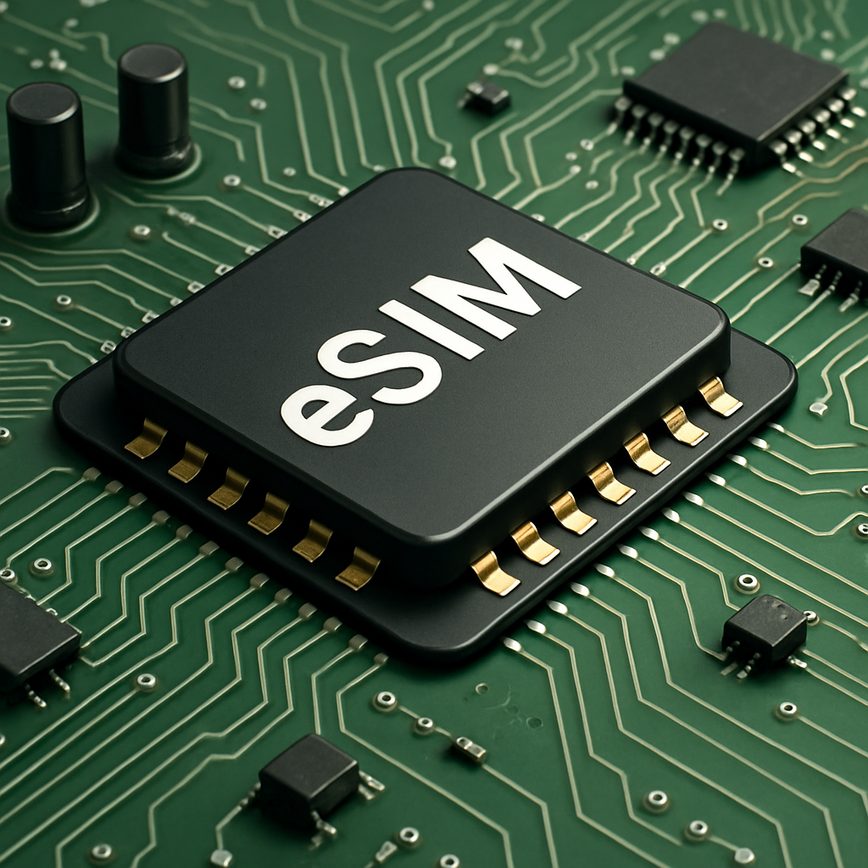
Flexible mobile plans become far easier to handle with eSIM technology. You can store multiple carrier profiles on a single device and toggle between them with just a few taps. This easy carrier switch capability is ideal for users who want to take advantage of different carriers’ offerings, avoiding long-term contracts or high roaming charges by switching to local providers when traveling abroad.

In summary, the eSIM’s combination of no physical SIM, convenience, space efficiency, and the ability to switch carriers effortlessly makes it a powerful tool for modern mobile connectivity. Whether for personal or professional use, eSIM technology opens up new possibilities that traditional SIM cards simply cannot match.

How to Switch Between Carriers Using eSIM

Switching to a new mobile carrier using an eSIM is simpler than ever, offering convenience without the need for a physical SIM card. If you want to switch eSIM carriers or execute an eSIM carrier transfer, follow this step-by-step guide to seamlessly change your mobile carrier eSIM and enjoy uninterrupted service on your device.

  1. Check eSIM Compatibility: Before proceeding, ensure your device supports eSIM functionality and is unlocked for use with different carriers. Most modern smartphones, tablets, and smartwatches have this capability.
  2. Obtain eSIM Details from the New Carrier: Contact the new mobile carrier to get your eSIM activation details. This usually comes as a QR code, activation code, or through a carrier app, essential for activation on your device.
  3. Back Up Important Data: Although switching carriers typically won’t affect your data, it’s a good practice to back up contacts and important information linked to your current mobile network as a precaution.
  4. Remove or Deactivate Current eSIM Profile: Navigate to your device’s settings under Mobile Network or Cellular to locate the current eSIM profile. Remove or disable this profile to prepare for the mobile network switch.
  5. Activate the New eSIM Profile: Use the QR code or activation code provided by your new carrier to add the eSIM profile to your device. For example, on iOS, go to Settings > Cellular > Add Cellular Plan, then scan the QR code or enter the details manually.
  6. Confirm Activation and Configure Settings: Once the new eSIM is installed, your device will usually activate the service automatically. Check that your mobile network switch was successful by verifying signal strength and data connectivity.
  7. Test Your New Carrier Services: Make a test call, send messages, and verify internet access on your device to fully confirm that the switch eSIM carriers process was successful and your connectivity is stable.
  8. Manage Additional Profiles if Needed: Devices often allow multiple eSIM profiles. Manage and prioritize these through your device’s cellular settings to quickly switch between carriers when necessary.

By following these steps, you can efficiently change your mobile carrier eSIM without the hassle of physical SIM cards. The eSIM carrier transfer process ensures you maintain flexibility and convenience in managing your mobile network switch, making it ideal for travelers, business users, and anyone looking to optimize their mobile connectivity.

Checking Device Compatibility

Before switching between carriers using an eSIM, it’s important to confirm your device compatibility. Not all mobile phones support eSIM profiles or have carrier support for seamless switching. Start by checking if your device is listed among the eSIM supported phones. Manufacturers often provide detailed specifications and compatibility lists on their official websites or support pages.

Next, verify that your mobile carrier supports eSIM technology and allows switching between carriers. Some carriers may restrict eSIM usage or only support single-profile activation. You can find this information on the carrier’s official website or by contacting their customer service.

To perform a mobile device check for eSIM capabilities, go to your device’s settings and look for a section labeled “Cellular,” “Mobile Data,” or “SIM Card.” If you see options to add or manage eSIM profiles, this usually indicates your device supports eSIM. Additionally, system updates might enable eSIM features, so ensure your device runs the latest software version.

By confirming device compatibility, understanding eSIM supported phones, and carrier support, you can confidently proceed with switching carriers using your eSIM. This step ensures a smooth transition and optimal mobile experience without unexpected service interruptions.

Steps to Switch Carriers on eSIM

Switching mobile carriers on an eSIM involves a straightforward process that primarily includes removing the old carrier profile and activating the new one. First, access your device’s settings where eSIM management is located, often under ‘Cellular’ or ‘Mobile Data’ options. Locate the installed eSIM profile for your current carrier, which you will need to delete. Removing this old profile frees up the eSIM to accept a new carrier’s profile and avoids conflicts between carrier services.

Next, follow the eSIM setup steps provided by your new carrier. This usually involves scanning a QR code sent via email or accessing a carrier app to install the eSIM profile directly onto your device. Completing the eSIM activation in your device settings confirms that your new carrier’s profile is installed and ready to use. During this process, your phone will register with the new mobile network, enabling cellular service without the need for a physical SIM card.

Throughout this transition, ensure you have a stable internet connection since downloading or activating a new eSIM profile requires data. By following these eSIM setup steps, you can easily switch mobile carriers and enjoy seamless connectivity. This method promotes flexibility and convenience for users wishing to change carriers without the hassle of replacing SIM cards physically.

Important Considerations When Switching

When switching between carriers using an eSIM, it is crucial to keep several important factors in mind to ensure a smooth transition. First, consider number portability. Not all carriers support transferring your existing phone number to a new eSIM plan, so verify this beforehand to avoid losing your number and experiencing disruptions in service.

Another essential tip is to perform a thorough data backup before initiating the switch. Since the eSIM contains your carrier profile and subscription details, backing up contacts, messages, and other important data will prevent accidental loss during the switching process. This can be done through your device’s cloud services or external backups.

It is also important to be aware of carrier restrictions. Some carriers may lock eSIM profiles to their network or impose limitations on how often you can switch, which can complicate or delay the process. Checking these restrictions in advance will help you avoid unexpected issues.

By following these eSIM switching tips—confirming number portability, securing a data backup, and understanding carrier limitations—you can enhance your experience and enjoy the flexibility that eSIM technology offers without unnecessary hassle.

Troubleshooting Common eSIM Switching Issues

Switching carriers with an eSIM can sometimes lead to unexpected eSIM issues that interrupt your mobile experience. Understanding these common problems and how to effectively fix them can help you maintain seamless mobile connectivity without unnecessary delays.

One frequent issue during eSIM switching is activation failure. Carrier activation problems often stem from incorrect QR code scanning, expired activation codes, or network issues on the carrier’s end. To resolve this, ensure you scan the correct QR code provided by your new carrier, and verify the code hasn’t expired. If the problem persists, contacting your carrier to confirm activation status and potential service outages is essential.

Another common error is the device not recognizing the newly installed eSIM profile, leading to switching errors. This may occur due to device compatibility issues or outdated software. Ensuring your phone’s operating system is up to date is a simple but effective step in troubleshooting mobile connectivity problems related to eSIM switching. Updating to the latest OS version often resolves bugs that interfere with eSIM profile recognition.

Additionally, users sometimes face problems where the previous carrier’s eSIM remains active, causing conflicts and network confusion. To fix this, it’s important to fully remove the old eSIM profile from your device before adding a new one. Go to your phone’s eSIM management settings and delete any profiles that are no longer in use. This clears the way for the new carrier’s settings to function properly.

Network connectivity issues after switching to a new eSIM can also be frustrating. If you experience reduced signal strength or no data connectivity, try resetting your network settings. This refreshes your connection parameters and helps resolve configuration glitches. Checking for carrier-specific APN settings and manually entering them can also ensure proper mobile connectivity.

Finally, if none of these solutions work, restarting your device is a fundamental but sometimes overlooked troubleshooting step. A reboot can clear temporary conflicts and refresh communication between your device and carrier networks, resolving many common switching errors.

By understanding these typical eSIM issues and applying efficient troubleshooting techniques—such as verifying activation codes, updating software, removing old profiles, resetting network settings, and restarting devices—you can minimize disruptions and enjoy a smooth transition when switching carriers with eSIM technology.

Activation Failures and Solutions

Activation errors are a common hurdle when switching carriers using eSIM technology. Users often face issues like “eSIM not activating,” which can stem from a variety of causes such as network problems, incorrect QR code scanning, or carrier-side delays. These activation failures can be frustrating, but fortunately, several practical solutions exist.

First, ensure your device has a stable internet connection—Wi-Fi or cellular—since activation requires communication with carrier servers. Next, double-check that the QR code or activation code provided by your carrier is scanned or entered correctly. Mistakes here often trigger activation errors.

If the eSIM still refuses to activate, try restarting your device and repeating the activation process. Sometimes, system glitches can temporarily block activation attempts. Additionally, verify that your device’s software is up to date, as outdated firmware can interfere with proper carrier recognition and eSIM activation.

For carrier activation fixes specifically, contacting your carrier’s support is crucial when self-troubleshooting fails. They can verify if their systems are functioning and provide alternative activation methods. Some carriers offer activation through their official apps, which might bypass issues encountered with QR codes.

In summary, activation errors and eSIM not activating problems can usually be resolved by ensuring correct code entry, device readiness, stable connectivity, and carrier support engagement. These steps form the backbone of a reliable carrier activation fix for anyone facing eSIM setup challenges.

Network Connectivity Problems

After switching carriers using an eSIM, users may experience common network connectivity problems such as no network, signal issues, eSIM connection problems, and mobile data issues. These problems can disrupt your communication and internet access, making it important to troubleshoot effectively.

  1. Restart your device: Power off your phone and turn it back on to refresh the network connection and resolve temporary glitches.
  2. Check carrier settings: Ensure that your device is configured with the correct carrier settings and that your eSIM profile is activated properly.
  3. Verify the network mode: Confirm that your device is set to the appropriate network mode (e.g., 4G/5G) supported by your new carrier.
  4. Toggle airplane mode: Turn airplane mode on for a few seconds, then disable it to force your phone to reconnect to the network.
  5. Confirm mobile data is enabled: Check that mobile data is turned on in your device’s settings to avoid mobile data issues.
  6. Reset network settings: If problems persist, reset your device’s network settings to clear out any corrupted configurations.
  7. Contact your carrier: For persistent eSIM connection problems or no network signals, get in touch with your carrier’s support for assistance.

Another significant advantage is the space-saving design of eSIMs. Without the need for a physical card slot, device manufacturers can use that extra space for other hardware improvements, such as bigger batteries or additional features. This makes smartphones slimmer and more efficient without compromising on performance or functionality.

Flexible mobile plans become far easier to handle with eSIM technology. You can store multiple carrier profiles on a single device and toggle between them with just a few taps. This easy carrier switch capability is ideal for users who want to take advantage of different carriers’ offerings, avoiding long-term contracts or high roaming charges by switching to local providers when traveling abroad.

In summary, the eSIM’s combination of no physical SIM, convenience, space efficiency, and the ability to switch carriers effortlessly makes it a powerful tool for modern mobile connectivity. Whether for personal or professional use, eSIM technology opens up new possibilities that traditional SIM cards simply cannot match.

How to Switch Between Carriers Using eSIM

Switching to a new mobile carrier using an eSIM is simpler than ever, offering convenience without the need for a physical SIM card. If you want to switch eSIM carriers or execute an eSIM carrier transfer, follow this step-by-step guide to seamlessly change your mobile carrier eSIM and enjoy uninterrupted service on your device.

  1. Check eSIM Compatibility: Before proceeding, ensure your device supports eSIM functionality and is unlocked for use with different carriers. Most modern smartphones, tablets, and smartwatches have this capability.
  2. Obtain eSIM Details from the New Carrier: Contact the new mobile carrier to get your eSIM activation details. This usually comes as a QR code, activation code, or through a carrier app, essential for activation on your device.
  3. Back Up Important Data: Although switching carriers typically won’t affect your data, it’s a good practice to back up contacts and important information linked to your current mobile network as a precaution.
  4. Remove or Deactivate Current eSIM Profile: Navigate to your device’s settings under Mobile Network or Cellular to locate the current eSIM profile. Remove or disable this profile to prepare for the mobile network switch.
  5. Activate the New eSIM Profile: Use the QR code or activation code provided by your new carrier to add the eSIM profile to your device. For example, on iOS, go to Settings > Cellular > Add Cellular Plan, then scan the QR code or enter the details manually.
  6. Confirm Activation and Configure Settings: Once the new eSIM is installed, your device will usually activate the service automatically. Check that your mobile network switch was successful by verifying signal strength and data connectivity.
  7. Test Your New Carrier Services: Make a test call, send messages, and verify internet access on your device to fully confirm that the switch eSIM carriers process was successful and your connectivity is stable.
  8. Manage Additional Profiles if Needed: Devices often allow multiple eSIM profiles. Manage and prioritize these through your device’s cellular settings to quickly switch between carriers when necessary.

By following these steps, you can efficiently change your mobile carrier eSIM without the hassle of physical SIM cards. The eSIM carrier transfer process ensures you maintain flexibility and convenience in managing your mobile network switch, making it ideal for travelers, business users, and anyone looking to optimize their mobile connectivity.

Checking Device Compatibility

Before switching between carriers using an eSIM, it’s important to confirm your device compatibility. Not all mobile phones support eSIM profiles or have carrier support for seamless switching. Start by checking if your device is listed among the eSIM supported phones. Manufacturers often provide detailed specifications and compatibility lists on their official websites or support pages.

Next, verify that your mobile carrier supports eSIM technology and allows switching between carriers. Some carriers may restrict eSIM usage or only support single-profile activation. You can find this information on the carrier’s official website or by contacting their customer service.

To perform a mobile device check for eSIM capabilities, go to your device’s settings and look for a section labeled “Cellular,” “Mobile Data,” or “SIM Card.” If you see options to add or manage eSIM profiles, this usually indicates your device supports eSIM. Additionally, system updates might enable eSIM features, so ensure your device runs the latest software version.

By confirming device compatibility, understanding eSIM supported phones, and carrier support, you can confidently proceed with switching carriers using your eSIM. This step ensures a smooth transition and optimal mobile experience without unexpected service interruptions.

Steps to Switch Carriers on eSIM

Switching mobile carriers on an eSIM involves a straightforward process that primarily includes removing the old carrier profile and activating the new one. First, access your device’s settings where eSIM management is located, often under ‘Cellular’ or ‘Mobile Data’ options. Locate the installed eSIM profile for your current carrier, which you will need to delete. Removing this old profile frees up the eSIM to accept a new carrier’s profile and avoids conflicts between carrier services.

Next, follow the eSIM setup steps provided by your new carrier. This usually involves scanning a QR code sent via email or accessing a carrier app to install the eSIM profile directly onto your device. Completing the eSIM activation in your device settings confirms that your new carrier’s profile is installed and ready to use. During this process, your phone will register with the new mobile network, enabling cellular service without the need for a physical SIM card.

Throughout this transition, ensure you have a stable internet connection since downloading or activating a new eSIM profile requires data. By following these eSIM setup steps, you can easily switch mobile carriers and enjoy seamless connectivity. This method promotes flexibility and convenience for users wishing to change carriers without the hassle of replacing SIM cards physically.

Important Considerations When Switching

When switching between carriers using an eSIM, it is crucial to keep several important factors in mind to ensure a smooth transition. First, consider number portability. Not all carriers support transferring your existing phone number to a new eSIM plan, so verify this beforehand to avoid losing your number and experiencing disruptions in service.

Another essential tip is to perform a thorough data backup before initiating the switch. Since the eSIM contains your carrier profile and subscription details, backing up contacts, messages, and other important data will prevent accidental loss during the switching process. This can be done through your device’s cloud services or external backups.

It is also important to be aware of carrier restrictions. Some carriers may lock eSIM profiles to their network or impose limitations on how often you can switch, which can complicate or delay the process. Checking these restrictions in advance will help you avoid unexpected issues.

By following these eSIM switching tips—confirming number portability, securing a data backup, and understanding carrier limitations—you can enhance your experience and enjoy the flexibility that eSIM technology offers without unnecessary hassle.

Troubleshooting Common eSIM Switching Issues

Switching carriers with an eSIM can sometimes lead to unexpected eSIM issues that interrupt your mobile experience. Understanding these common problems and how to effectively fix them can help you maintain seamless mobile connectivity without unnecessary delays.

One frequent issue during eSIM switching is activation failure. Carrier activation problems often stem from incorrect QR code scanning, expired activation codes, or network issues on the carrier’s end. To resolve this, ensure you scan the correct QR code provided by your new carrier, and verify the code hasn’t expired. If the problem persists, contacting your carrier to confirm activation status and potential service outages is essential.

Another common error is the device not recognizing the newly installed eSIM profile, leading to switching errors. This may occur due to device compatibility issues or outdated software. Ensuring your phone’s operating system is up to date is a simple but effective step in troubleshooting mobile connectivity problems related to eSIM switching. Updating to the latest OS version often resolves bugs that interfere with eSIM profile recognition.

Additionally, users sometimes face problems where the previous carrier’s eSIM remains active, causing conflicts and network confusion. To fix this, it’s important to fully remove the old eSIM profile from your device before adding a new one. Go to your phone’s eSIM management settings and delete any profiles that are no longer in use. This clears the way for the new carrier’s settings to function properly.

Network connectivity issues after switching to a new eSIM can also be frustrating. If you experience reduced signal strength or no data connectivity, try resetting your network settings. This refreshes your connection parameters and helps resolve configuration glitches. Checking for carrier-specific APN settings and manually entering them can also ensure proper mobile connectivity.

Finally, if none of these solutions work, restarting your device is a fundamental but sometimes overlooked troubleshooting step. A reboot can clear temporary conflicts and refresh communication between your device and carrier networks, resolving many common switching errors.

By understanding these typical eSIM issues and applying efficient troubleshooting techniques—such as verifying activation codes, updating software, removing old profiles, resetting network settings, and restarting devices—you can minimize disruptions and enjoy a smooth transition when switching carriers with eSIM technology.

Activation Failures and Solutions

Activation errors are a common hurdle when switching carriers using eSIM technology. Users often face issues like “eSIM not activating,” which can stem from a variety of causes such as network problems, incorrect QR code scanning, or carrier-side delays. These activation failures can be frustrating, but fortunately, several practical solutions exist.

First, ensure your device has a stable internet connection—Wi-Fi or cellular—since activation requires communication with carrier servers. Next, double-check that the QR code or activation code provided by your carrier is scanned or entered correctly. Mistakes here often trigger activation errors.

If the eSIM still refuses to activate, try restarting your device and repeating the activation process. Sometimes, system glitches can temporarily block activation attempts. Additionally, verify that your device’s software is up to date, as outdated firmware can interfere with proper carrier recognition and eSIM activation.

For carrier activation fixes specifically, contacting your carrier’s support is crucial when self-troubleshooting fails. They can verify if their systems are functioning and provide alternative activation methods. Some carriers offer activation through their official apps, which might bypass issues encountered with QR codes.

In summary, activation errors and eSIM not activating problems can usually be resolved by ensuring correct code entry, device readiness, stable connectivity, and carrier support engagement. These steps form the backbone of a reliable carrier activation fix for anyone facing eSIM setup challenges.

Network Connectivity Problems

After switching carriers using an eSIM, users may experience common network connectivity problems such as no network, signal issues, eSIM connection problems, and mobile data issues. These problems can disrupt your communication and internet access, making it important to troubleshoot effectively.

  1. Restart your device: Power off your phone and turn it back on to refresh the network connection and resolve temporary glitches.
  2. Check carrier settings: Ensure that your device is configured with the correct carrier settings and that your eSIM profile is activated properly.
  3. Verify the network mode: Confirm that your device is set to the appropriate network mode (e.g., 4G/5G) supported by your new carrier.
  4. Toggle airplane mode: Turn airplane mode on for a few seconds, then disable it to force your phone to reconnect to the network.
  5. Confirm mobile data is enabled: Check that mobile data is turned on in your device’s settings to avoid mobile data issues.
  6. Reset network settings: If problems persist, reset your device’s network settings to clear out any corrupted configurations.
  7. Contact your carrier: For persistent eSIM connection problems or no network signals, get in touch with your carrier’s support for assistance.

Another significant advantage is the space-saving design of eSIMs. Without the need for a physical card slot, device manufacturers can use that extra space for other hardware improvements, such as bigger batteries or additional features. This makes smartphones slimmer and more efficient without compromising on performance or functionality.

Flexible mobile plans become far easier to handle with eSIM technology. You can store multiple carrier profiles on a single device and toggle between them with just a few taps. This easy carrier switch capability is ideal for users who want to take advantage of different carriers’ offerings, avoiding long-term contracts or high roaming charges by switching to local providers when traveling abroad.

In summary, the eSIM’s combination of no physical SIM, convenience, space efficiency, and the ability to switch carriers effortlessly makes it a powerful tool for modern mobile connectivity. Whether for personal or professional use, eSIM technology opens up new possibilities that traditional SIM cards simply cannot match.

How to Switch Between Carriers Using eSIM

Switching to a new mobile carrier using an eSIM is simpler than ever, offering convenience without the need for a physical SIM card. If you want to switch eSIM carriers or execute an eSIM carrier transfer, follow this step-by-step guide to seamlessly change your mobile carrier eSIM and enjoy uninterrupted service on your device.

  1. Check eSIM Compatibility: Before proceeding, ensure your device supports eSIM functionality and is unlocked for use with different carriers. Most modern smartphones, tablets, and smartwatches have this capability.
  2. Obtain eSIM Details from the New Carrier: Contact the new mobile carrier to get your eSIM activation details. This usually comes as a QR code, activation code, or through a carrier app, essential for activation on your device.
  3. Back Up Important Data: Although switching carriers typically won’t affect your data, it’s a good practice to back up contacts and important information linked to your current mobile network as a precaution.
  4. Remove or Deactivate Current eSIM Profile: Navigate to your device’s settings under Mobile Network or Cellular to locate the current eSIM profile. Remove or disable this profile to prepare for the mobile network switch.
  5. Activate the New eSIM Profile: Use the QR code or activation code provided by your new carrier to add the eSIM profile to your device. For example, on iOS, go to Settings > Cellular > Add Cellular Plan, then scan the QR code or enter the details manually.
  6. Confirm Activation and Configure Settings: Once the new eSIM is installed, your device will usually activate the service automatically. Check that your mobile network switch was successful by verifying signal strength and data connectivity.
  7. Test Your New Carrier Services: Make a test call, send messages, and verify internet access on your device to fully confirm that the switch eSIM carriers process was successful and your connectivity is stable.
  8. Manage Additional Profiles if Needed: Devices often allow multiple eSIM profiles. Manage and prioritize these through your device’s cellular settings to quickly switch between carriers when necessary.

By following these steps, you can efficiently change your mobile carrier eSIM without the hassle of physical SIM cards. The eSIM carrier transfer process ensures you maintain flexibility and convenience in managing your mobile network switch, making it ideal for travelers, business users, and anyone looking to optimize their mobile connectivity.

Checking Device Compatibility

Before switching between carriers using an eSIM, it’s important to confirm your device compatibility. Not all mobile phones support eSIM profiles or have carrier support for seamless switching. Start by checking if your device is listed among the eSIM supported phones. Manufacturers often provide detailed specifications and compatibility lists on their official websites or support pages.

Next, verify that your mobile carrier supports eSIM technology and allows switching between carriers. Some carriers may restrict eSIM usage or only support single-profile activation. You can find this information on the carrier’s official website or by contacting their customer service.

To perform a mobile device check for eSIM capabilities, go to your device’s settings and look for a section labeled “Cellular,” “Mobile Data,” or “SIM Card.” If you see options to add or manage eSIM profiles, this usually indicates your device supports eSIM. Additionally, system updates might enable eSIM features, so ensure your device runs the latest software version.

By confirming device compatibility, understanding eSIM supported phones, and carrier support, you can confidently proceed with switching carriers using your eSIM. This step ensures a smooth transition and optimal mobile experience without unexpected service interruptions.

Steps to Switch Carriers on eSIM

Switching mobile carriers on an eSIM involves a straightforward process that primarily includes removing the old carrier profile and activating the new one. First, access your device’s settings where eSIM management is located, often under ‘Cellular’ or ‘Mobile Data’ options. Locate the installed eSIM profile for your current carrier, which you will need to delete. Removing this old profile frees up the eSIM to accept a new carrier’s profile and avoids conflicts between carrier services.

Next, follow the eSIM setup steps provided by your new carrier. This usually involves scanning a QR code sent via email or accessing a carrier app to install the eSIM profile directly onto your device. Completing the eSIM activation in your device settings confirms that your new carrier’s profile is installed and ready to use. During this process, your phone will register with the new mobile network, enabling cellular service without the need for a physical SIM card.

Throughout this transition, ensure you have a stable internet connection since downloading or activating a new eSIM profile requires data. By following these eSIM setup steps, you can easily switch mobile carriers and enjoy seamless connectivity. This method promotes flexibility and convenience for users wishing to change carriers without the hassle of replacing SIM cards physically.

Important Considerations When Switching

When switching between carriers using an eSIM, it is crucial to keep several important factors in mind to ensure a smooth transition. First, consider number portability. Not all carriers support transferring your existing phone number to a new eSIM plan, so verify this beforehand to avoid losing your number and experiencing disruptions in service.

Another essential tip is to perform a thorough data backup before initiating the switch. Since the eSIM contains your carrier profile and subscription details, backing up contacts, messages, and other important data will prevent accidental loss during the switching process. This can be done through your device’s cloud services or external backups.

It is also important to be aware of carrier restrictions. Some carriers may lock eSIM profiles to their network or impose limitations on how often you can switch, which can complicate or delay the process. Checking these restrictions in advance will help you avoid unexpected issues.

By following these eSIM switching tips—confirming number portability, securing a data backup, and understanding carrier limitations—you can enhance your experience and enjoy the flexibility that eSIM technology offers without unnecessary hassle.

Troubleshooting Common eSIM Switching Issues

Switching carriers with an eSIM can sometimes lead to unexpected eSIM issues that interrupt your mobile experience. Understanding these common problems and how to effectively fix them can help you maintain seamless mobile connectivity without unnecessary delays.

One frequent issue during eSIM switching is activation failure. Carrier activation problems often stem from incorrect QR code scanning, expired activation codes, or network issues on the carrier’s end. To resolve this, ensure you scan the correct QR code provided by your new carrier, and verify the code hasn’t expired. If the problem persists, contacting your carrier to confirm activation status and potential service outages is essential.

Another common error is the device not recognizing the newly installed eSIM profile, leading to switching errors. This may occur due to device compatibility issues or outdated software. Ensuring your phone’s operating system is up to date is a simple but effective step in troubleshooting mobile connectivity problems related to eSIM switching. Updating to the latest OS version often resolves bugs that interfere with eSIM profile recognition.

Additionally, users sometimes face problems where the previous carrier’s eSIM remains active, causing conflicts and network confusion. To fix this, it’s important to fully remove the old eSIM profile from your device before adding a new one. Go to your phone’s eSIM management settings and delete any profiles that are no longer in use. This clears the way for the new carrier’s settings to function properly.

Network connectivity issues after switching to a new eSIM can also be frustrating. If you experience reduced signal strength or no data connectivity, try resetting your network settings. This refreshes your connection parameters and helps resolve configuration glitches. Checking for carrier-specific APN settings and manually entering them can also ensure proper mobile connectivity.

Finally, if none of these solutions work, restarting your device is a fundamental but sometimes overlooked troubleshooting step. A reboot can clear temporary conflicts and refresh communication between your device and carrier networks, resolving many common switching errors.

By understanding these typical eSIM issues and applying efficient troubleshooting techniques—such as verifying activation codes, updating software, removing old profiles, resetting network settings, and restarting devices—you can minimize disruptions and enjoy a smooth transition when switching carriers with eSIM technology.

Activation Failures and Solutions

Activation errors are a common hurdle when switching carriers using eSIM technology. Users often face issues like “eSIM not activating,” which can stem from a variety of causes such as network problems, incorrect QR code scanning, or carrier-side delays. These activation failures can be frustrating, but fortunately, several practical solutions exist.

First, ensure your device has a stable internet connection—Wi-Fi or cellular—since activation requires communication with carrier servers. Next, double-check that the QR code or activation code provided by your carrier is scanned or entered correctly. Mistakes here often trigger activation errors.

If the eSIM still refuses to activate, try restarting your device and repeating the activation process. Sometimes, system glitches can temporarily block activation attempts. Additionally, verify that your device’s software is up to date, as outdated firmware can interfere with proper carrier recognition and eSIM activation.

For carrier activation fixes specifically, contacting your carrier’s support is crucial when self-troubleshooting fails. They can verify if their systems are functioning and provide alternative activation methods. Some carriers offer activation through their official apps, which might bypass issues encountered with QR codes.

In summary, activation errors and eSIM not activating problems can usually be resolved by ensuring correct code entry, device readiness, stable connectivity, and carrier support engagement. These steps form the backbone of a reliable carrier activation fix for anyone facing eSIM setup challenges.

Network Connectivity Problems

After switching carriers using an eSIM, users may experience common network connectivity problems such as no network, signal issues, eSIM connection problems, and mobile data issues. These problems can disrupt your communication and internet access, making it important to troubleshoot effectively.

  1. Restart your device: Power off your phone and turn it back on to refresh the network connection and resolve temporary glitches.
  2. Check carrier settings: Ensure that your device is configured with the correct carrier settings and that your eSIM profile is activated properly.
  3. Verify the network mode: Confirm that your device is set to the appropriate network mode (e.g., 4G/5G) supported by your new carrier.
  4. Toggle airplane mode: Turn airplane mode on for a few seconds, then disable it to force your phone to reconnect to the network.
  5. Confirm mobile data is enabled: Check that mobile data is turned on in your device’s settings to avoid mobile data issues.
  6. Reset network settings: If problems persist, reset your device’s network settings to clear out any corrupted configurations.
  7. Contact your carrier: For persistent eSIM connection problems or no network signals, get in touch with your carrier’s support for assistance.

Understanding eSIM Technology

eSIM technology, also known as embedded SIM or digital SIM, represents a significant evolution in mobile connectivity. Unlike traditional SIM cards, which are physical chips that users must insert into their devices, an eSIM is a small embedded chip built directly into the device’s motherboard. This innovation allows users to activate a cellular plan without needing to physically swap out a SIM card.

Traditional SIM cards have been the standard for mobile devices for decades, but they come with limitations. Physical SIM cards can be easily lost or damaged, and switching carriers often requires users to obtain and insert a new SIM card. In contrast, eSIM technology eliminates these hassles by enabling remote provisioning and management of carrier profiles. This means that users can download and switch between multiple mobile network operators using software, without ever handling a physical SIM card.

The benefits of eSIM technology for mobile users are numerous. Firstly, it provides greater convenience by simplifying the process of changing carriers or plans, which is particularly advantageous for travelers who frequently switch between local networks to avoid roaming charges. Additionally, eSIM chips support multiple profiles, allowing users to have different phone numbers or plans active simultaneously, such as separating personal and business lines on one device.

Furthermore, eSIM technology enhances device design by freeing up internal space typically reserved for SIM card slots, enabling manufacturers to create slimmer and more water-resistant devices. It also boosts security since the embedded SIM cannot be physically removed or tampered with easily, reducing the risk of SIM swapping fraud.

In summary, eSIM technology revolutionizes mobile connectivity by replacing the traditional physical SIM card with a digital solution embedded within devices. This shift not only makes managing mobile plans more flexible and user-friendly but also supports more innovative device designs and improved security for mobile users worldwide.

What is an eSIM?

An eSIM, or embedded SIM card, is a digital SIM embedded directly into a device, replacing the need for a physical SIM card. Unlike traditional SIM cards, an eSIM is built into the device’s hardware during manufacturing, allowing users to activate a mobile plan without swapping out physical cards. This technology has revolutionized how we connect to mobile networks worldwide.

The eSIM definition highlights its primary functionalities: it securely stores mobile network credentials and enables seamless switching between different carriers and plans. Users can easily download and activate profiles from various network providers remotely, which is especially beneficial for people who travel frequently or need flexible connectivity options. This capability also supports multiple profiles on a single device, allowing for personal and business lines to coexist without the hassle of carrying multiple SIM cards.

eSIM explained, the embedded SIM card enhances device design by freeing up physical space that would otherwise be dedicated to removable SIM cards. It also brings improved durability as there’s no slot that exposes the device to dust or water. Additionally, it’s a step forward in digital mobility, providing instant connectivity with enhanced security features, such as remote provisioning and management of profiles by carriers. Overall, the eSIM represents a significant advancement in mobile technology, aligning with the increasing demand for convenience, flexibility, and seamless communication.

Advantages of Using eSIM

One of the major eSIM benefits is the convenience it offers users. Unlike traditional physical SIM cards, eSIMs are embedded directly into your device, eliminating the need to carry around or swap out physical cards. This seamless integration means you can activate and manage mobile plans virtually, making it especially handy for frequent travelers or those who like to switch carriers often.

Another significant advantage is the space-saving design of eSIMs. Without the need for a physical card slot, device manufacturers can use that extra space for other hardware improvements, such as bigger batteries or additional features. This makes smartphones slimmer and more efficient without compromising on performance or functionality.

Flexible mobile plans become far easier to handle with eSIM technology. You can store multiple carrier profiles on a single device and toggle between them with just a few taps. This easy carrier switch capability is ideal for users who want to take advantage of different carriers’ offerings, avoiding long-term contracts or high roaming charges by switching to local providers when traveling abroad.

In summary, the eSIM’s combination of no physical SIM, convenience, space efficiency, and the ability to switch carriers effortlessly makes it a powerful tool for modern mobile connectivity. Whether for personal or professional use, eSIM technology opens up new possibilities that traditional SIM cards simply cannot match.

How to Switch Between Carriers Using eSIM

Switching to a new mobile carrier using an eSIM is simpler than ever, offering convenience without the need for a physical SIM card. If you want to switch eSIM carriers or execute an eSIM carrier transfer, follow this step-by-step guide to seamlessly change your mobile carrier eSIM and enjoy uninterrupted service on your device.

  1. Check eSIM Compatibility: Before proceeding, ensure your device supports eSIM functionality and is unlocked for use with different carriers. Most modern smartphones, tablets, and smartwatches have this capability.
  2. Obtain eSIM Details from the New Carrier: Contact the new mobile carrier to get your eSIM activation details. This usually comes as a QR code, activation code, or through a carrier app, essential for activation on your device.
  3. Back Up Important Data: Although switching carriers typically won’t affect your data, it’s a good practice to back up contacts and important information linked to your current mobile network as a precaution.
  4. Remove or Deactivate Current eSIM Profile: Navigate to your device’s settings under Mobile Network or Cellular to locate the current eSIM profile. Remove or disable this profile to prepare for the mobile network switch.
  5. Activate the New eSIM Profile: Use the QR code or activation code provided by your new carrier to add the eSIM profile to your device. For example, on iOS, go to Settings > Cellular > Add Cellular Plan, then scan the QR code or enter the details manually.
  6. Confirm Activation and Configure Settings: Once the new eSIM is installed, your device will usually activate the service automatically. Check that your mobile network switch was successful by verifying signal strength and data connectivity.
  7. Test Your New Carrier Services: Make a test call, send messages, and verify internet access on your device to fully confirm that the switch eSIM carriers process was successful and your connectivity is stable.
  8. Manage Additional Profiles if Needed: Devices often allow multiple eSIM profiles. Manage and prioritize these through your device’s cellular settings to quickly switch between carriers when necessary.

By following these steps, you can efficiently change your mobile carrier eSIM without the hassle of physical SIM cards. The eSIM carrier transfer process ensures you maintain flexibility and convenience in managing your mobile network switch, making it ideal for travelers, business users, and anyone looking to optimize their mobile connectivity.

Checking Device Compatibility

Before switching between carriers using an eSIM, it’s important to confirm your device compatibility. Not all mobile phones support eSIM profiles or have carrier support for seamless switching. Start by checking if your device is listed among the eSIM supported phones. Manufacturers often provide detailed specifications and compatibility lists on their official websites or support pages.

Next, verify that your mobile carrier supports eSIM technology and allows switching between carriers. Some carriers may restrict eSIM usage or only support single-profile activation. You can find this information on the carrier’s official website or by contacting their customer service.

To perform a mobile device check for eSIM capabilities, go to your device’s settings and look for a section labeled “Cellular,” “Mobile Data,” or “SIM Card.” If you see options to add or manage eSIM profiles, this usually indicates your device supports eSIM. Additionally, system updates might enable eSIM features, so ensure your device runs the latest software version.

By confirming device compatibility, understanding eSIM supported phones, and carrier support, you can confidently proceed with switching carriers using your eSIM. This step ensures a smooth transition and optimal mobile experience without unexpected service interruptions.

Steps to Switch Carriers on eSIM

Switching mobile carriers on an eSIM involves a straightforward process that primarily includes removing the old carrier profile and activating the new one. First, access your device’s settings where eSIM management is located, often under ‘Cellular’ or ‘Mobile Data’ options. Locate the installed eSIM profile for your current carrier, which you will need to delete. Removing this old profile frees up the eSIM to accept a new carrier’s profile and avoids conflicts between carrier services.

Next, follow the eSIM setup steps provided by your new carrier. This usually involves scanning a QR code sent via email or accessing a carrier app to install the eSIM profile directly onto your device. Completing the eSIM activation in your device settings confirms that your new carrier’s profile is installed and ready to use. During this process, your phone will register with the new mobile network, enabling cellular service without the need for a physical SIM card.

Throughout this transition, ensure you have a stable internet connection since downloading or activating a new eSIM profile requires data. By following these eSIM setup steps, you can easily switch mobile carriers and enjoy seamless connectivity. This method promotes flexibility and convenience for users wishing to change carriers without the hassle of replacing SIM cards physically.

Important Considerations When Switching

When switching between carriers using an eSIM, it is crucial to keep several important factors in mind to ensure a smooth transition. First, consider number portability. Not all carriers support transferring your existing phone number to a new eSIM plan, so verify this beforehand to avoid losing your number and experiencing disruptions in service.

Another essential tip is to perform a thorough data backup before initiating the switch. Since the eSIM contains your carrier profile and subscription details, backing up contacts, messages, and other important data will prevent accidental loss during the switching process. This can be done through your device’s cloud services or external backups.

It is also important to be aware of carrier restrictions. Some carriers may lock eSIM profiles to their network or impose limitations on how often you can switch, which can complicate or delay the process. Checking these restrictions in advance will help you avoid unexpected issues.

By following these eSIM switching tips—confirming number portability, securing a data backup, and understanding carrier limitations—you can enhance your experience and enjoy the flexibility that eSIM technology offers without unnecessary hassle.

Troubleshooting Common eSIM Switching Issues

Switching carriers with an eSIM can sometimes lead to unexpected eSIM issues that interrupt your mobile experience. Understanding these common problems and how to effectively fix them can help you maintain seamless mobile connectivity without unnecessary delays.

One frequent issue during eSIM switching is activation failure. Carrier activation problems often stem from incorrect QR code scanning, expired activation codes, or network issues on the carrier’s end. To resolve this, ensure you scan the correct QR code provided by your new carrier, and verify the code hasn’t expired. If the problem persists, contacting your carrier to confirm activation status and potential service outages is essential.

Another common error is the device not recognizing the newly installed eSIM profile, leading to switching errors. This may occur due to device compatibility issues or outdated software. Ensuring your phone’s operating system is up to date is a simple but effective step in troubleshooting mobile connectivity problems related to eSIM switching. Updating to the latest OS version often resolves bugs that interfere with eSIM profile recognition.

Additionally, users sometimes face problems where the previous carrier’s eSIM remains active, causing conflicts and network confusion. To fix this, it’s important to fully remove the old eSIM profile from your device before adding a new one. Go to your phone’s eSIM management settings and delete any profiles that are no longer in use. This clears the way for the new carrier’s settings to function properly.

Network connectivity issues after switching to a new eSIM can also be frustrating. If you experience reduced signal strength or no data connectivity, try resetting your network settings. This refreshes your connection parameters and helps resolve configuration glitches. Checking for carrier-specific APN settings and manually entering them can also ensure proper mobile connectivity.

Finally, if none of these solutions work, restarting your device is a fundamental but sometimes overlooked troubleshooting step. A reboot can clear temporary conflicts and refresh communication between your device and carrier networks, resolving many common switching errors.

By understanding these typical eSIM issues and applying efficient troubleshooting techniques—such as verifying activation codes, updating software, removing old profiles, resetting network settings, and restarting devices—you can minimize disruptions and enjoy a smooth transition when switching carriers with eSIM technology.

Activation Failures and Solutions

Activation errors are a common hurdle when switching carriers using eSIM technology. Users often face issues like “eSIM not activating,” which can stem from a variety of causes such as network problems, incorrect QR code scanning, or carrier-side delays. These activation failures can be frustrating, but fortunately, several practical solutions exist.

First, ensure your device has a stable internet connection—Wi-Fi or cellular—since activation requires communication with carrier servers. Next, double-check that the QR code or activation code provided by your carrier is scanned or entered correctly. Mistakes here often trigger activation errors.

If the eSIM still refuses to activate, try restarting your device and repeating the activation process. Sometimes, system glitches can temporarily block activation attempts. Additionally, verify that your device’s software is up to date, as outdated firmware can interfere with proper carrier recognition and eSIM activation.

For carrier activation fixes specifically, contacting your carrier’s support is crucial when self-troubleshooting fails. They can verify if their systems are functioning and provide alternative activation methods. Some carriers offer activation through their official apps, which might bypass issues encountered with QR codes.

In summary, activation errors and eSIM not activating problems can usually be resolved by ensuring correct code entry, device readiness, stable connectivity, and carrier support engagement. These steps form the backbone of a reliable carrier activation fix for anyone facing eSIM setup challenges.

Network Connectivity Problems

After switching carriers using an eSIM, users may experience common network connectivity problems such as no network, signal issues, eSIM connection problems, and mobile data issues. These problems can disrupt your communication and internet access, making it important to troubleshoot effectively.

  1. Restart your device: Power off your phone and turn it back on to refresh the network connection and resolve temporary glitches.
  2. Check carrier settings: Ensure that your device is configured with the correct carrier settings and that your eSIM profile is activated properly.
  3. Verify the network mode: Confirm that your device is set to the appropriate network mode (e.g., 4G/5G) supported by your new carrier.
  4. Toggle airplane mode: Turn airplane mode on for a few seconds, then disable it to force your phone to reconnect to the network.
  5. Confirm mobile data is enabled: Check that mobile data is turned on in your device’s settings to avoid mobile data issues.
  6. Reset network settings: If problems persist, reset your device’s network settings to clear out any corrupted configurations.
  7. Contact your carrier: For persistent eSIM connection problems or no network signals, get in touch with your carrier’s support for assistance.

Another significant advantage is the space-saving design of eSIMs. Without the need for a physical card slot, device manufacturers can use that extra space for other hardware improvements, such as bigger batteries or additional features. This makes smartphones slimmer and more efficient without compromising on performance or functionality.

Flexible mobile plans become far easier to handle with eSIM technology. You can store multiple carrier profiles on a single device and toggle between them with just a few taps. This easy carrier switch capability is ideal for users who want to take advantage of different carriers’ offerings, avoiding long-term contracts or high roaming charges by switching to local providers when traveling abroad.

In summary, the eSIM’s combination of no physical SIM, convenience, space efficiency, and the ability to switch carriers effortlessly makes it a powerful tool for modern mobile connectivity. Whether for personal or professional use, eSIM technology opens up new possibilities that traditional SIM cards simply cannot match.

How to Switch Between Carriers Using eSIM

Switching to a new mobile carrier using an eSIM is simpler than ever, offering convenience without the need for a physical SIM card. If you want to switch eSIM carriers or execute an eSIM carrier transfer, follow this step-by-step guide to seamlessly change your mobile carrier eSIM and enjoy uninterrupted service on your device.

  1. Check eSIM Compatibility: Before proceeding, ensure your device supports eSIM functionality and is unlocked for use with different carriers. Most modern smartphones, tablets, and smartwatches have this capability.
  2. Obtain eSIM Details from the New Carrier: Contact the new mobile carrier to get your eSIM activation details. This usually comes as a QR code, activation code, or through a carrier app, essential for activation on your device.
  3. Back Up Important Data: Although switching carriers typically won’t affect your data, it’s a good practice to back up contacts and important information linked to your current mobile network as a precaution.
  4. Remove or Deactivate Current eSIM Profile: Navigate to your device’s settings under Mobile Network or Cellular to locate the current eSIM profile. Remove or disable this profile to prepare for the mobile network switch.
  5. Activate the New eSIM Profile: Use the QR code or activation code provided by your new carrier to add the eSIM profile to your device. For example, on iOS, go to Settings > Cellular > Add Cellular Plan, then scan the QR code or enter the details manually.
  6. Confirm Activation and Configure Settings: Once the new eSIM is installed, your device will usually activate the service automatically. Check that your mobile network switch was successful by verifying signal strength and data connectivity.
  7. Test Your New Carrier Services: Make a test call, send messages, and verify internet access on your device to fully confirm that the switch eSIM carriers process was successful and your connectivity is stable.
  8. Manage Additional Profiles if Needed: Devices often allow multiple eSIM profiles. Manage and prioritize these through your device’s cellular settings to quickly switch between carriers when necessary.

By following these steps, you can efficiently change your mobile carrier eSIM without the hassle of physical SIM cards. The eSIM carrier transfer process ensures you maintain flexibility and convenience in managing your mobile network switch, making it ideal for travelers, business users, and anyone looking to optimize their mobile connectivity.

Checking Device Compatibility

Before switching between carriers using an eSIM, it’s important to confirm your device compatibility. Not all mobile phones support eSIM profiles or have carrier support for seamless switching. Start by checking if your device is listed among the eSIM supported phones. Manufacturers often provide detailed specifications and compatibility lists on their official websites or support pages.

Next, verify that your mobile carrier supports eSIM technology and allows switching between carriers. Some carriers may restrict eSIM usage or only support single-profile activation. You can find this information on the carrier’s official website or by contacting their customer service.

To perform a mobile device check for eSIM capabilities, go to your device’s settings and look for a section labeled “Cellular,” “Mobile Data,” or “SIM Card.” If you see options to add or manage eSIM profiles, this usually indicates your device supports eSIM. Additionally, system updates might enable eSIM features, so ensure your device runs the latest software version.

By confirming device compatibility, understanding eSIM supported phones, and carrier support, you can confidently proceed with switching carriers using your eSIM. This step ensures a smooth transition and optimal mobile experience without unexpected service interruptions.

Steps to Switch Carriers on eSIM

Switching mobile carriers on an eSIM involves a straightforward process that primarily includes removing the old carrier profile and activating the new one. First, access your device’s settings where eSIM management is located, often under ‘Cellular’ or ‘Mobile Data’ options. Locate the installed eSIM profile for your current carrier, which you will need to delete. Removing this old profile frees up the eSIM to accept a new carrier’s profile and avoids conflicts between carrier services.

Next, follow the eSIM setup steps provided by your new carrier. This usually involves scanning a QR code sent via email or accessing a carrier app to install the eSIM profile directly onto your device. Completing the eSIM activation in your device settings confirms that your new carrier’s profile is installed and ready to use. During this process, your phone will register with the new mobile network, enabling cellular service without the need for a physical SIM card.

Throughout this transition, ensure you have a stable internet connection since downloading or activating a new eSIM profile requires data. By following these eSIM setup steps, you can easily switch mobile carriers and enjoy seamless connectivity. This method promotes flexibility and convenience for users wishing to change carriers without the hassle of replacing SIM cards physically.

Important Considerations When Switching

When switching between carriers using an eSIM, it is crucial to keep several important factors in mind to ensure a smooth transition. First, consider number portability. Not all carriers support transferring your existing phone number to a new eSIM plan, so verify this beforehand to avoid losing your number and experiencing disruptions in service.

Another essential tip is to perform a thorough data backup before initiating the switch. Since the eSIM contains your carrier profile and subscription details, backing up contacts, messages, and other important data will prevent accidental loss during the switching process. This can be done through your device’s cloud services or external backups.

It is also important to be aware of carrier restrictions. Some carriers may lock eSIM profiles to their network or impose limitations on how often you can switch, which can complicate or delay the process. Checking these restrictions in advance will help you avoid unexpected issues.

By following these eSIM switching tips—confirming number portability, securing a data backup, and understanding carrier limitations—you can enhance your experience and enjoy the flexibility that eSIM technology offers without unnecessary hassle.

Troubleshooting Common eSIM Switching Issues

Switching carriers with an eSIM can sometimes lead to unexpected eSIM issues that interrupt your mobile experience. Understanding these common problems and how to effectively fix them can help you maintain seamless mobile connectivity without unnecessary delays.

One frequent issue during eSIM switching is activation failure. Carrier activation problems often stem from incorrect QR code scanning, expired activation codes, or network issues on the carrier’s end. To resolve this, ensure you scan the correct QR code provided by your new carrier, and verify the code hasn’t expired. If the problem persists, contacting your carrier to confirm activation status and potential service outages is essential.

Another common error is the device not recognizing the newly installed eSIM profile, leading to switching errors. This may occur due to device compatibility issues or outdated software. Ensuring your phone’s operating system is up to date is a simple but effective step in troubleshooting mobile connectivity problems related to eSIM switching. Updating to the latest OS version often resolves bugs that interfere with eSIM profile recognition.

Additionally, users sometimes face problems where the previous carrier’s eSIM remains active, causing conflicts and network confusion. To fix this, it’s important to fully remove the old eSIM profile from your device before adding a new one. Go to your phone’s eSIM management settings and delete any profiles that are no longer in use. This clears the way for the new carrier’s settings to function properly.

Network connectivity issues after switching to a new eSIM can also be frustrating. If you experience reduced signal strength or no data connectivity, try resetting your network settings. This refreshes your connection parameters and helps resolve configuration glitches. Checking for carrier-specific APN settings and manually entering them can also ensure proper mobile connectivity.

Finally, if none of these solutions work, restarting your device is a fundamental but sometimes overlooked troubleshooting step. A reboot can clear temporary conflicts and refresh communication between your device and carrier networks, resolving many common switching errors.

By understanding these typical eSIM issues and applying efficient troubleshooting techniques—such as verifying activation codes, updating software, removing old profiles, resetting network settings, and restarting devices—you can minimize disruptions and enjoy a smooth transition when switching carriers with eSIM technology.

Activation Failures and Solutions

Activation errors are a common hurdle when switching carriers using eSIM technology. Users often face issues like “eSIM not activating,” which can stem from a variety of causes such as network problems, incorrect QR code scanning, or carrier-side delays. These activation failures can be frustrating, but fortunately, several practical solutions exist.

First, ensure your device has a stable internet connection—Wi-Fi or cellular—since activation requires communication with carrier servers. Next, double-check that the QR code or activation code provided by your carrier is scanned or entered correctly. Mistakes here often trigger activation errors.

If the eSIM still refuses to activate, try restarting your device and repeating the activation process. Sometimes, system glitches can temporarily block activation attempts. Additionally, verify that your device’s software is up to date, as outdated firmware can interfere with proper carrier recognition and eSIM activation.

For carrier activation fixes specifically, contacting your carrier’s support is crucial when self-troubleshooting fails. They can verify if their systems are functioning and provide alternative activation methods. Some carriers offer activation through their official apps, which might bypass issues encountered with QR codes.

In summary, activation errors and eSIM not activating problems can usually be resolved by ensuring correct code entry, device readiness, stable connectivity, and carrier support engagement. These steps form the backbone of a reliable carrier activation fix for anyone facing eSIM setup challenges.

Network Connectivity Problems

After switching carriers using an eSIM, users may experience common network connectivity problems such as no network, signal issues, eSIM connection problems, and mobile data issues. These problems can disrupt your communication and internet access, making it important to troubleshoot effectively.

  1. Restart your device: Power off your phone and turn it back on to refresh the network connection and resolve temporary glitches.
  2. Check carrier settings: Ensure that your device is configured with the correct carrier settings and that your eSIM profile is activated properly.
  3. Verify the network mode: Confirm that your device is set to the appropriate network mode (e.g., 4G/5G) supported by your new carrier.
  4. Toggle airplane mode: Turn airplane mode on for a few seconds, then disable it to force your phone to reconnect to the network.
  5. Confirm mobile data is enabled: Check that mobile data is turned on in your device’s settings to avoid mobile data issues.
  6. Reset network settings: If problems persist, reset your device’s network settings to clear out any corrupted configurations.
  7. Contact your carrier: For persistent eSIM connection problems or no network signals, get in touch with your carrier’s support for assistance.

Understanding eSIM Technology

eSIM technology, also known as embedded SIM or digital SIM, represents a significant evolution in mobile connectivity. Unlike traditional SIM cards, which are physical chips that users must insert into their devices, an eSIM is a small embedded chip built directly into the device’s motherboard. This innovation allows users to activate a cellular plan without needing to physically swap out a SIM card.

Traditional SIM cards have been the standard for mobile devices for decades, but they come with limitations. Physical SIM cards can be easily lost or damaged, and switching carriers often requires users to obtain and insert a new SIM card. In contrast, eSIM technology eliminates these hassles by enabling remote provisioning and management of carrier profiles. This means that users can download and switch between multiple mobile network operators using software, without ever handling a physical SIM card.

The benefits of eSIM technology for mobile users are numerous. Firstly, it provides greater convenience by simplifying the process of changing carriers or plans, which is particularly advantageous for travelers who frequently switch between local networks to avoid roaming charges. Additionally, eSIM chips support multiple profiles, allowing users to have different phone numbers or plans active simultaneously, such as separating personal and business lines on one device.

Furthermore, eSIM technology enhances device design by freeing up internal space typically reserved for SIM card slots, enabling manufacturers to create slimmer and more water-resistant devices. It also boosts security since the embedded SIM cannot be physically removed or tampered with easily, reducing the risk of SIM swapping fraud.

In summary, eSIM technology revolutionizes mobile connectivity by replacing the traditional physical SIM card with a digital solution embedded within devices. This shift not only makes managing mobile plans more flexible and user-friendly but also supports more innovative device designs and improved security for mobile users worldwide.

What is an eSIM?

An eSIM, or embedded SIM card, is a digital SIM embedded directly into a device, replacing the need for a physical SIM card. Unlike traditional SIM cards, an eSIM is built into the device’s hardware during manufacturing, allowing users to activate a mobile plan without swapping out physical cards. This technology has revolutionized how we connect to mobile networks worldwide.

The eSIM definition highlights its primary functionalities: it securely stores mobile network credentials and enables seamless switching between different carriers and plans. Users can easily download and activate profiles from various network providers remotely, which is especially beneficial for people who travel frequently or need flexible connectivity options. This capability also supports multiple profiles on a single device, allowing for personal and business lines to coexist without the hassle of carrying multiple SIM cards.

eSIM explained, the embedded SIM card enhances device design by freeing up physical space that would otherwise be dedicated to removable SIM cards. It also brings improved durability as there’s no slot that exposes the device to dust or water. Additionally, it’s a step forward in digital mobility, providing instant connectivity with enhanced security features, such as remote provisioning and management of profiles by carriers. Overall, the eSIM represents a significant advancement in mobile technology, aligning with the increasing demand for convenience, flexibility, and seamless communication.

Advantages of Using eSIM

One of the major eSIM benefits is the convenience it offers users. Unlike traditional physical SIM cards, eSIMs are embedded directly into your device, eliminating the need to carry around or swap out physical cards. This seamless integration means you can activate and manage mobile plans virtually, making it especially handy for frequent travelers or those who like to switch carriers often.

Another significant advantage is the space-saving design of eSIMs. Without the need for a physical card slot, device manufacturers can use that extra space for other hardware improvements, such as bigger batteries or additional features. This makes smartphones slimmer and more efficient without compromising on performance or functionality.

Flexible mobile plans become far easier to handle with eSIM technology. You can store multiple carrier profiles on a single device and toggle between them with just a few taps. This easy carrier switch capability is ideal for users who want to take advantage of different carriers’ offerings, avoiding long-term contracts or high roaming charges by switching to local providers when traveling abroad.

In summary, the eSIM’s combination of no physical SIM, convenience, space efficiency, and the ability to switch carriers effortlessly makes it a powerful tool for modern mobile connectivity. Whether for personal or professional use, eSIM technology opens up new possibilities that traditional SIM cards simply cannot match.

How to Switch Between Carriers Using eSIM

Switching to a new mobile carrier using an eSIM is simpler than ever, offering convenience without the need for a physical SIM card. If you want to switch eSIM carriers or execute an eSIM carrier transfer, follow this step-by-step guide to seamlessly change your mobile carrier eSIM and enjoy uninterrupted service on your device.

  1. Check eSIM Compatibility: Before proceeding, ensure your device supports eSIM functionality and is unlocked for use with different carriers. Most modern smartphones, tablets, and smartwatches have this capability.
  2. Obtain eSIM Details from the New Carrier: Contact the new mobile carrier to get your eSIM activation details. This usually comes as a QR code, activation code, or through a carrier app, essential for activation on your device.
  3. Back Up Important Data: Although switching carriers typically won’t affect your data, it’s a good practice to back up contacts and important information linked to your current mobile network as a precaution.
  4. Remove or Deactivate Current eSIM Profile: Navigate to your device’s settings under Mobile Network or Cellular to locate the current eSIM profile. Remove or disable this profile to prepare for the mobile network switch.
  5. Activate the New eSIM Profile: Use the QR code or activation code provided by your new carrier to add the eSIM profile to your device. For example, on iOS, go to Settings > Cellular > Add Cellular Plan, then scan the QR code or enter the details manually.
  6. Confirm Activation and Configure Settings: Once the new eSIM is installed, your device will usually activate the service automatically. Check that your mobile network switch was successful by verifying signal strength and data connectivity.
  7. Test Your New Carrier Services: Make a test call, send messages, and verify internet access on your device to fully confirm that the switch eSIM carriers process was successful and your connectivity is stable.
  8. Manage Additional Profiles if Needed: Devices often allow multiple eSIM profiles. Manage and prioritize these through your device’s cellular settings to quickly switch between carriers when necessary.

By following these steps, you can efficiently change your mobile carrier eSIM without the hassle of physical SIM cards. The eSIM carrier transfer process ensures you maintain flexibility and convenience in managing your mobile network switch, making it ideal for travelers, business users, and anyone looking to optimize their mobile connectivity.

Checking Device Compatibility

Before switching between carriers using an eSIM, it’s important to confirm your device compatibility. Not all mobile phones support eSIM profiles or have carrier support for seamless switching. Start by checking if your device is listed among the eSIM supported phones. Manufacturers often provide detailed specifications and compatibility lists on their official websites or support pages.

Next, verify that your mobile carrier supports eSIM technology and allows switching between carriers. Some carriers may restrict eSIM usage or only support single-profile activation. You can find this information on the carrier’s official website or by contacting their customer service.

To perform a mobile device check for eSIM capabilities, go to your device’s settings and look for a section labeled “Cellular,” “Mobile Data,” or “SIM Card.” If you see options to add or manage eSIM profiles, this usually indicates your device supports eSIM. Additionally, system updates might enable eSIM features, so ensure your device runs the latest software version.

By confirming device compatibility, understanding eSIM supported phones, and carrier support, you can confidently proceed with switching carriers using your eSIM. This step ensures a smooth transition and optimal mobile experience without unexpected service interruptions.

Steps to Switch Carriers on eSIM

Switching mobile carriers on an eSIM involves a straightforward process that primarily includes removing the old carrier profile and activating the new one. First, access your device’s settings where eSIM management is located, often under ‘Cellular’ or ‘Mobile Data’ options. Locate the installed eSIM profile for your current carrier, which you will need to delete. Removing this old profile frees up the eSIM to accept a new carrier’s profile and avoids conflicts between carrier services.

Next, follow the eSIM setup steps provided by your new carrier. This usually involves scanning a QR code sent via email or accessing a carrier app to install the eSIM profile directly onto your device. Completing the eSIM activation in your device settings confirms that your new carrier’s profile is installed and ready to use. During this process, your phone will register with the new mobile network, enabling cellular service without the need for a physical SIM card.

Throughout this transition, ensure you have a stable internet connection since downloading or activating a new eSIM profile requires data. By following these eSIM setup steps, you can easily switch mobile carriers and enjoy seamless connectivity. This method promotes flexibility and convenience for users wishing to change carriers without the hassle of replacing SIM cards physically.

Important Considerations When Switching

When switching between carriers using an eSIM, it is crucial to keep several important factors in mind to ensure a smooth transition. First, consider number portability. Not all carriers support transferring your existing phone number to a new eSIM plan, so verify this beforehand to avoid losing your number and experiencing disruptions in service.

Another essential tip is to perform a thorough data backup before initiating the switch. Since the eSIM contains your carrier profile and subscription details, backing up contacts, messages, and other important data will prevent accidental loss during the switching process. This can be done through your device’s cloud services or external backups.

It is also important to be aware of carrier restrictions. Some carriers may lock eSIM profiles to their network or impose limitations on how often you can switch, which can complicate or delay the process. Checking these restrictions in advance will help you avoid unexpected issues.

By following these eSIM switching tips—confirming number portability, securing a data backup, and understanding carrier limitations—you can enhance your experience and enjoy the flexibility that eSIM technology offers without unnecessary hassle.

Troubleshooting Common eSIM Switching Issues

Switching carriers with an eSIM can sometimes lead to unexpected eSIM issues that interrupt your mobile experience. Understanding these common problems and how to effectively fix them can help you maintain seamless mobile connectivity without unnecessary delays.

One frequent issue during eSIM switching is activation failure. Carrier activation problems often stem from incorrect QR code scanning, expired activation codes, or network issues on the carrier’s end. To resolve this, ensure you scan the correct QR code provided by your new carrier, and verify the code hasn’t expired. If the problem persists, contacting your carrier to confirm activation status and potential service outages is essential.

Another common error is the device not recognizing the newly installed eSIM profile, leading to switching errors. This may occur due to device compatibility issues or outdated software. Ensuring your phone’s operating system is up to date is a simple but effective step in troubleshooting mobile connectivity problems related to eSIM switching. Updating to the latest OS version often resolves bugs that interfere with eSIM profile recognition.

Additionally, users sometimes face problems where the previous carrier’s eSIM remains active, causing conflicts and network confusion. To fix this, it’s important to fully remove the old eSIM profile from your device before adding a new one. Go to your phone’s eSIM management settings and delete any profiles that are no longer in use. This clears the way for the new carrier’s settings to function properly.

Network connectivity issues after switching to a new eSIM can also be frustrating. If you experience reduced signal strength or no data connectivity, try resetting your network settings. This refreshes your connection parameters and helps resolve configuration glitches. Checking for carrier-specific APN settings and manually entering them can also ensure proper mobile connectivity.

Finally, if none of these solutions work, restarting your device is a fundamental but sometimes overlooked troubleshooting step. A reboot can clear temporary conflicts and refresh communication between your device and carrier networks, resolving many common switching errors.

By understanding these typical eSIM issues and applying efficient troubleshooting techniques—such as verifying activation codes, updating software, removing old profiles, resetting network settings, and restarting devices—you can minimize disruptions and enjoy a smooth transition when switching carriers with eSIM technology.

Activation Failures and Solutions

Activation errors are a common hurdle when switching carriers using eSIM technology. Users often face issues like “eSIM not activating,” which can stem from a variety of causes such as network problems, incorrect QR code scanning, or carrier-side delays. These activation failures can be frustrating, but fortunately, several practical solutions exist.

First, ensure your device has a stable internet connection—Wi-Fi or cellular—since activation requires communication with carrier servers. Next, double-check that the QR code or activation code provided by your carrier is scanned or entered correctly. Mistakes here often trigger activation errors.

If the eSIM still refuses to activate, try restarting your device and repeating the activation process. Sometimes, system glitches can temporarily block activation attempts. Additionally, verify that your device’s software is up to date, as outdated firmware can interfere with proper carrier recognition and eSIM activation.

For carrier activation fixes specifically, contacting your carrier’s support is crucial when self-troubleshooting fails. They can verify if their systems are functioning and provide alternative activation methods. Some carriers offer activation through their official apps, which might bypass issues encountered with QR codes.

In summary, activation errors and eSIM not activating problems can usually be resolved by ensuring correct code entry, device readiness, stable connectivity, and carrier support engagement. These steps form the backbone of a reliable carrier activation fix for anyone facing eSIM setup challenges.

Network Connectivity Problems

After switching carriers using an eSIM, users may experience common network connectivity problems such as no network, signal issues, eSIM connection problems, and mobile data issues. These problems can disrupt your communication and internet access, making it important to troubleshoot effectively.

  1. Restart your device: Power off your phone and turn it back on to refresh the network connection and resolve temporary glitches.
  2. Check carrier settings: Ensure that your device is configured with the correct carrier settings and that your eSIM profile is activated properly.
  3. Verify the network mode: Confirm that your device is set to the appropriate network mode (e.g., 4G/5G) supported by your new carrier.
  4. Toggle airplane mode: Turn airplane mode on for a few seconds, then disable it to force your phone to reconnect to the network.
  5. Confirm mobile data is enabled: Check that mobile data is turned on in your device’s settings to avoid mobile data issues.
  6. Reset network settings: If problems persist, reset your device’s network settings to clear out any corrupted configurations.
  7. Contact your carrier: For persistent eSIM connection problems or no network signals, get in touch with your carrier’s support for assistance.

Another significant advantage is the space-saving design of eSIMs. Without the need for a physical card slot, device manufacturers can use that extra space for other hardware improvements, such as bigger batteries or additional features. This makes smartphones slimmer and more efficient without compromising on performance or functionality.

Flexible mobile plans become far easier to handle with eSIM technology. You can store multiple carrier profiles on a single device and toggle between them with just a few taps. This easy carrier switch capability is ideal for users who want to take advantage of different carriers’ offerings, avoiding long-term contracts or high roaming charges by switching to local providers when traveling abroad.

In summary, the eSIM’s combination of no physical SIM, convenience, space efficiency, and the ability to switch carriers effortlessly makes it a powerful tool for modern mobile connectivity. Whether for personal or professional use, eSIM technology opens up new possibilities that traditional SIM cards simply cannot match.

How to Switch Between Carriers Using eSIM

Switching to a new mobile carrier using an eSIM is simpler than ever, offering convenience without the need for a physical SIM card. If you want to switch eSIM carriers or execute an eSIM carrier transfer, follow this step-by-step guide to seamlessly change your mobile carrier eSIM and enjoy uninterrupted service on your device.

  1. Check eSIM Compatibility: Before proceeding, ensure your device supports eSIM functionality and is unlocked for use with different carriers. Most modern smartphones, tablets, and smartwatches have this capability.
  2. Obtain eSIM Details from the New Carrier: Contact the new mobile carrier to get your eSIM activation details. This usually comes as a QR code, activation code, or through a carrier app, essential for activation on your device.
  3. Back Up Important Data: Although switching carriers typically won’t affect your data, it’s a good practice to back up contacts and important information linked to your current mobile network as a precaution.
  4. Remove or Deactivate Current eSIM Profile: Navigate to your device’s settings under Mobile Network or Cellular to locate the current eSIM profile. Remove or disable this profile to prepare for the mobile network switch.
  5. Activate the New eSIM Profile: Use the QR code or activation code provided by your new carrier to add the eSIM profile to your device. For example, on iOS, go to Settings > Cellular > Add Cellular Plan, then scan the QR code or enter the details manually.
  6. Confirm Activation and Configure Settings: Once the new eSIM is installed, your device will usually activate the service automatically. Check that your mobile network switch was successful by verifying signal strength and data connectivity.
  7. Test Your New Carrier Services: Make a test call, send messages, and verify internet access on your device to fully confirm that the switch eSIM carriers process was successful and your connectivity is stable.
  8. Manage Additional Profiles if Needed: Devices often allow multiple eSIM profiles. Manage and prioritize these through your device’s cellular settings to quickly switch between carriers when necessary.

By following these steps, you can efficiently change your mobile carrier eSIM without the hassle of physical SIM cards. The eSIM carrier transfer process ensures you maintain flexibility and convenience in managing your mobile network switch, making it ideal for travelers, business users, and anyone looking to optimize their mobile connectivity.

Checking Device Compatibility

Before switching between carriers using an eSIM, it’s important to confirm your device compatibility. Not all mobile phones support eSIM profiles or have carrier support for seamless switching. Start by checking if your device is listed among the eSIM supported phones. Manufacturers often provide detailed specifications and compatibility lists on their official websites or support pages.

Next, verify that your mobile carrier supports eSIM technology and allows switching between carriers. Some carriers may restrict eSIM usage or only support single-profile activation. You can find this information on the carrier’s official website or by contacting their customer service.

To perform a mobile device check for eSIM capabilities, go to your device’s settings and look for a section labeled “Cellular,” “Mobile Data,” or “SIM Card.” If you see options to add or manage eSIM profiles, this usually indicates your device supports eSIM. Additionally, system updates might enable eSIM features, so ensure your device runs the latest software version.

By confirming device compatibility, understanding eSIM supported phones, and carrier support, you can confidently proceed with switching carriers using your eSIM. This step ensures a smooth transition and optimal mobile experience without unexpected service interruptions.

Steps to Switch Carriers on eSIM

Switching mobile carriers on an eSIM involves a straightforward process that primarily includes removing the old carrier profile and activating the new one. First, access your device’s settings where eSIM management is located, often under ‘Cellular’ or ‘Mobile Data’ options. Locate the installed eSIM profile for your current carrier, which you will need to delete. Removing this old profile frees up the eSIM to accept a new carrier’s profile and avoids conflicts between carrier services.

Next, follow the eSIM setup steps provided by your new carrier. This usually involves scanning a QR code sent via email or accessing a carrier app to install the eSIM profile directly onto your device. Completing the eSIM activation in your device settings confirms that your new carrier’s profile is installed and ready to use. During this process, your phone will register with the new mobile network, enabling cellular service without the need for a physical SIM card.

Throughout this transition, ensure you have a stable internet connection since downloading or activating a new eSIM profile requires data. By following these eSIM setup steps, you can easily switch mobile carriers and enjoy seamless connectivity. This method promotes flexibility and convenience for users wishing to change carriers without the hassle of replacing SIM cards physically.

Important Considerations When Switching

When switching between carriers using an eSIM, it is crucial to keep several important factors in mind to ensure a smooth transition. First, consider number portability. Not all carriers support transferring your existing phone number to a new eSIM plan, so verify this beforehand to avoid losing your number and experiencing disruptions in service.

Another essential tip is to perform a thorough data backup before initiating the switch. Since the eSIM contains your carrier profile and subscription details, backing up contacts, messages, and other important data will prevent accidental loss during the switching process. This can be done through your device’s cloud services or external backups.

It is also important to be aware of carrier restrictions. Some carriers may lock eSIM profiles to their network or impose limitations on how often you can switch, which can complicate or delay the process. Checking these restrictions in advance will help you avoid unexpected issues.

By following these eSIM switching tips—confirming number portability, securing a data backup, and understanding carrier limitations—you can enhance your experience and enjoy the flexibility that eSIM technology offers without unnecessary hassle.

Troubleshooting Common eSIM Switching Issues

Switching carriers with an eSIM can sometimes lead to unexpected eSIM issues that interrupt your mobile experience. Understanding these common problems and how to effectively fix them can help you maintain seamless mobile connectivity without unnecessary delays.

One frequent issue during eSIM switching is activation failure. Carrier activation problems often stem from incorrect QR code scanning, expired activation codes, or network issues on the carrier’s end. To resolve this, ensure you scan the correct QR code provided by your new carrier, and verify the code hasn’t expired. If the problem persists, contacting your carrier to confirm activation status and potential service outages is essential.

Another common error is the device not recognizing the newly installed eSIM profile, leading to switching errors. This may occur due to device compatibility issues or outdated software. Ensuring your phone’s operating system is up to date is a simple but effective step in troubleshooting mobile connectivity problems related to eSIM switching. Updating to the latest OS version often resolves bugs that interfere with eSIM profile recognition.

Additionally, users sometimes face problems where the previous carrier’s eSIM remains active, causing conflicts and network confusion. To fix this, it’s important to fully remove the old eSIM profile from your device before adding a new one. Go to your phone’s eSIM management settings and delete any profiles that are no longer in use. This clears the way for the new carrier’s settings to function properly.

Network connectivity issues after switching to a new eSIM can also be frustrating. If you experience reduced signal strength or no data connectivity, try resetting your network settings. This refreshes your connection parameters and helps resolve configuration glitches. Checking for carrier-specific APN settings and manually entering them can also ensure proper mobile connectivity.

Finally, if none of these solutions work, restarting your device is a fundamental but sometimes overlooked troubleshooting step. A reboot can clear temporary conflicts and refresh communication between your device and carrier networks, resolving many common switching errors.

By understanding these typical eSIM issues and applying efficient troubleshooting techniques—such as verifying activation codes, updating software, removing old profiles, resetting network settings, and restarting devices—you can minimize disruptions and enjoy a smooth transition when switching carriers with eSIM technology.

Activation Failures and Solutions

Activation errors are a common hurdle when switching carriers using eSIM technology. Users often face issues like “eSIM not activating,” which can stem from a variety of causes such as network problems, incorrect QR code scanning, or carrier-side delays. These activation failures can be frustrating, but fortunately, several practical solutions exist.

First, ensure your device has a stable internet connection—Wi-Fi or cellular—since activation requires communication with carrier servers. Next, double-check that the QR code or activation code provided by your carrier is scanned or entered correctly. Mistakes here often trigger activation errors.

If the eSIM still refuses to activate, try restarting your device and repeating the activation process. Sometimes, system glitches can temporarily block activation attempts. Additionally, verify that your device’s software is up to date, as outdated firmware can interfere with proper carrier recognition and eSIM activation.

For carrier activation fixes specifically, contacting your carrier’s support is crucial when self-troubleshooting fails. They can verify if their systems are functioning and provide alternative activation methods. Some carriers offer activation through their official apps, which might bypass issues encountered with QR codes.

In summary, activation errors and eSIM not activating problems can usually be resolved by ensuring correct code entry, device readiness, stable connectivity, and carrier support engagement. These steps form the backbone of a reliable carrier activation fix for anyone facing eSIM setup challenges.

Network Connectivity Problems

After switching carriers using an eSIM, users may experience common network connectivity problems such as no network, signal issues, eSIM connection problems, and mobile data issues. These problems can disrupt your communication and internet access, making it important to troubleshoot effectively.

  1. Restart your device: Power off your phone and turn it back on to refresh the network connection and resolve temporary glitches.
  2. Check carrier settings: Ensure that your device is configured with the correct carrier settings and that your eSIM profile is activated properly.
  3. Verify the network mode: Confirm that your device is set to the appropriate network mode (e.g., 4G/5G) supported by your new carrier.
  4. Toggle airplane mode: Turn airplane mode on for a few seconds, then disable it to force your phone to reconnect to the network.
  5. Confirm mobile data is enabled: Check that mobile data is turned on in your device’s settings to avoid mobile data issues.
  6. Reset network settings: If problems persist, reset your device’s network settings to clear out any corrupted configurations.
  7. Contact your carrier: For persistent eSIM connection problems or no network signals, get in touch with your carrier’s support for assistance.

Understanding eSIM Technology

eSIM technology, also known as embedded SIM or digital SIM, represents a significant evolution in mobile connectivity. Unlike traditional SIM cards, which are physical chips that users must insert into their devices, an eSIM is a small embedded chip built directly into the device’s motherboard. This innovation allows users to activate a cellular plan without needing to physically swap out a SIM card.

Traditional SIM cards have been the standard for mobile devices for decades, but they come with limitations. Physical SIM cards can be easily lost or damaged, and switching carriers often requires users to obtain and insert a new SIM card. In contrast, eSIM technology eliminates these hassles by enabling remote provisioning and management of carrier profiles. This means that users can download and switch between multiple mobile network operators using software, without ever handling a physical SIM card.

The benefits of eSIM technology for mobile users are numerous. Firstly, it provides greater convenience by simplifying the process of changing carriers or plans, which is particularly advantageous for travelers who frequently switch between local networks to avoid roaming charges. Additionally, eSIM chips support multiple profiles, allowing users to have different phone numbers or plans active simultaneously, such as separating personal and business lines on one device.

Furthermore, eSIM technology enhances device design by freeing up internal space typically reserved for SIM card slots, enabling manufacturers to create slimmer and more water-resistant devices. It also boosts security since the embedded SIM cannot be physically removed or tampered with easily, reducing the risk of SIM swapping fraud.

In summary, eSIM technology revolutionizes mobile connectivity by replacing the traditional physical SIM card with a digital solution embedded within devices. This shift not only makes managing mobile plans more flexible and user-friendly but also supports more innovative device designs and improved security for mobile users worldwide.

What is an eSIM?

An eSIM, or embedded SIM card, is a digital SIM embedded directly into a device, replacing the need for a physical SIM card. Unlike traditional SIM cards, an eSIM is built into the device’s hardware during manufacturing, allowing users to activate a mobile plan without swapping out physical cards. This technology has revolutionized how we connect to mobile networks worldwide.

The eSIM definition highlights its primary functionalities: it securely stores mobile network credentials and enables seamless switching between different carriers and plans. Users can easily download and activate profiles from various network providers remotely, which is especially beneficial for people who travel frequently or need flexible connectivity options. This capability also supports multiple profiles on a single device, allowing for personal and business lines to coexist without the hassle of carrying multiple SIM cards.

eSIM explained, the embedded SIM card enhances device design by freeing up physical space that would otherwise be dedicated to removable SIM cards. It also brings improved durability as there’s no slot that exposes the device to dust or water. Additionally, it’s a step forward in digital mobility, providing instant connectivity with enhanced security features, such as remote provisioning and management of profiles by carriers. Overall, the eSIM represents a significant advancement in mobile technology, aligning with the increasing demand for convenience, flexibility, and seamless communication.

Advantages of Using eSIM

One of the major eSIM benefits is the convenience it offers users. Unlike traditional physical SIM cards, eSIMs are embedded directly into your device, eliminating the need to carry around or swap out physical cards. This seamless integration means you can activate and manage mobile plans virtually, making it especially handy for frequent travelers or those who like to switch carriers often.

Another significant advantage is the space-saving design of eSIMs. Without the need for a physical card slot, device manufacturers can use that extra space for other hardware improvements, such as bigger batteries or additional features. This makes smartphones slimmer and more efficient without compromising on performance or functionality.

Flexible mobile plans become far easier to handle with eSIM technology. You can store multiple carrier profiles on a single device and toggle between them with just a few taps. This easy carrier switch capability is ideal for users who want to take advantage of different carriers’ offerings, avoiding long-term contracts or high roaming charges by switching to local providers when traveling abroad.

In summary, the eSIM’s combination of no physical SIM, convenience, space efficiency, and the ability to switch carriers effortlessly makes it a powerful tool for modern mobile connectivity. Whether for personal or professional use, eSIM technology opens up new possibilities that traditional SIM cards simply cannot match.

How to Switch Between Carriers Using eSIM

Switching to a new mobile carrier using an eSIM is simpler than ever, offering convenience without the need for a physical SIM card. If you want to switch eSIM carriers or execute an eSIM carrier transfer, follow this step-by-step guide to seamlessly change your mobile carrier eSIM and enjoy uninterrupted service on your device.

  1. Check eSIM Compatibility: Before proceeding, ensure your device supports eSIM functionality and is unlocked for use with different carriers. Most modern smartphones, tablets, and smartwatches have this capability.
  2. Obtain eSIM Details from the New Carrier: Contact the new mobile carrier to get your eSIM activation details. This usually comes as a QR code, activation code, or through a carrier app, essential for activation on your device.
  3. Back Up Important Data: Although switching carriers typically won’t affect your data, it’s a good practice to back up contacts and important information linked to your current mobile network as a precaution.
  4. Remove or Deactivate Current eSIM Profile: Navigate to your device’s settings under Mobile Network or Cellular to locate the current eSIM profile. Remove or disable this profile to prepare for the mobile network switch.
  5. Activate the New eSIM Profile: Use the QR code or activation code provided by your new carrier to add the eSIM profile to your device. For example, on iOS, go to Settings > Cellular > Add Cellular Plan, then scan the QR code or enter the details manually.
  6. Confirm Activation and Configure Settings: Once the new eSIM is installed, your device will usually activate the service automatically. Check that your mobile network switch was successful by verifying signal strength and data connectivity.
  7. Test Your New Carrier Services: Make a test call, send messages, and verify internet access on your device to fully confirm that the switch eSIM carriers process was successful and your connectivity is stable.
  8. Manage Additional Profiles if Needed: Devices often allow multiple eSIM profiles. Manage and prioritize these through your device’s cellular settings to quickly switch between carriers when necessary.

By following these steps, you can efficiently change your mobile carrier eSIM without the hassle of physical SIM cards. The eSIM carrier transfer process ensures you maintain flexibility and convenience in managing your mobile network switch, making it ideal for travelers, business users, and anyone looking to optimize their mobile connectivity.

Checking Device Compatibility

Before switching between carriers using an eSIM, it’s important to confirm your device compatibility. Not all mobile phones support eSIM profiles or have carrier support for seamless switching. Start by checking if your device is listed among the eSIM supported phones. Manufacturers often provide detailed specifications and compatibility lists on their official websites or support pages.

Next, verify that your mobile carrier supports eSIM technology and allows switching between carriers. Some carriers may restrict eSIM usage or only support single-profile activation. You can find this information on the carrier’s official website or by contacting their customer service.

To perform a mobile device check for eSIM capabilities, go to your device’s settings and look for a section labeled “Cellular,” “Mobile Data,” or “SIM Card.” If you see options to add or manage eSIM profiles, this usually indicates your device supports eSIM. Additionally, system updates might enable eSIM features, so ensure your device runs the latest software version.

By confirming device compatibility, understanding eSIM supported phones, and carrier support, you can confidently proceed with switching carriers using your eSIM. This step ensures a smooth transition and optimal mobile experience without unexpected service interruptions.

Steps to Switch Carriers on eSIM

Switching mobile carriers on an eSIM involves a straightforward process that primarily includes removing the old carrier profile and activating the new one. First, access your device’s settings where eSIM management is located, often under ‘Cellular’ or ‘Mobile Data’ options. Locate the installed eSIM profile for your current carrier, which you will need to delete. Removing this old profile frees up the eSIM to accept a new carrier’s profile and avoids conflicts between carrier services.

Next, follow the eSIM setup steps provided by your new carrier. This usually involves scanning a QR code sent via email or accessing a carrier app to install the eSIM profile directly onto your device. Completing the eSIM activation in your device settings confirms that your new carrier’s profile is installed and ready to use. During this process, your phone will register with the new mobile network, enabling cellular service without the need for a physical SIM card.

Throughout this transition, ensure you have a stable internet connection since downloading or activating a new eSIM profile requires data. By following these eSIM setup steps, you can easily switch mobile carriers and enjoy seamless connectivity. This method promotes flexibility and convenience for users wishing to change carriers without the hassle of replacing SIM cards physically.

Important Considerations When Switching

When switching between carriers using an eSIM, it is crucial to keep several important factors in mind to ensure a smooth transition. First, consider number portability. Not all carriers support transferring your existing phone number to a new eSIM plan, so verify this beforehand to avoid losing your number and experiencing disruptions in service.

Another essential tip is to perform a thorough data backup before initiating the switch. Since the eSIM contains your carrier profile and subscription details, backing up contacts, messages, and other important data will prevent accidental loss during the switching process. This can be done through your device’s cloud services or external backups.

It is also important to be aware of carrier restrictions. Some carriers may lock eSIM profiles to their network or impose limitations on how often you can switch, which can complicate or delay the process. Checking these restrictions in advance will help you avoid unexpected issues.

By following these eSIM switching tips—confirming number portability, securing a data backup, and understanding carrier limitations—you can enhance your experience and enjoy the flexibility that eSIM technology offers without unnecessary hassle.

Troubleshooting Common eSIM Switching Issues

Switching carriers with an eSIM can sometimes lead to unexpected eSIM issues that interrupt your mobile experience. Understanding these common problems and how to effectively fix them can help you maintain seamless mobile connectivity without unnecessary delays.

One frequent issue during eSIM switching is activation failure. Carrier activation problems often stem from incorrect QR code scanning, expired activation codes, or network issues on the carrier’s end. To resolve this, ensure you scan the correct QR code provided by your new carrier, and verify the code hasn’t expired. If the problem persists, contacting your carrier to confirm activation status and potential service outages is essential.

Another common error is the device not recognizing the newly installed eSIM profile, leading to switching errors. This may occur due to device compatibility issues or outdated software. Ensuring your phone’s operating system is up to date is a simple but effective step in troubleshooting mobile connectivity problems related to eSIM switching. Updating to the latest OS version often resolves bugs that interfere with eSIM profile recognition.

Additionally, users sometimes face problems where the previous carrier’s eSIM remains active, causing conflicts and network confusion. To fix this, it’s important to fully remove the old eSIM profile from your device before adding a new one. Go to your phone’s eSIM management settings and delete any profiles that are no longer in use. This clears the way for the new carrier’s settings to function properly.

Network connectivity issues after switching to a new eSIM can also be frustrating. If you experience reduced signal strength or no data connectivity, try resetting your network settings. This refreshes your connection parameters and helps resolve configuration glitches. Checking for carrier-specific APN settings and manually entering them can also ensure proper mobile connectivity.

Finally, if none of these solutions work, restarting your device is a fundamental but sometimes overlooked troubleshooting step. A reboot can clear temporary conflicts and refresh communication between your device and carrier networks, resolving many common switching errors.

By understanding these typical eSIM issues and applying efficient troubleshooting techniques—such as verifying activation codes, updating software, removing old profiles, resetting network settings, and restarting devices—you can minimize disruptions and enjoy a smooth transition when switching carriers with eSIM technology.

Activation Failures and Solutions

Activation errors are a common hurdle when switching carriers using eSIM technology. Users often face issues like “eSIM not activating,” which can stem from a variety of causes such as network problems, incorrect QR code scanning, or carrier-side delays. These activation failures can be frustrating, but fortunately, several practical solutions exist.

First, ensure your device has a stable internet connection—Wi-Fi or cellular—since activation requires communication with carrier servers. Next, double-check that the QR code or activation code provided by your carrier is scanned or entered correctly. Mistakes here often trigger activation errors.

If the eSIM still refuses to activate, try restarting your device and repeating the activation process. Sometimes, system glitches can temporarily block activation attempts. Additionally, verify that your device’s software is up to date, as outdated firmware can interfere with proper carrier recognition and eSIM activation.

For carrier activation fixes specifically, contacting your carrier’s support is crucial when self-troubleshooting fails. They can verify if their systems are functioning and provide alternative activation methods. Some carriers offer activation through their official apps, which might bypass issues encountered with QR codes.

In summary, activation errors and eSIM not activating problems can usually be resolved by ensuring correct code entry, device readiness, stable connectivity, and carrier support engagement. These steps form the backbone of a reliable carrier activation fix for anyone facing eSIM setup challenges.

Network Connectivity Problems

After switching carriers using an eSIM, users may experience common network connectivity problems such as no network, signal issues, eSIM connection problems, and mobile data issues. These problems can disrupt your communication and internet access, making it important to troubleshoot effectively.

  1. Restart your device: Power off your phone and turn it back on to refresh the network connection and resolve temporary glitches.
  2. Check carrier settings: Ensure that your device is configured with the correct carrier settings and that your eSIM profile is activated properly.
  3. Verify the network mode: Confirm that your device is set to the appropriate network mode (e.g., 4G/5G) supported by your new carrier.
  4. Toggle airplane mode: Turn airplane mode on for a few seconds, then disable it to force your phone to reconnect to the network.
  5. Confirm mobile data is enabled: Check that mobile data is turned on in your device’s settings to avoid mobile data issues.
  6. Reset network settings: If problems persist, reset your device’s network settings to clear out any corrupted configurations.
  7. Contact your carrier: For persistent eSIM connection problems or no network signals, get in touch with your carrier’s support for assistance.

Another significant advantage is the space-saving design of eSIMs. Without the need for a physical card slot, device manufacturers can use that extra space for other hardware improvements, such as bigger batteries or additional features. This makes smartphones slimmer and more efficient without compromising on performance or functionality.

Flexible mobile plans become far easier to handle with eSIM technology. You can store multiple carrier profiles on a single device and toggle between them with just a few taps. This easy carrier switch capability is ideal for users who want to take advantage of different carriers’ offerings, avoiding long-term contracts or high roaming charges by switching to local providers when traveling abroad.

In summary, the eSIM’s combination of no physical SIM, convenience, space efficiency, and the ability to switch carriers effortlessly makes it a powerful tool for modern mobile connectivity. Whether for personal or professional use, eSIM technology opens up new possibilities that traditional SIM cards simply cannot match.

How to Switch Between Carriers Using eSIM

Switching to a new mobile carrier using an eSIM is simpler than ever, offering convenience without the need for a physical SIM card. If you want to switch eSIM carriers or execute an eSIM carrier transfer, follow this step-by-step guide to seamlessly change your mobile carrier eSIM and enjoy uninterrupted service on your device.

  1. Check eSIM Compatibility: Before proceeding, ensure your device supports eSIM functionality and is unlocked for use with different carriers. Most modern smartphones, tablets, and smartwatches have this capability.
  2. Obtain eSIM Details from the New Carrier: Contact the new mobile carrier to get your eSIM activation details. This usually comes as a QR code, activation code, or through a carrier app, essential for activation on your device.
  3. Back Up Important Data: Although switching carriers typically won’t affect your data, it’s a good practice to back up contacts and important information linked to your current mobile network as a precaution.
  4. Remove or Deactivate Current eSIM Profile: Navigate to your device’s settings under Mobile Network or Cellular to locate the current eSIM profile. Remove or disable this profile to prepare for the mobile network switch.
  5. Activate the New eSIM Profile: Use the QR code or activation code provided by your new carrier to add the eSIM profile to your device. For example, on iOS, go to Settings > Cellular > Add Cellular Plan, then scan the QR code or enter the details manually.
  6. Confirm Activation and Configure Settings: Once the new eSIM is installed, your device will usually activate the service automatically. Check that your mobile network switch was successful by verifying signal strength and data connectivity.
  7. Test Your New Carrier Services: Make a test call, send messages, and verify internet access on your device to fully confirm that the switch eSIM carriers process was successful and your connectivity is stable.
  8. Manage Additional Profiles if Needed: Devices often allow multiple eSIM profiles. Manage and prioritize these through your device’s cellular settings to quickly switch between carriers when necessary.

By following these steps, you can efficiently change your mobile carrier eSIM without the hassle of physical SIM cards. The eSIM carrier transfer process ensures you maintain flexibility and convenience in managing your mobile network switch, making it ideal for travelers, business users, and anyone looking to optimize their mobile connectivity.

Checking Device Compatibility

Before switching between carriers using an eSIM, it’s important to confirm your device compatibility. Not all mobile phones support eSIM profiles or have carrier support for seamless switching. Start by checking if your device is listed among the eSIM supported phones. Manufacturers often provide detailed specifications and compatibility lists on their official websites or support pages.

Next, verify that your mobile carrier supports eSIM technology and allows switching between carriers. Some carriers may restrict eSIM usage or only support single-profile activation. You can find this information on the carrier’s official website or by contacting their customer service.

To perform a mobile device check for eSIM capabilities, go to your device’s settings and look for a section labeled “Cellular,” “Mobile Data,” or “SIM Card.” If you see options to add or manage eSIM profiles, this usually indicates your device supports eSIM. Additionally, system updates might enable eSIM features, so ensure your device runs the latest software version.

By confirming device compatibility, understanding eSIM supported phones, and carrier support, you can confidently proceed with switching carriers using your eSIM. This step ensures a smooth transition and optimal mobile experience without unexpected service interruptions.

Steps to Switch Carriers on eSIM

Switching mobile carriers on an eSIM involves a straightforward process that primarily includes removing the old carrier profile and activating the new one. First, access your device’s settings where eSIM management is located, often under ‘Cellular’ or ‘Mobile Data’ options. Locate the installed eSIM profile for your current carrier, which you will need to delete. Removing this old profile frees up the eSIM to accept a new carrier’s profile and avoids conflicts between carrier services.

Next, follow the eSIM setup steps provided by your new carrier. This usually involves scanning a QR code sent via email or accessing a carrier app to install the eSIM profile directly onto your device. Completing the eSIM activation in your device settings confirms that your new carrier’s profile is installed and ready to use. During this process, your phone will register with the new mobile network, enabling cellular service without the need for a physical SIM card.

Throughout this transition, ensure you have a stable internet connection since downloading or activating a new eSIM profile requires data. By following these eSIM setup steps, you can easily switch mobile carriers and enjoy seamless connectivity. This method promotes flexibility and convenience for users wishing to change carriers without the hassle of replacing SIM cards physically.

Important Considerations When Switching

When switching between carriers using an eSIM, it is crucial to keep several important factors in mind to ensure a smooth transition. First, consider number portability. Not all carriers support transferring your existing phone number to a new eSIM plan, so verify this beforehand to avoid losing your number and experiencing disruptions in service.

Another essential tip is to perform a thorough data backup before initiating the switch. Since the eSIM contains your carrier profile and subscription details, backing up contacts, messages, and other important data will prevent accidental loss during the switching process. This can be done through your device’s cloud services or external backups.

It is also important to be aware of carrier restrictions. Some carriers may lock eSIM profiles to their network or impose limitations on how often you can switch, which can complicate or delay the process. Checking these restrictions in advance will help you avoid unexpected issues.

By following these eSIM switching tips—confirming number portability, securing a data backup, and understanding carrier limitations—you can enhance your experience and enjoy the flexibility that eSIM technology offers without unnecessary hassle.

Troubleshooting Common eSIM Switching Issues

Switching carriers with an eSIM can sometimes lead to unexpected eSIM issues that interrupt your mobile experience. Understanding these common problems and how to effectively fix them can help you maintain seamless mobile connectivity without unnecessary delays.

One frequent issue during eSIM switching is activation failure. Carrier activation problems often stem from incorrect QR code scanning, expired activation codes, or network issues on the carrier’s end. To resolve this, ensure you scan the correct QR code provided by your new carrier, and verify the code hasn’t expired. If the problem persists, contacting your carrier to confirm activation status and potential service outages is essential.

Another common error is the device not recognizing the newly installed eSIM profile, leading to switching errors. This may occur due to device compatibility issues or outdated software. Ensuring your phone’s operating system is up to date is a simple but effective step in troubleshooting mobile connectivity problems related to eSIM switching. Updating to the latest OS version often resolves bugs that interfere with eSIM profile recognition.

Additionally, users sometimes face problems where the previous carrier’s eSIM remains active, causing conflicts and network confusion. To fix this, it’s important to fully remove the old eSIM profile from your device before adding a new one. Go to your phone’s eSIM management settings and delete any profiles that are no longer in use. This clears the way for the new carrier’s settings to function properly.

Network connectivity issues after switching to a new eSIM can also be frustrating. If you experience reduced signal strength or no data connectivity, try resetting your network settings. This refreshes your connection parameters and helps resolve configuration glitches. Checking for carrier-specific APN settings and manually entering them can also ensure proper mobile connectivity.

Finally, if none of these solutions work, restarting your device is a fundamental but sometimes overlooked troubleshooting step. A reboot can clear temporary conflicts and refresh communication between your device and carrier networks, resolving many common switching errors.

By understanding these typical eSIM issues and applying efficient troubleshooting techniques—such as verifying activation codes, updating software, removing old profiles, resetting network settings, and restarting devices—you can minimize disruptions and enjoy a smooth transition when switching carriers with eSIM technology.

Activation Failures and Solutions

Activation errors are a common hurdle when switching carriers using eSIM technology. Users often face issues like “eSIM not activating,” which can stem from a variety of causes such as network problems, incorrect QR code scanning, or carrier-side delays. These activation failures can be frustrating, but fortunately, several practical solutions exist.

First, ensure your device has a stable internet connection—Wi-Fi or cellular—since activation requires communication with carrier servers. Next, double-check that the QR code or activation code provided by your carrier is scanned or entered correctly. Mistakes here often trigger activation errors.

If the eSIM still refuses to activate, try restarting your device and repeating the activation process. Sometimes, system glitches can temporarily block activation attempts. Additionally, verify that your device’s software is up to date, as outdated firmware can interfere with proper carrier recognition and eSIM activation.

For carrier activation fixes specifically, contacting your carrier’s support is crucial when self-troubleshooting fails. They can verify if their systems are functioning and provide alternative activation methods. Some carriers offer activation through their official apps, which might bypass issues encountered with QR codes.

In summary, activation errors and eSIM not activating problems can usually be resolved by ensuring correct code entry, device readiness, stable connectivity, and carrier support engagement. These steps form the backbone of a reliable carrier activation fix for anyone facing eSIM setup challenges.

Network Connectivity Problems

After switching carriers using an eSIM, users may experience common network connectivity problems such as no network, signal issues, eSIM connection problems, and mobile data issues. These problems can disrupt your communication and internet access, making it important to troubleshoot effectively.

  1. Restart your device: Power off your phone and turn it back on to refresh the network connection and resolve temporary glitches.
  2. Check carrier settings: Ensure that your device is configured with the correct carrier settings and that your eSIM profile is activated properly.
  3. Verify the network mode: Confirm that your device is set to the appropriate network mode (e.g., 4G/5G) supported by your new carrier.
  4. Toggle airplane mode: Turn airplane mode on for a few seconds, then disable it to force your phone to reconnect to the network.
  5. Confirm mobile data is enabled: Check that mobile data is turned on in your device’s settings to avoid mobile data issues.
  6. Reset network settings: If problems persist, reset your device’s network settings to clear out any corrupted configurations.
  7. Contact your carrier: For persistent eSIM connection problems or no network signals, get in touch with your carrier’s support for assistance.

Another significant advantage is the space-saving design of eSIMs. Without the need for a physical card slot, device manufacturers can use that extra space for other hardware improvements, such as bigger batteries or additional features. This makes smartphones slimmer and more efficient without compromising on performance or functionality.

Flexible mobile plans become far easier to handle with eSIM technology. You can store multiple carrier profiles on a single device and toggle between them with just a few taps. This easy carrier switch capability is ideal for users who want to take advantage of different carriers’ offerings, avoiding long-term contracts or high roaming charges by switching to local providers when traveling abroad.

In summary, the eSIM’s combination of no physical SIM, convenience, space efficiency, and the ability to switch carriers effortlessly makes it a powerful tool for modern mobile connectivity. Whether for personal or professional use, eSIM technology opens up new possibilities that traditional SIM cards simply cannot match.

How to Switch Between Carriers Using eSIM

Switching to a new mobile carrier using an eSIM is simpler than ever, offering convenience without the need for a physical SIM card. If you want to switch eSIM carriers or execute an eSIM carrier transfer, follow this step-by-step guide to seamlessly change your mobile carrier eSIM and enjoy uninterrupted service on your device.

  1. Check eSIM Compatibility: Before proceeding, ensure your device supports eSIM functionality and is unlocked for use with different carriers. Most modern smartphones, tablets, and smartwatches have this capability.
  2. Obtain eSIM Details from the New Carrier: Contact the new mobile carrier to get your eSIM activation details. This usually comes as a QR code, activation code, or through a carrier app, essential for activation on your device.
  3. Back Up Important Data: Although switching carriers typically won’t affect your data, it’s a good practice to back up contacts and important information linked to your current mobile network as a precaution.
  4. Remove or Deactivate Current eSIM Profile: Navigate to your device’s settings under Mobile Network or Cellular to locate the current eSIM profile. Remove or disable this profile to prepare for the mobile network switch.
  5. Activate the New eSIM Profile: Use the QR code or activation code provided by your new carrier to add the eSIM profile to your device. For example, on iOS, go to Settings > Cellular > Add Cellular Plan, then scan the QR code or enter the details manually.
  6. Confirm Activation and Configure Settings: Once the new eSIM is installed, your device will usually activate the service automatically. Check that your mobile network switch was successful by verifying signal strength and data connectivity.
  7. Test Your New Carrier Services: Make a test call, send messages, and verify internet access on your device to fully confirm that the switch eSIM carriers process was successful and your connectivity is stable.
  8. Manage Additional Profiles if Needed: Devices often allow multiple eSIM profiles. Manage and prioritize these through your device’s cellular settings to quickly switch between carriers when necessary.

By following these steps, you can efficiently change your mobile carrier eSIM without the hassle of physical SIM cards. The eSIM carrier transfer process ensures you maintain flexibility and convenience in managing your mobile network switch, making it ideal for travelers, business users, and anyone looking to optimize their mobile connectivity.

Checking Device Compatibility

Before switching between carriers using an eSIM, it’s important to confirm your device compatibility. Not all mobile phones support eSIM profiles or have carrier support for seamless switching. Start by checking if your device is listed among the eSIM supported phones. Manufacturers often provide detailed specifications and compatibility lists on their official websites or support pages.

Next, verify that your mobile carrier supports eSIM technology and allows switching between carriers. Some carriers may restrict eSIM usage or only support single-profile activation. You can find this information on the carrier’s official website or by contacting their customer service.

To perform a mobile device check for eSIM capabilities, go to your device’s settings and look for a section labeled “Cellular,” “Mobile Data,” or “SIM Card.” If you see options to add or manage eSIM profiles, this usually indicates your device supports eSIM. Additionally, system updates might enable eSIM features, so ensure your device runs the latest software version.

By confirming device compatibility, understanding eSIM supported phones, and carrier support, you can confidently proceed with switching carriers using your eSIM. This step ensures a smooth transition and optimal mobile experience without unexpected service interruptions.

Steps to Switch Carriers on eSIM

Switching mobile carriers on an eSIM involves a straightforward process that primarily includes removing the old carrier profile and activating the new one. First, access your device’s settings where eSIM management is located, often under ‘Cellular’ or ‘Mobile Data’ options. Locate the installed eSIM profile for your current carrier, which you will need to delete. Removing this old profile frees up the eSIM to accept a new carrier’s profile and avoids conflicts between carrier services.

Next, follow the eSIM setup steps provided by your new carrier. This usually involves scanning a QR code sent via email or accessing a carrier app to install the eSIM profile directly onto your device. Completing the eSIM activation in your device settings confirms that your new carrier’s profile is installed and ready to use. During this process, your phone will register with the new mobile network, enabling cellular service without the need for a physical SIM card.

Throughout this transition, ensure you have a stable internet connection since downloading or activating a new eSIM profile requires data. By following these eSIM setup steps, you can easily switch mobile carriers and enjoy seamless connectivity. This method promotes flexibility and convenience for users wishing to change carriers without the hassle of replacing SIM cards physically.

Important Considerations When Switching

When switching between carriers using an eSIM, it is crucial to keep several important factors in mind to ensure a smooth transition. First, consider number portability. Not all carriers support transferring your existing phone number to a new eSIM plan, so verify this beforehand to avoid losing your number and experiencing disruptions in service.

Another essential tip is to perform a thorough data backup before initiating the switch. Since the eSIM contains your carrier profile and subscription details, backing up contacts, messages, and other important data will prevent accidental loss during the switching process. This can be done through your device’s cloud services or external backups.

It is also important to be aware of carrier restrictions. Some carriers may lock eSIM profiles to their network or impose limitations on how often you can switch, which can complicate or delay the process. Checking these restrictions in advance will help you avoid unexpected issues.

By following these eSIM switching tips—confirming number portability, securing a data backup, and understanding carrier limitations—you can enhance your experience and enjoy the flexibility that eSIM technology offers without unnecessary hassle.

Troubleshooting Common eSIM Switching Issues

Switching carriers with an eSIM can sometimes lead to unexpected eSIM issues that interrupt your mobile experience. Understanding these common problems and how to effectively fix them can help you maintain seamless mobile connectivity without unnecessary delays.

One frequent issue during eSIM switching is activation failure. Carrier activation problems often stem from incorrect QR code scanning, expired activation codes, or network issues on the carrier’s end. To resolve this, ensure you scan the correct QR code provided by your new carrier, and verify the code hasn’t expired. If the problem persists, contacting your carrier to confirm activation status and potential service outages is essential.

Another common error is the device not recognizing the newly installed eSIM profile, leading to switching errors. This may occur due to device compatibility issues or outdated software. Ensuring your phone’s operating system is up to date is a simple but effective step in troubleshooting mobile connectivity problems related to eSIM switching. Updating to the latest OS version often resolves bugs that interfere with eSIM profile recognition.

Additionally, users sometimes face problems where the previous carrier’s eSIM remains active, causing conflicts and network confusion. To fix this, it’s important to fully remove the old eSIM profile from your device before adding a new one. Go to your phone’s eSIM management settings and delete any profiles that are no longer in use. This clears the way for the new carrier’s settings to function properly.

Network connectivity issues after switching to a new eSIM can also be frustrating. If you experience reduced signal strength or no data connectivity, try resetting your network settings. This refreshes your connection parameters and helps resolve configuration glitches. Checking for carrier-specific APN settings and manually entering them can also ensure proper mobile connectivity.

Finally, if none of these solutions work, restarting your device is a fundamental but sometimes overlooked troubleshooting step. A reboot can clear temporary conflicts and refresh communication between your device and carrier networks, resolving many common switching errors.

By understanding these typical eSIM issues and applying efficient troubleshooting techniques—such as verifying activation codes, updating software, removing old profiles, resetting network settings, and restarting devices—you can minimize disruptions and enjoy a smooth transition when switching carriers with eSIM technology.

Activation Failures and Solutions

Activation errors are a common hurdle when switching carriers using eSIM technology. Users often face issues like “eSIM not activating,” which can stem from a variety of causes such as network problems, incorrect QR code scanning, or carrier-side delays. These activation failures can be frustrating, but fortunately, several practical solutions exist.

First, ensure your device has a stable internet connection—Wi-Fi or cellular—since activation requires communication with carrier servers. Next, double-check that the QR code or activation code provided by your carrier is scanned or entered correctly. Mistakes here often trigger activation errors.

If the eSIM still refuses to activate, try restarting your device and repeating the activation process. Sometimes, system glitches can temporarily block activation attempts. Additionally, verify that your device’s software is up to date, as outdated firmware can interfere with proper carrier recognition and eSIM activation.

For carrier activation fixes specifically, contacting your carrier’s support is crucial when self-troubleshooting fails. They can verify if their systems are functioning and provide alternative activation methods. Some carriers offer activation through their official apps, which might bypass issues encountered with QR codes.

In summary, activation errors and eSIM not activating problems can usually be resolved by ensuring correct code entry, device readiness, stable connectivity, and carrier support engagement. These steps form the backbone of a reliable carrier activation fix for anyone facing eSIM setup challenges.

Network Connectivity Problems

After switching carriers using an eSIM, users may experience common network connectivity problems such as no network, signal issues, eSIM connection problems, and mobile data issues. These problems can disrupt your communication and internet access, making it important to troubleshoot effectively.

  1. Restart your device: Power off your phone and turn it back on to refresh the network connection and resolve temporary glitches.
  2. Check carrier settings: Ensure that your device is configured with the correct carrier settings and that your eSIM profile is activated properly.
  3. Verify the network mode: Confirm that your device is set to the appropriate network mode (e.g., 4G/5G) supported by your new carrier.
  4. Toggle airplane mode: Turn airplane mode on for a few seconds, then disable it to force your phone to reconnect to the network.
  5. Confirm mobile data is enabled: Check that mobile data is turned on in your device’s settings to avoid mobile data issues.
  6. Reset network settings: If problems persist, reset your device’s network settings to clear out any corrupted configurations.
  7. Contact your carrier: For persistent eSIM connection problems or no network signals, get in touch with your carrier’s support for assistance.

Understanding eSIM Technology

eSIM technology, also known as embedded SIM or digital SIM, represents a significant evolution in mobile connectivity. Unlike traditional SIM cards, which are physical chips that users must insert into their devices, an eSIM is a small embedded chip built directly into the device’s motherboard. This innovation allows users to activate a cellular plan without needing to physically swap out a SIM card.

Traditional SIM cards have been the standard for mobile devices for decades, but they come with limitations. Physical SIM cards can be easily lost or damaged, and switching carriers often requires users to obtain and insert a new SIM card. In contrast, eSIM technology eliminates these hassles by enabling remote provisioning and management of carrier profiles. This means that users can download and switch between multiple mobile network operators using software, without ever handling a physical SIM card.

The benefits of eSIM technology for mobile users are numerous. Firstly, it provides greater convenience by simplifying the process of changing carriers or plans, which is particularly advantageous for travelers who frequently switch between local networks to avoid roaming charges. Additionally, eSIM chips support multiple profiles, allowing users to have different phone numbers or plans active simultaneously, such as separating personal and business lines on one device.

Furthermore, eSIM technology enhances device design by freeing up internal space typically reserved for SIM card slots, enabling manufacturers to create slimmer and more water-resistant devices. It also boosts security since the embedded SIM cannot be physically removed or tampered with easily, reducing the risk of SIM swapping fraud.

In summary, eSIM technology revolutionizes mobile connectivity by replacing the traditional physical SIM card with a digital solution embedded within devices. This shift not only makes managing mobile plans more flexible and user-friendly but also supports more innovative device designs and improved security for mobile users worldwide.

What is an eSIM?

An eSIM, or embedded SIM card, is a digital SIM embedded directly into a device, replacing the need for a physical SIM card. Unlike traditional SIM cards, an eSIM is built into the device’s hardware during manufacturing, allowing users to activate a mobile plan without swapping out physical cards. This technology has revolutionized how we connect to mobile networks worldwide.

The eSIM definition highlights its primary functionalities: it securely stores mobile network credentials and enables seamless switching between different carriers and plans. Users can easily download and activate profiles from various network providers remotely, which is especially beneficial for people who travel frequently or need flexible connectivity options. This capability also supports multiple profiles on a single device, allowing for personal and business lines to coexist without the hassle of carrying multiple SIM cards.

eSIM explained, the embedded SIM card enhances device design by freeing up physical space that would otherwise be dedicated to removable SIM cards. It also brings improved durability as there’s no slot that exposes the device to dust or water. Additionally, it’s a step forward in digital mobility, providing instant connectivity with enhanced security features, such as remote provisioning and management of profiles by carriers. Overall, the eSIM represents a significant advancement in mobile technology, aligning with the increasing demand for convenience, flexibility, and seamless communication.

Advantages of Using eSIM

One of the major eSIM benefits is the convenience it offers users. Unlike traditional physical SIM cards, eSIMs are embedded directly into your device, eliminating the need to carry around or swap out physical cards. This seamless integration means you can activate and manage mobile plans virtually, making it especially handy for frequent travelers or those who like to switch carriers often.

Another significant advantage is the space-saving design of eSIMs. Without the need for a physical card slot, device manufacturers can use that extra space for other hardware improvements, such as bigger batteries or additional features. This makes smartphones slimmer and more efficient without compromising on performance or functionality.

Flexible mobile plans become far easier to handle with eSIM technology. You can store multiple carrier profiles on a single device and toggle between them with just a few taps. This easy carrier switch capability is ideal for users who want to take advantage of different carriers’ offerings, avoiding long-term contracts or high roaming charges by switching to local providers when traveling abroad.

In summary, the eSIM’s combination of no physical SIM, convenience, space efficiency, and the ability to switch carriers effortlessly makes it a powerful tool for modern mobile connectivity. Whether for personal or professional use, eSIM technology opens up new possibilities that traditional SIM cards simply cannot match.

How to Switch Between Carriers Using eSIM

Switching to a new mobile carrier using an eSIM is simpler than ever, offering convenience without the need for a physical SIM card. If you want to switch eSIM carriers or execute an eSIM carrier transfer, follow this step-by-step guide to seamlessly change your mobile carrier eSIM and enjoy uninterrupted service on your device.

  1. Check eSIM Compatibility: Before proceeding, ensure your device supports eSIM functionality and is unlocked for use with different carriers. Most modern smartphones, tablets, and smartwatches have this capability.
  2. Obtain eSIM Details from the New Carrier: Contact the new mobile carrier to get your eSIM activation details. This usually comes as a QR code, activation code, or through a carrier app, essential for activation on your device.
  3. Back Up Important Data: Although switching carriers typically won’t affect your data, it’s a good practice to back up contacts and important information linked to your current mobile network as a precaution.
  4. Remove or Deactivate Current eSIM Profile: Navigate to your device’s settings under Mobile Network or Cellular to locate the current eSIM profile. Remove or disable this profile to prepare for the mobile network switch.
  5. Activate the New eSIM Profile: Use the QR code or activation code provided by your new carrier to add the eSIM profile to your device. For example, on iOS, go to Settings > Cellular > Add Cellular Plan, then scan the QR code or enter the details manually.
  6. Confirm Activation and Configure Settings: Once the new eSIM is installed, your device will usually activate the service automatically. Check that your mobile network switch was successful by verifying signal strength and data connectivity.
  7. Test Your New Carrier Services: Make a test call, send messages, and verify internet access on your device to fully confirm that the switch eSIM carriers process was successful and your connectivity is stable.
  8. Manage Additional Profiles if Needed: Devices often allow multiple eSIM profiles. Manage and prioritize these through your device’s cellular settings to quickly switch between carriers when necessary.

By following these steps, you can efficiently change your mobile carrier eSIM without the hassle of physical SIM cards. The eSIM carrier transfer process ensures you maintain flexibility and convenience in managing your mobile network switch, making it ideal for travelers, business users, and anyone looking to optimize their mobile connectivity.

Checking Device Compatibility

Before switching between carriers using an eSIM, it’s important to confirm your device compatibility. Not all mobile phones support eSIM profiles or have carrier support for seamless switching. Start by checking if your device is listed among the eSIM supported phones. Manufacturers often provide detailed specifications and compatibility lists on their official websites or support pages.

Next, verify that your mobile carrier supports eSIM technology and allows switching between carriers. Some carriers may restrict eSIM usage or only support single-profile activation. You can find this information on the carrier’s official website or by contacting their customer service.

To perform a mobile device check for eSIM capabilities, go to your device’s settings and look for a section labeled “Cellular,” “Mobile Data,” or “SIM Card.” If you see options to add or manage eSIM profiles, this usually indicates your device supports eSIM. Additionally, system updates might enable eSIM features, so ensure your device runs the latest software version.

By confirming device compatibility, understanding eSIM supported phones, and carrier support, you can confidently proceed with switching carriers using your eSIM. This step ensures a smooth transition and optimal mobile experience without unexpected service interruptions.

Steps to Switch Carriers on eSIM

Switching mobile carriers on an eSIM involves a straightforward process that primarily includes removing the old carrier profile and activating the new one. First, access your device’s settings where eSIM management is located, often under ‘Cellular’ or ‘Mobile Data’ options. Locate the installed eSIM profile for your current carrier, which you will need to delete. Removing this old profile frees up the eSIM to accept a new carrier’s profile and avoids conflicts between carrier services.

Next, follow the eSIM setup steps provided by your new carrier. This usually involves scanning a QR code sent via email or accessing a carrier app to install the eSIM profile directly onto your device. Completing the eSIM activation in your device settings confirms that your new carrier’s profile is installed and ready to use. During this process, your phone will register with the new mobile network, enabling cellular service without the need for a physical SIM card.

Throughout this transition, ensure you have a stable internet connection since downloading or activating a new eSIM profile requires data. By following these eSIM setup steps, you can easily switch mobile carriers and enjoy seamless connectivity. This method promotes flexibility and convenience for users wishing to change carriers without the hassle of replacing SIM cards physically.

Important Considerations When Switching

When switching between carriers using an eSIM, it is crucial to keep several important factors in mind to ensure a smooth transition. First, consider number portability. Not all carriers support transferring your existing phone number to a new eSIM plan, so verify this beforehand to avoid losing your number and experiencing disruptions in service.

Another essential tip is to perform a thorough data backup before initiating the switch. Since the eSIM contains your carrier profile and subscription details, backing up contacts, messages, and other important data will prevent accidental loss during the switching process. This can be done through your device’s cloud services or external backups.

It is also important to be aware of carrier restrictions. Some carriers may lock eSIM profiles to their network or impose limitations on how often you can switch, which can complicate or delay the process. Checking these restrictions in advance will help you avoid unexpected issues.

By following these eSIM switching tips—confirming number portability, securing a data backup, and understanding carrier limitations—you can enhance your experience and enjoy the flexibility that eSIM technology offers without unnecessary hassle.

Troubleshooting Common eSIM Switching Issues

Switching carriers with an eSIM can sometimes lead to unexpected eSIM issues that interrupt your mobile experience. Understanding these common problems and how to effectively fix them can help you maintain seamless mobile connectivity without unnecessary delays.

One frequent issue during eSIM switching is activation failure. Carrier activation problems often stem from incorrect QR code scanning, expired activation codes, or network issues on the carrier’s end. To resolve this, ensure you scan the correct QR code provided by your new carrier, and verify the code hasn’t expired. If the problem persists, contacting your carrier to confirm activation status and potential service outages is essential.

Another common error is the device not recognizing the newly installed eSIM profile, leading to switching errors. This may occur due to device compatibility issues or outdated software. Ensuring your phone’s operating system is up to date is a simple but effective step in troubleshooting mobile connectivity problems related to eSIM switching. Updating to the latest OS version often resolves bugs that interfere with eSIM profile recognition.

Additionally, users sometimes face problems where the previous carrier’s eSIM remains active, causing conflicts and network confusion. To fix this, it’s important to fully remove the old eSIM profile from your device before adding a new one. Go to your phone’s eSIM management settings and delete any profiles that are no longer in use. This clears the way for the new carrier’s settings to function properly.

Network connectivity issues after switching to a new eSIM can also be frustrating. If you experience reduced signal strength or no data connectivity, try resetting your network settings. This refreshes your connection parameters and helps resolve configuration glitches. Checking for carrier-specific APN settings and manually entering them can also ensure proper mobile connectivity.

Finally, if none of these solutions work, restarting your device is a fundamental but sometimes overlooked troubleshooting step. A reboot can clear temporary conflicts and refresh communication between your device and carrier networks, resolving many common switching errors.

By understanding these typical eSIM issues and applying efficient troubleshooting techniques—such as verifying activation codes, updating software, removing old profiles, resetting network settings, and restarting devices—you can minimize disruptions and enjoy a smooth transition when switching carriers with eSIM technology.

Activation Failures and Solutions

Activation errors are a common hurdle when switching carriers using eSIM technology. Users often face issues like “eSIM not activating,” which can stem from a variety of causes such as network problems, incorrect QR code scanning, or carrier-side delays. These activation failures can be frustrating, but fortunately, several practical solutions exist.

First, ensure your device has a stable internet connection—Wi-Fi or cellular—since activation requires communication with carrier servers. Next, double-check that the QR code or activation code provided by your carrier is scanned or entered correctly. Mistakes here often trigger activation errors.

If the eSIM still refuses to activate, try restarting your device and repeating the activation process. Sometimes, system glitches can temporarily block activation attempts. Additionally, verify that your device’s software is up to date, as outdated firmware can interfere with proper carrier recognition and eSIM activation.

For carrier activation fixes specifically, contacting your carrier’s support is crucial when self-troubleshooting fails. They can verify if their systems are functioning and provide alternative activation methods. Some carriers offer activation through their official apps, which might bypass issues encountered with QR codes.

In summary, activation errors and eSIM not activating problems can usually be resolved by ensuring correct code entry, device readiness, stable connectivity, and carrier support engagement. These steps form the backbone of a reliable carrier activation fix for anyone facing eSIM setup challenges.

Network Connectivity Problems

After switching carriers using an eSIM, users may experience common network connectivity problems such as no network, signal issues, eSIM connection problems, and mobile data issues. These problems can disrupt your communication and internet access, making it important to troubleshoot effectively.

  1. Restart your device: Power off your phone and turn it back on to refresh the network connection and resolve temporary glitches.
  2. Check carrier settings: Ensure that your device is configured with the correct carrier settings and that your eSIM profile is activated properly.
  3. Verify the network mode: Confirm that your device is set to the appropriate network mode (e.g., 4G/5G) supported by your new carrier.
  4. Toggle airplane mode: Turn airplane mode on for a few seconds, then disable it to force your phone to reconnect to the network.
  5. Confirm mobile data is enabled: Check that mobile data is turned on in your device’s settings to avoid mobile data issues.
  6. Reset network settings: If problems persist, reset your device’s network settings to clear out any corrupted configurations.
  7. Contact your carrier: For persistent eSIM connection problems or no network signals, get in touch with your carrier’s support for assistance.