Tips for keeping eSIM phones connected
20/01/2026
Understanding eSIM Technology
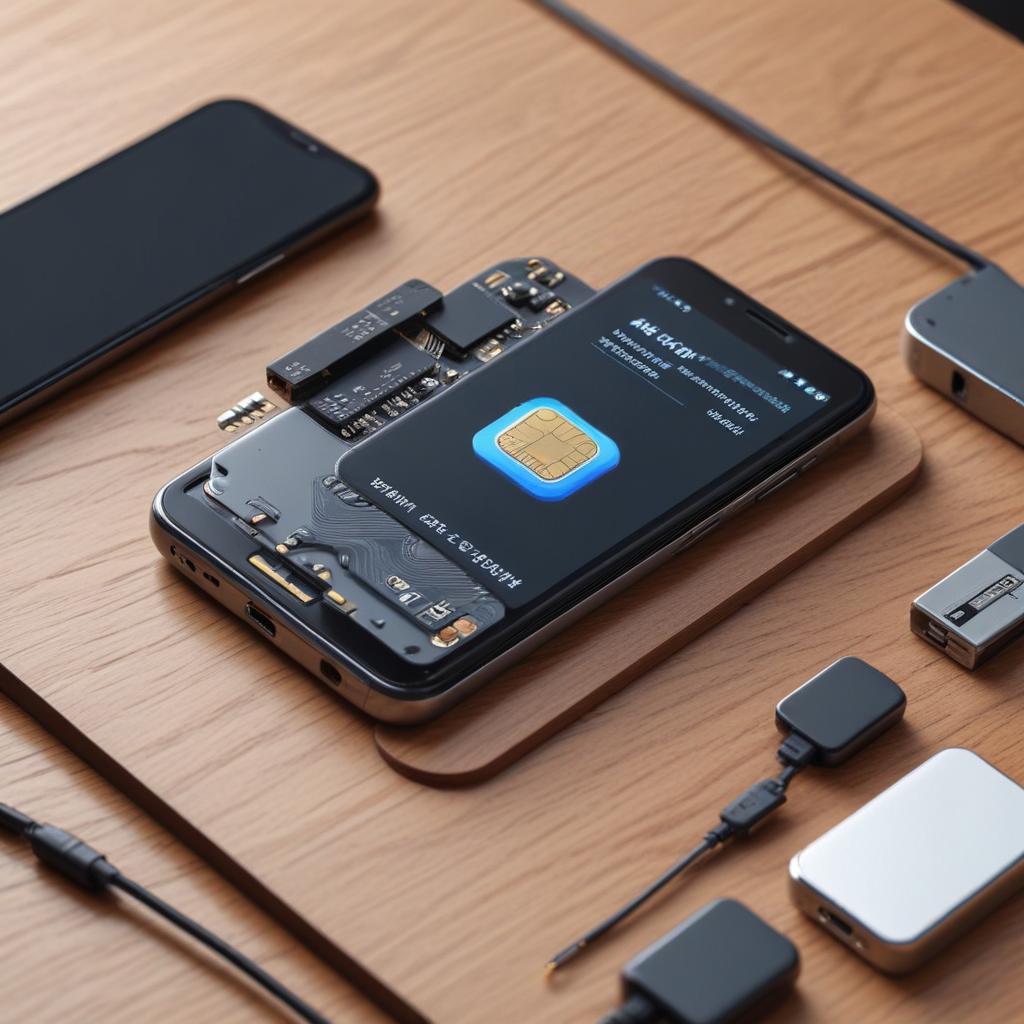
eSIM technology, which stands for embedded SIM, marks a major advancement in mobile connectivity by replacing traditional physical SIM cards with a programmable digital SIM integrated directly into a device’s hardware. Unlike regular SIM cards that are small chips inserted into smartphones, an eSIM is a miniature chip soldered onto the device’s motherboard. This built-in design allows users to activate cellular plans without the hassle of changing physical cards, providing effortless management of connectivity.
The fundamentals of eSIM are centered on its digital format. Rather than needing to purchase or manually insert a new SIM card for various carriers or plans, users can obtain profiles from multiple carriers through software, allowing the phone to switch based on the user’s requirements. This adaptability is a key benefit of eSIM technology, particularly appealing to frequent travelers or individuals who utilize multiple service providers for both work and personal purposes.
Unlike traditional physical SIM cards that are constrained by their size and require manual handling, eSIM technology removes the possibility of losing or damaging a card. Furthermore, since eSIMs are integrated into the device itself, manufacturers can create slimmer and waterproof smartphones, eliminating the need for a SIM card slot. This integration also enhances device security, as the digital SIM is not easily removed or interfered with by unauthorized individuals.
Additionally, the digital SIM streamlines the carrier switching experience. Users can quickly activate a new service plan directly from their phone’s settings, eliminating the need to go to a store or wait for a physical SIM card to arrive. This immediate activation minimizes downtime and improves user convenience, a crucial aspect in today’s rapidly evolving mobile landscape.
Contemporary smartphones that feature eSIM technology are capable of supporting various profiles, enabling users to keep distinct business and personal numbers on a single device without the hassle of multiple SIM cards. This functionality underscores the increasing significance of digital SIMs in enhancing connectivity management, establishing the fundamentals of eSIM as a crucial element in the future of mobile communication.
In summary, eSIM technology connects hardware and software in mobile communications, offering users enhanced freedom, security, and convenience. As the digital SIM emerges as the norm in the smartphone market, its benefits are fueling the transition towards more cohesive and user-centric mobile experiences.
How eSIMs Work
The eSIM feature revolves around a SIM chip integrated into a device, removing the requirement for a traditional SIM card. This built-in SIM allows for smooth eSIM functionality, enabling users to set up cellular plans remotely via software, thus providing enhanced flexibility and ease of use. The activation process includes downloading a digital profile from the carrier to the embedded SIM, which holds all essential carrier information and authentication credentials.
A major advantage of the embedded SIM is its capacity to hold multiple profiles. Each profile is linked to various carriers or plans, allowing users to easily switch networks without the need to change SIM cards physically. This functionality simplifies things for international travelers or individuals looking to handle multiple numbers or data plans on a single device.
Switching networks with eSIM usually involves a straightforward choice within the device’s settings, allowing users to select the profile they wish to activate. This streamlines the process by removing the physical steps associated with traditional SIM cards. Furthermore, carriers can deliver updates or manage profiles wirelessly, improving both user experience and network oversight. With this innovative embedded SIM technology, handling mobile connectivity is significantly more effective and convenient.
Benefits of Using eSIM Phones
eSIM-enabled devices provide a variety of eSIM benefits that position them as an attractive option in today’s mobile landscape. A key advantage of this primary advantages of eSIM technology is its versatility. In contrast to conventional SIM cards, eSIMs can be configured remotely, enabling users to change carriers or plans without needing to swap out the physical SIM card. This flexibility is particularly beneficial for regular travelers and individuals who enjoy trying out different service options.
One major benefit of eSIM phones is the convenience they bring. With eSIMs, setting up a new plan or handling several lines is simple, usually requiring just a QR code scan or a profile download. This removes the necessity of going to a store or waiting for a physical SIM to arrive, making the setup quicker and more efficient.
Furthermore, eSIM smartphones play a role in space-saving in devices. Because eSIMs are integrated directly into the device’s hardware, they eliminate the need for physical space that was once used by SIM card slots. This design benefit enables manufacturers to produce thinner devices or provide additional space for bigger batteries and other elements, thereby improving the phone’s overall functionality and aesthetic.
In summary, the blend of adaptability, ease of use, and compact design showcases the primary benefits of eSIM technology, making eSIM-equipped devices an attractive choice for tech-oriented users who want to maintain seamless connectivity.
Tips for Keeping Your eSIM Phone Connected

Keeping a reliable eSIM connection is crucial for consistent communication and smooth mobile data performance. Below are practical eSIM connection tips and best practices designed to help you sustain your eSIM connection and efficiently resolve common problems.
To start, make sure your phone’s software and carrier settings are consistently updated. Device makers and service providers often issue updates that enhance eSIM functionality and resolve issues affecting connectivity. Frequently checking for system updates can help avoid unforeseen interruptions.
Next, when configuring or changing eSIM profiles, make sure you are connected to a dependable Wi-Fi network. A solid internet connection guarantees that the eSIM profiles are downloaded and activated properly without any disruptions, avoiding setup issues that could impact your connectivity.
Third, take charge of your eSIM profiles by removing any that are unused or inactive from your device. Accumulating too many profiles can occasionally perplex the network management system, resulting in intermittent connection issues. Organizing your profiles contributes to a tidy and effective eSIM setup.
A key tip for eSIM connections is to verify your cellular settings post-international travel or when changing carriers. Certain devices might revert to an incorrect network or not automatically choose the right profile. By manually selecting the active eSIM profile in your settings, you can frequently solve connectivity problems.
If you are facing ongoing connection problems, consider turning airplane mode on and off. This quick action prompts your phone to re-establish its connection to the network and may fix short-lived issues with eSIM functionality. Furthermore, rebooting your device is a tried-and-true technique to refresh network settings and enhance connectivity.
If home troubleshooting fails to fix eSIM connection issues, it is recommended to reach out to your carrier’s customer support. They can offer information about network disruptions, profile activations, and account configurations that could be affecting your connection. Their support is essential for more in-depth troubleshooting beyond standard eSIM advice.
Lastly, take into account the physical elements that can affect your eSIM connection, including network coverage and potential interference. Utilizing your device in locations with robust cellular signals and steering clear of barriers or electronic interference can significantly improve the stability of your connection.
Adhering to these best practices for eSIM troubleshooting and upkeep will help ensure a stable and continuous connection on your eSIM-compatible device, allowing you to stay connected no matter your location.
Regular Software Updates
Ensuring that your device’s software and carrier settings are current is crucial for achieving a reliable and smooth connection on eSIM devices. Frequent software updates not only add new functionalities but also provide vital security fixes and performance improvements that can help avert connectivity problems.
A crucial element to monitor is the eSIM firmware, which governs your phone’s connection to your mobile carrier’s network. Keeping the firmware updated guarantees that your device stays aligned with the newest network technologies and protocols, minimizing the chances of lost signals or sluggish data speeds.
Moreover, updates to your operating system (OS) frequently include patches for issues that could impact your eSIM phone’s ability to handle network connections. Skipping these updates may result in software conflicts and erratic performance in your device’s communication capabilities. Additionally, it is crucial to apply carrier-specific updates, designed to enhance connectivity with your mobile service provider’s systems.
Regularly installing software updates boosts your phone’s capacity to swiftly reconnect to networks following signal drops and increases its overall dependability. Many devices offer the option for automatic updates, so you won’t overlook important releases. To ensure your eSIM phone operates at peak performance, be sure to activate these automatic updates or periodically verify that you have the latest software versions.
Managing Network Settings
For a reliable connection on your eSIM device, it’s important to frequently check and adjust your network settings. Start by reviewing your mobile data configurations to make sure the appropriate eSIM profile is enabled. Since more than one profile may exist, verifying which one is active can help avoid connection issues.
After that, check your network mode settings to ensure they align with your current location and carrier’s capabilities. Choosing the best mode, like 4G LTE or 5G, can greatly improve your connection reliability and data speeds. If you encounter regular disconnections, try turning airplane mode on and off to refresh your network connection.
Activating an eSIM might sometimes necessitate changes to your network settings. Once you’ve set up a new eSIM, take a moment to check the APN (Access Point Name) settings. Properly configured APN settings are essential for mobile data services to operate smoothly, enabling your device to connect effectively with your carrier’s network.
Make sure to regularly update your phone’s software. Updates to network settings typically accompany system updates, enhancing your eSIM’s capacity to sustain a stable connection. By consistently overseeing your network settings and mobile data configurations, you can experience more seamless connectivity and reduced interruptions.
Avoiding Common Connectivity Problems
Numerous eSIM users encounter connectivity challenges, including profile corruption and signal interruptions, which can hinder communication and mobile data access. Profile corruption usually happens when the eSIM profile is not downloaded or activated correctly, resulting in difficulties in detecting the network. To address eSIM problems of this nature, it is recommended to remove the corrupted eSIM profile and reinstall it using the carrier’s app or QR code. This procedure generally fixes errors related to the profile.
Signal loss is a common issue faced by users of eSIM phones. This can occur due to inadequate network coverage, interference, or software issues. Begin by checking that the phone’s software and carrier settings are current, as updates frequently provide crucial fixes for connectivity issues. Restarting the device may also refresh network connections and enhance signal strength. If the signal keeps failing, toggling between various network modes (such as 4G and 3G) might help stabilize the connection.
In cases of ongoing problems, it’s advisable to reach out to the carrier’s support team to check for any network outages or limitations that might impact the eSIM. Furthermore, users should ensure that their eSIM is compatible with both their device and the network. By recognizing typical eSIM challenges and implementing effective troubleshooting methods, users can sustain a dependable connection and fully enjoy the advantages of their eSIM-enabled devices.
Best Practices for eSIM Usage and Maintenance

Effectively managing your eSIM is crucial for maintaining smooth connectivity and ensuring your device remains functional over time. To achieve the best performance, it’s vital to adhere to certain essential tips for eSIM maintenance and usage that can safeguard your mobile identity and prevent connectivity problems.
To begin with, it’s essential to securely back up your eSIM profiles. Many modern smartphones provide options to export or save your eSIM configurations to a cloud service or your computer. This precaution is vital if you change devices, reset to factory settings, or encounter software issues. Having a backup of your eSIM profile can save you time and spare you the trouble of reactivating your service with your provider.
When handling several eSIM profiles, make sure to name them distinctly in your device settings, if that option is provided. Clear naming allows for easy switching between profiles without mix-ups, particularly during travel or when balancing work and personal numbers. This method of organization improves your overall experience and reduces the risk of unintentional disconnections.
Ensuring security is essential when it comes to eSIM management. Handle your eSIM information with the same vigilance as you would with your physical SIM card. Refrain from publicly sharing QR codes or activation information, and make sure to obtain eSIM profiles solely from reputable carrier sources. Additionally, using secure Wi-Fi connections while activating or handling eSIM profiles can significantly lower the chances of data interception.
Consistently refresh your device’s software and carrier configurations. Device makers and service providers often issue updates to enhance eSIM functionality and resolve issues. Maintaining the latest version of your phone and its software guarantees optimal performance and security for your eSIM features.
Furthermore, if you have an eSIM profile that you aren’t using anymore, it’s a good idea to remove it from your device to avoid unnecessary clutter and confusion. Deleting profiles that you no longer need can help free up storage space and simplify your mobile data management.
Using these eSIM maintenance and usage strategies helps protect your connectivity and prolong the life of your digital SIM technology. Effective management, regular backups, and careful handling are essential to fully benefit from the convenience and flexibility of eSIM while avoiding typical challenges.
Profile Management and Backup
Effectively handling several eSIM profiles on your device guarantees smooth connectivity with various networks and locations. Furthermore, securing your eSIM information helps protect against unintentional loss or device transitions. Adhere to these guidelines to manage your eSIM profiles and establish dependable backups.
- Access your phone’s settings and navigate to the section dedicated to mobile or cellular plans, where your eSIM profiles are listed.
- Review the active and stored eSIM profiles; you can usually toggle between profiles or set a default for cellular data and calls.
- To add a new eSIM profile, scan the QR code provided by your carrier or enter the activation code manually, following the on-screen prompts.
- Remove any outdated or unused eSIM profiles to free up space and reduce clutter within your device’s profile management.
- For backup, check if your device manufacturer or carrier offers an official eSIM backup service; some apps allow you to export your eSIM profile securely to cloud storage.
- Alternatively, take note of your carrier’s QR codes or activation details and store them safely offline in case you need to restore the eSIM profile later.
- Regularly update your backup after adding or modifying eSIM profiles to ensure it reflects your current setup.
- When switching devices, use your backup information to restore your eSIM profiles quickly without losing connectivity.
Security Considerations for eSIM Phones
Maintaining strong eSIM security is crucial for safeguarding your phone as a whole. As eSIM technology becomes more prevalent, it is important for users to actively protect their devices and personal information. A key security practice is to create strong and unique passwords or passcodes for your phone and any associated accounts. This straightforward action greatly minimizes the chances of unauthorized access to your eSIM and your device.
An essential component of mobile security is activating device encryption. Many contemporary smartphones come equipped with integrated encryption options that protect your data by transforming it into a secure state that can only be accessed with the correct credentials. Turning on encryption guarantees that even if your device is misplaced or taken, confidential information stored on the eSIM and other sections of your phone stays safe from unauthorized access.
Keeping an eye on network access is crucial for ensuring the security of your eSIM devices. Frequently inspect for any strange network connections or activities that might suggest unauthorized access. Many devices offer features to assess connected services and data consumption, aiding you in remaining alert to possible risks. By utilizing robust passwords, encrypting your device, and maintaining careful oversight, you can safeguard your eSIM and boost the overall security of your phone.

I’m a tech enthusiast who loves exploring how eSIMs simplify staying connected while traveling. I spend my free time testing new smartphones and sharing tips on getting the most out of mobile data abroad.